

Refresh a room
You are repainting the living room. Paint chips sit in your camera roll, the painter’s quote is in email, and the to-do list lives in another app.
Before and after
Before
- Photos, quotes and lists end up in different apps.
- You cannot see what is decided and what still needs doing.
- When the painter calls, the quote is hard to find.
After One place for the whole room
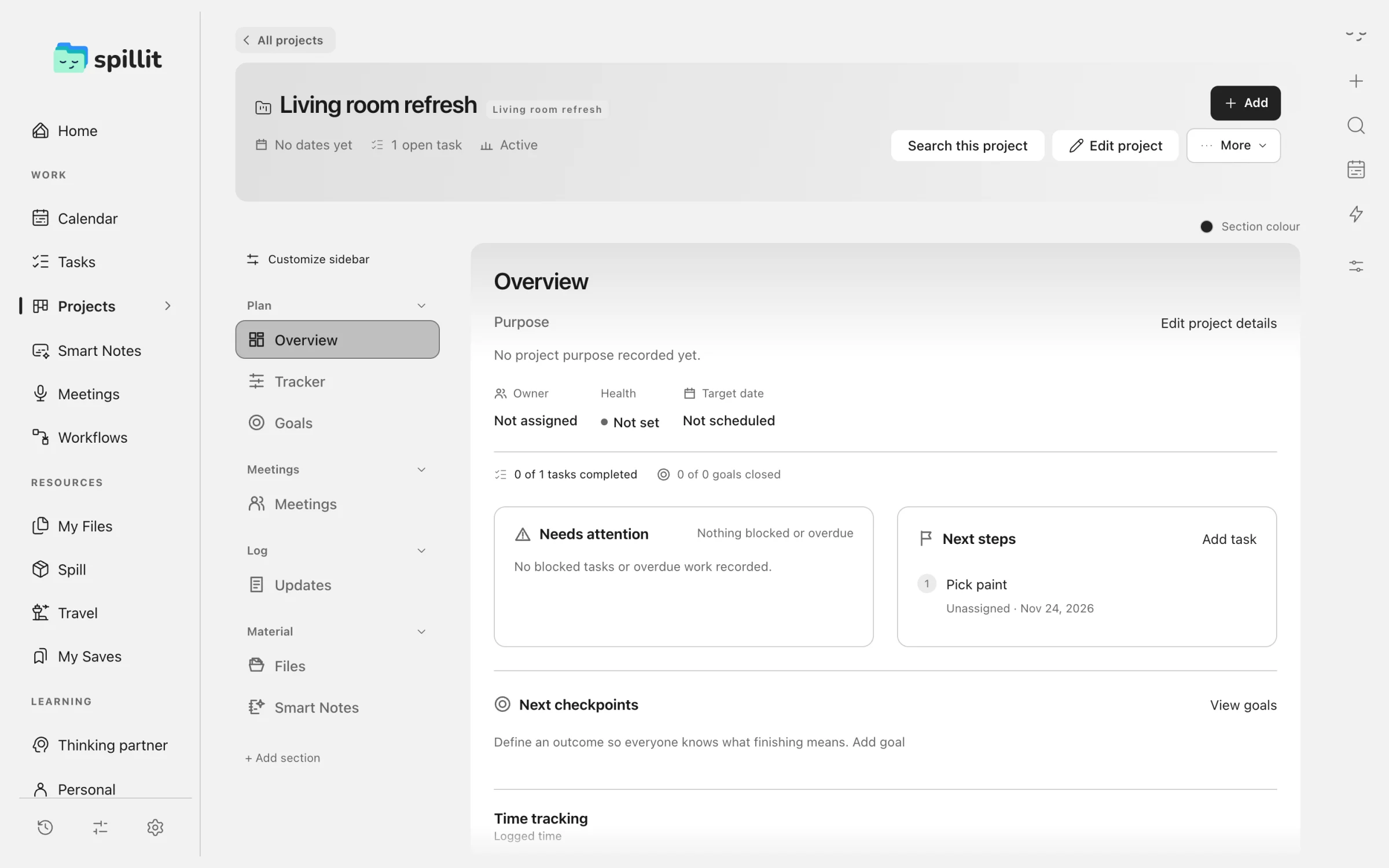
- The photos, quote, plan and tasks sit in one project.
- Overview shows the next step and its date.
- Your files stay where they were on your computer.
Step by step
How Spillit solves it
Keep scrolling. The screen and the guide follow you.Swipe or tap the screen, or keep scrolling.



Step 1 of 6
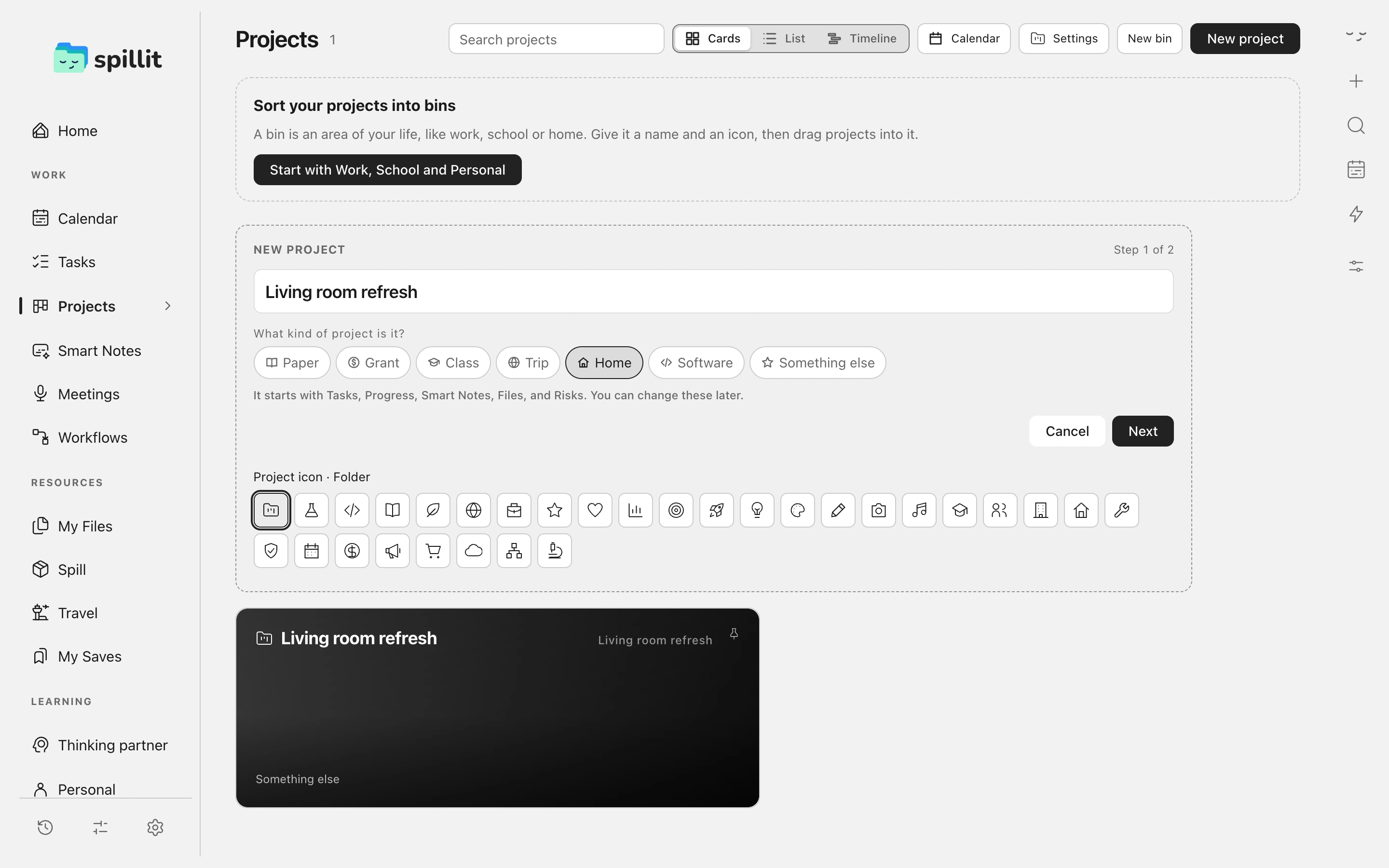
Create a project for the room
Open Projects and choose New project. Name it “Living room refresh” and pick a project type. The type chooses the starting sections.
Step 2 of 6
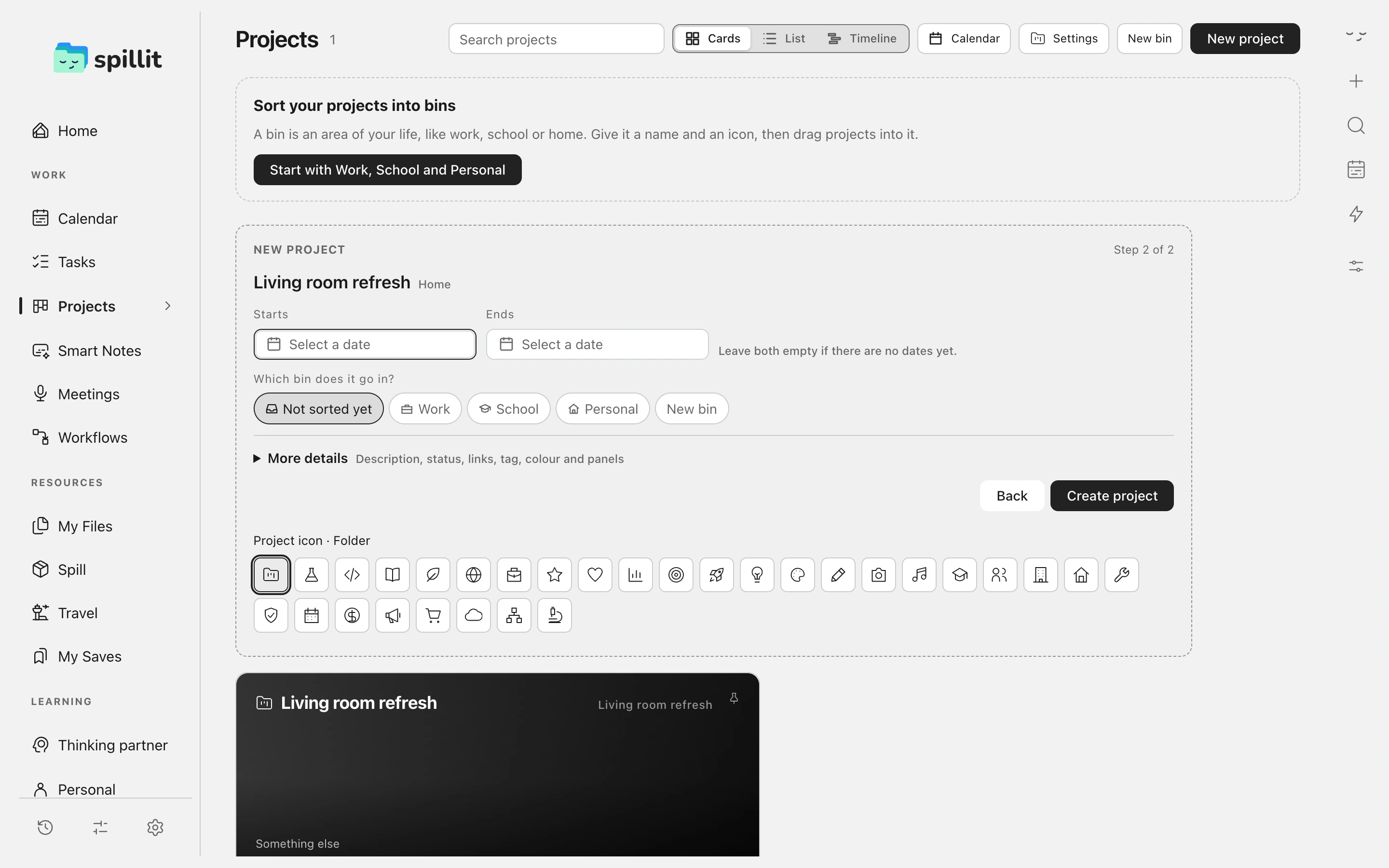
Set dates and a bin
Add Starts and Ends if you know them. Choose a bin, which groups projects in the Projects view, such as one for home jobs.
Step 3 of 6
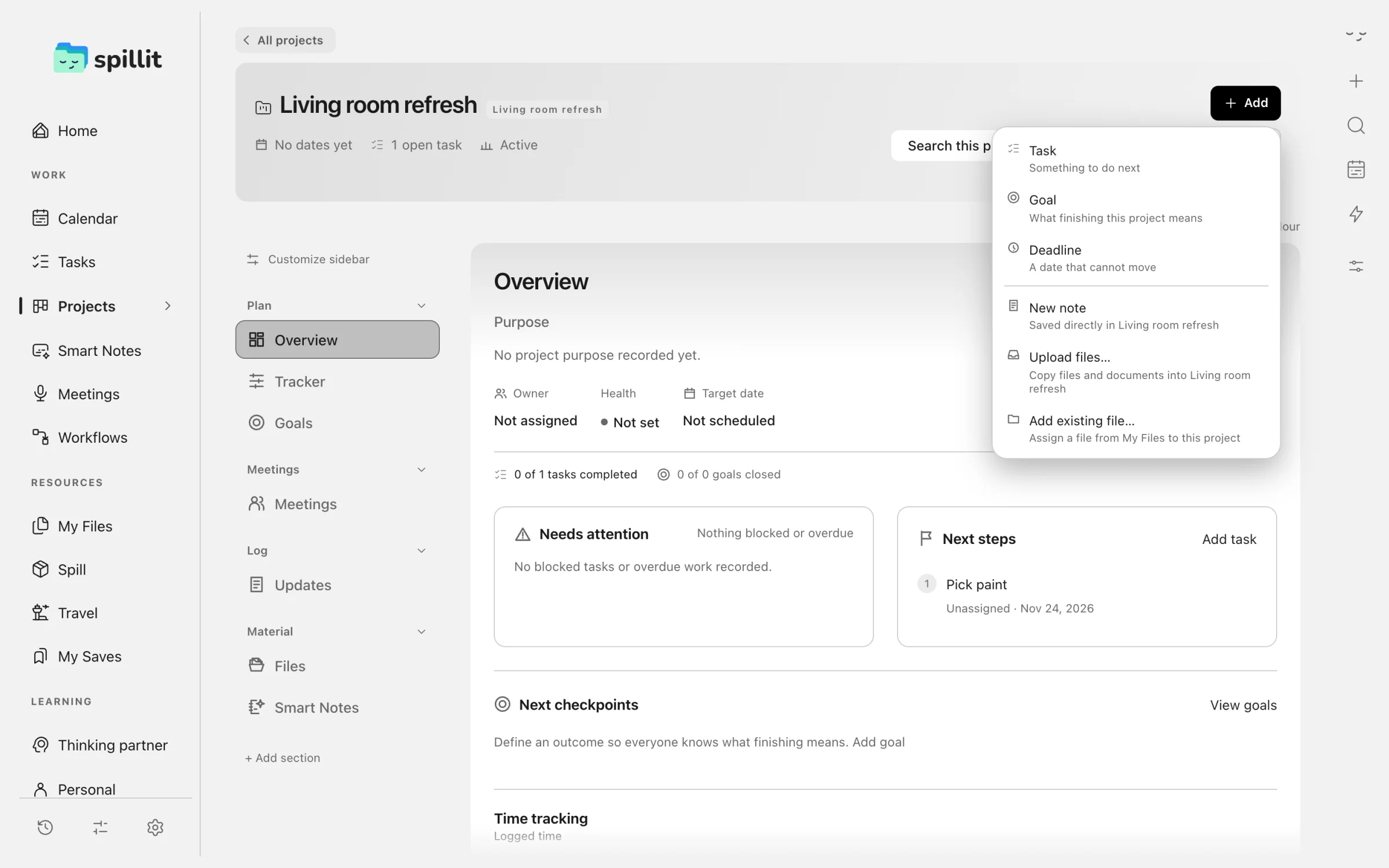
Bring in the photos and the quote
Open Add in the room project. Choose Add existing file… for files already in My Files, or Upload files… to bring in a copy from your computer.
Step 4 of 6
Write down the plan
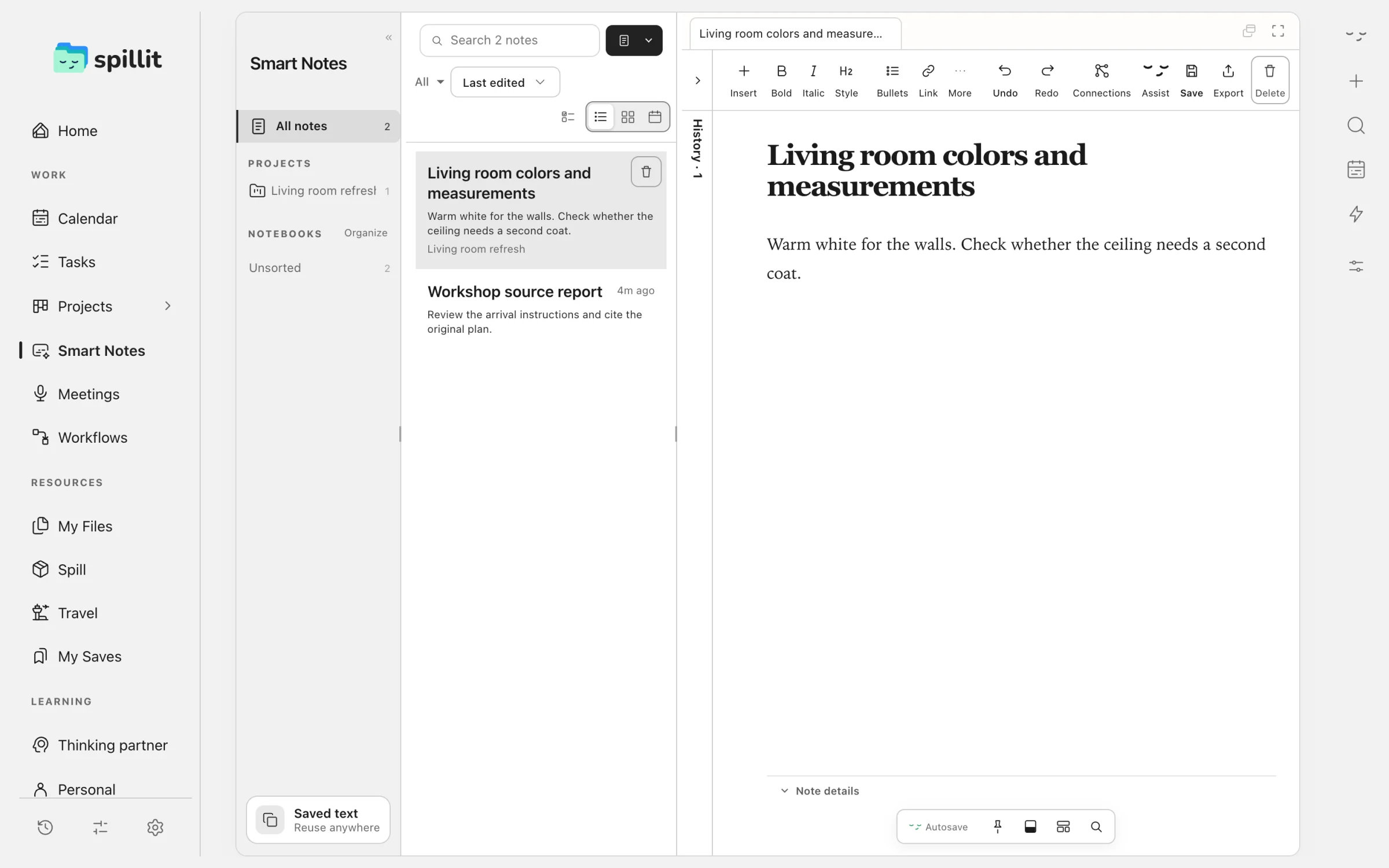
Choose Add → New note. Write the colors you like, the wall measurements and any open question, such as whether the ceiling needs a second coat.
Step 5 of 6
Add the next step
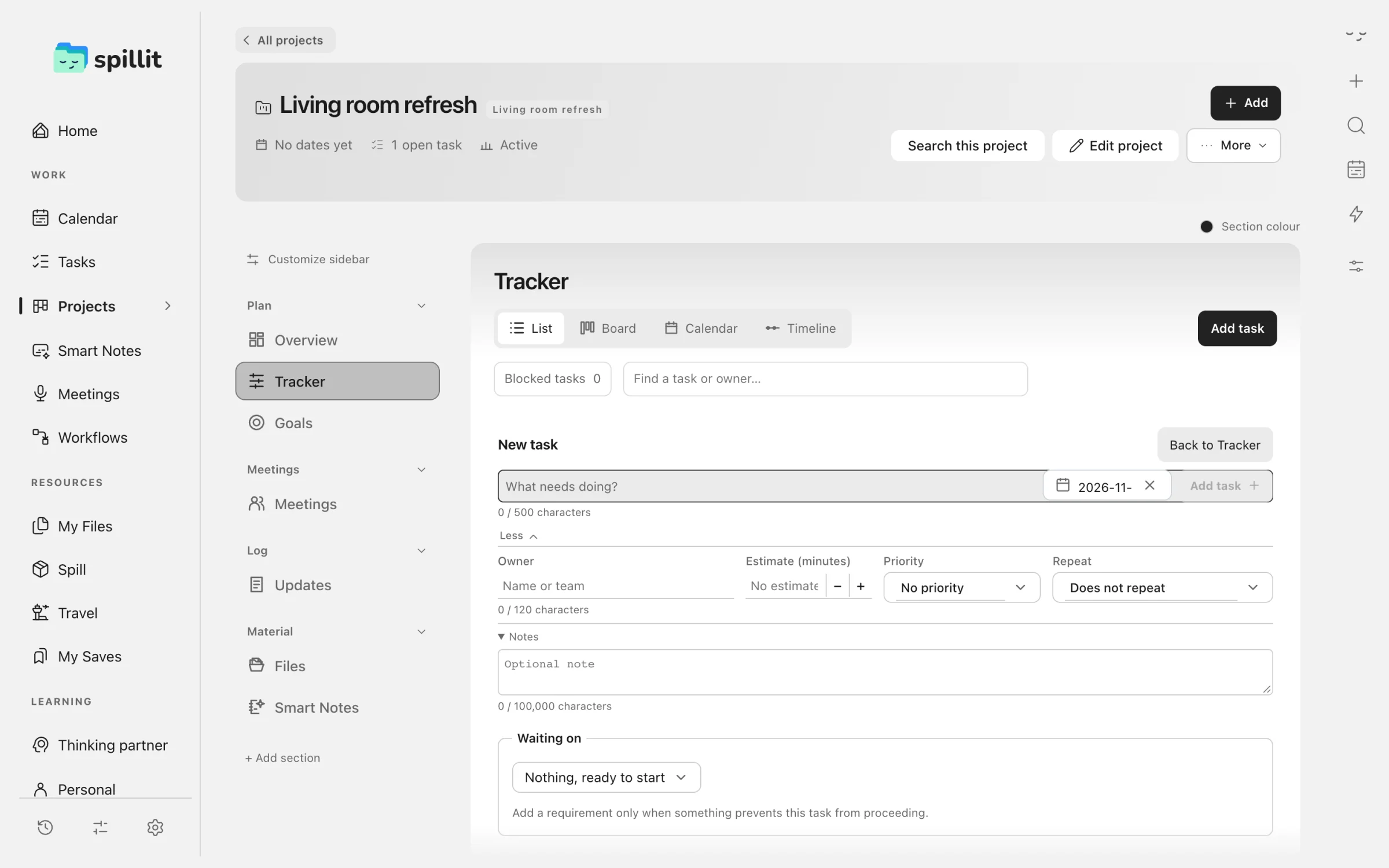
Open Tracker and choose Add task. Name it “Pick paint” and give it a date. Overview then shows your first next steps.
Step 6 of 6
Check the room’s next step
Open the project overview. Pick paint appears under Next steps with its due date.