

Plan a trip
You are going to Mexico City. Flight tickets are in email, the hotel is in another app, and the list of places is in your notes.
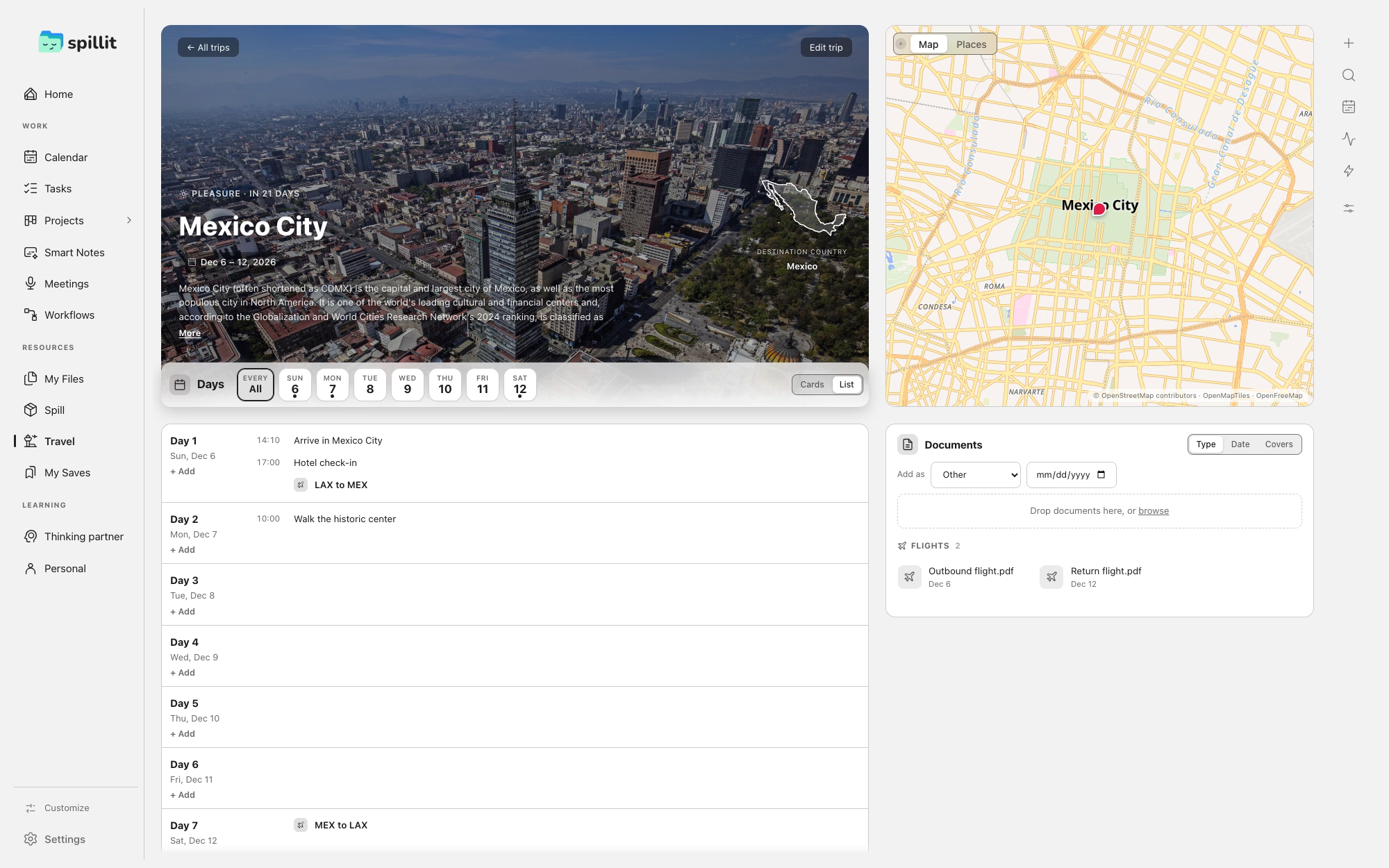
Before and after
Before
- Bookings are scattered across inboxes and apps.
- You cannot see each day of the trip at a glance.
- At the airport you scroll for the right PDF.
After The whole trip in one place
- Flights and bookings sit with the trip.
- Each day has its plan and times.
- The right PDF is one click away at the airport.
Step by step
How Spillit solves it
Keep scrolling. The screen and the guide follow you.Swipe or tap the screen, or keep scrolling.



Step 1 of 5
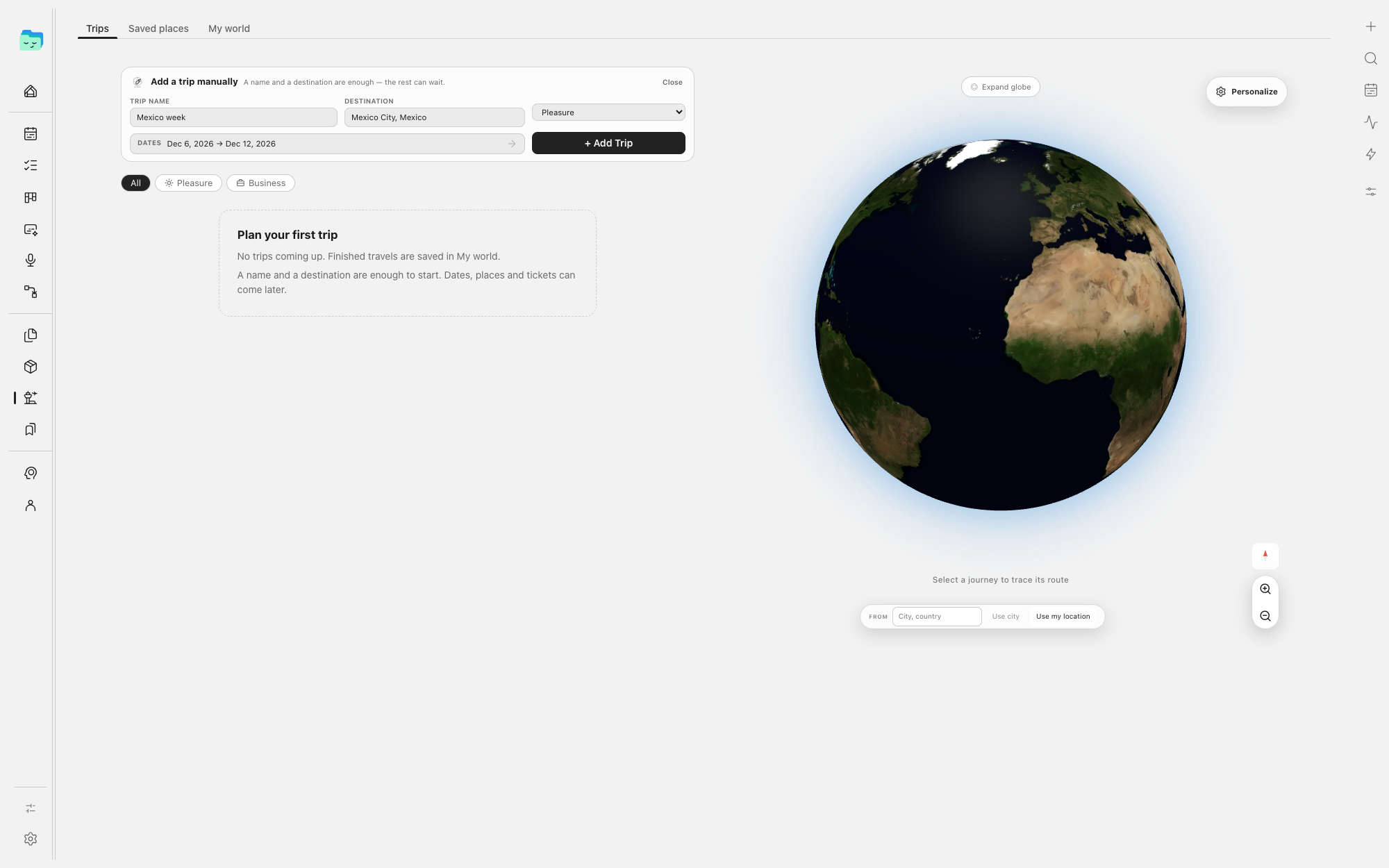
Add the trip
Open Travel and choose Add a trip manually. Enter a name, the destination and your dates, then choose + Add Trip.
Step 2 of 5
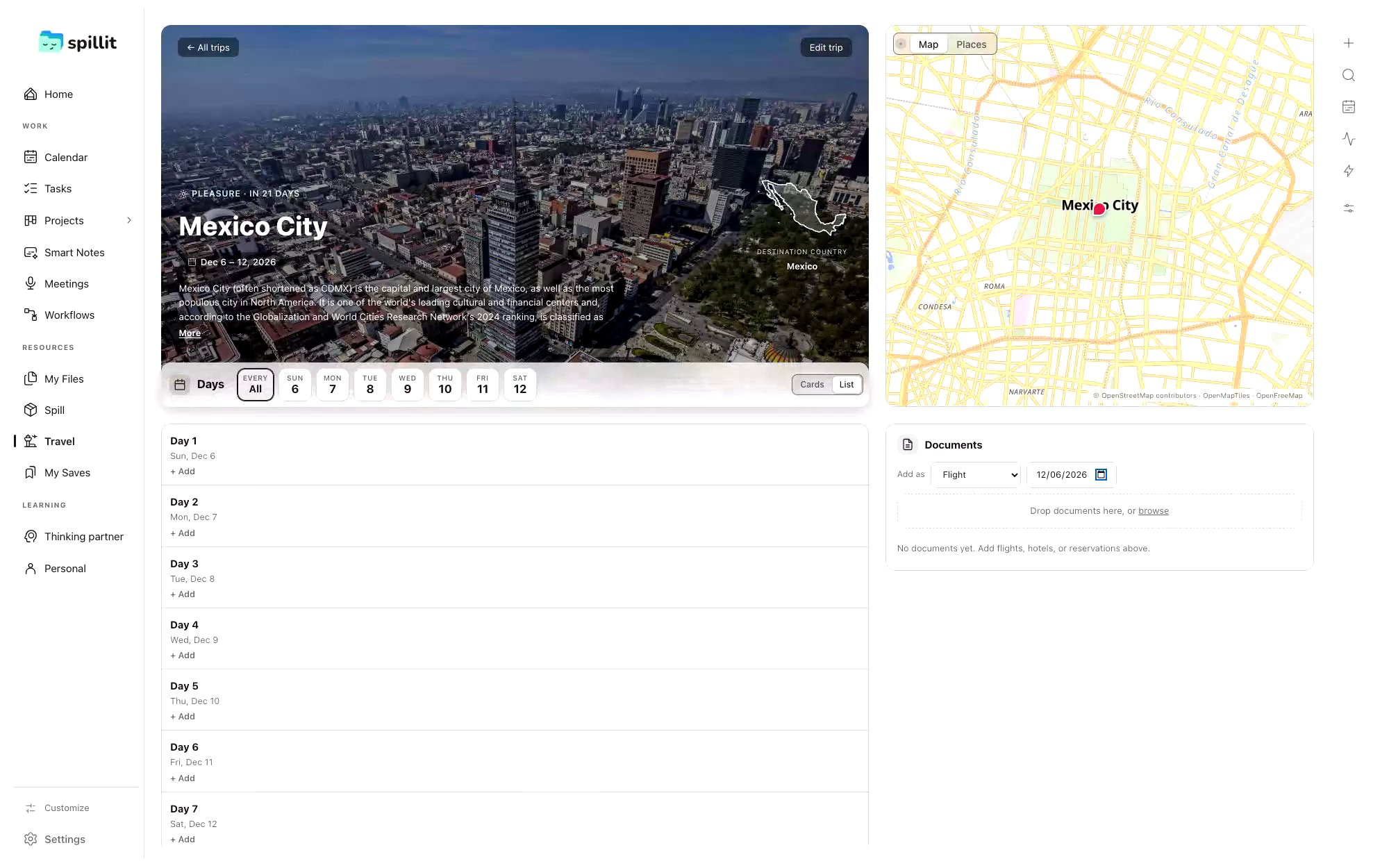
Attach the bookings
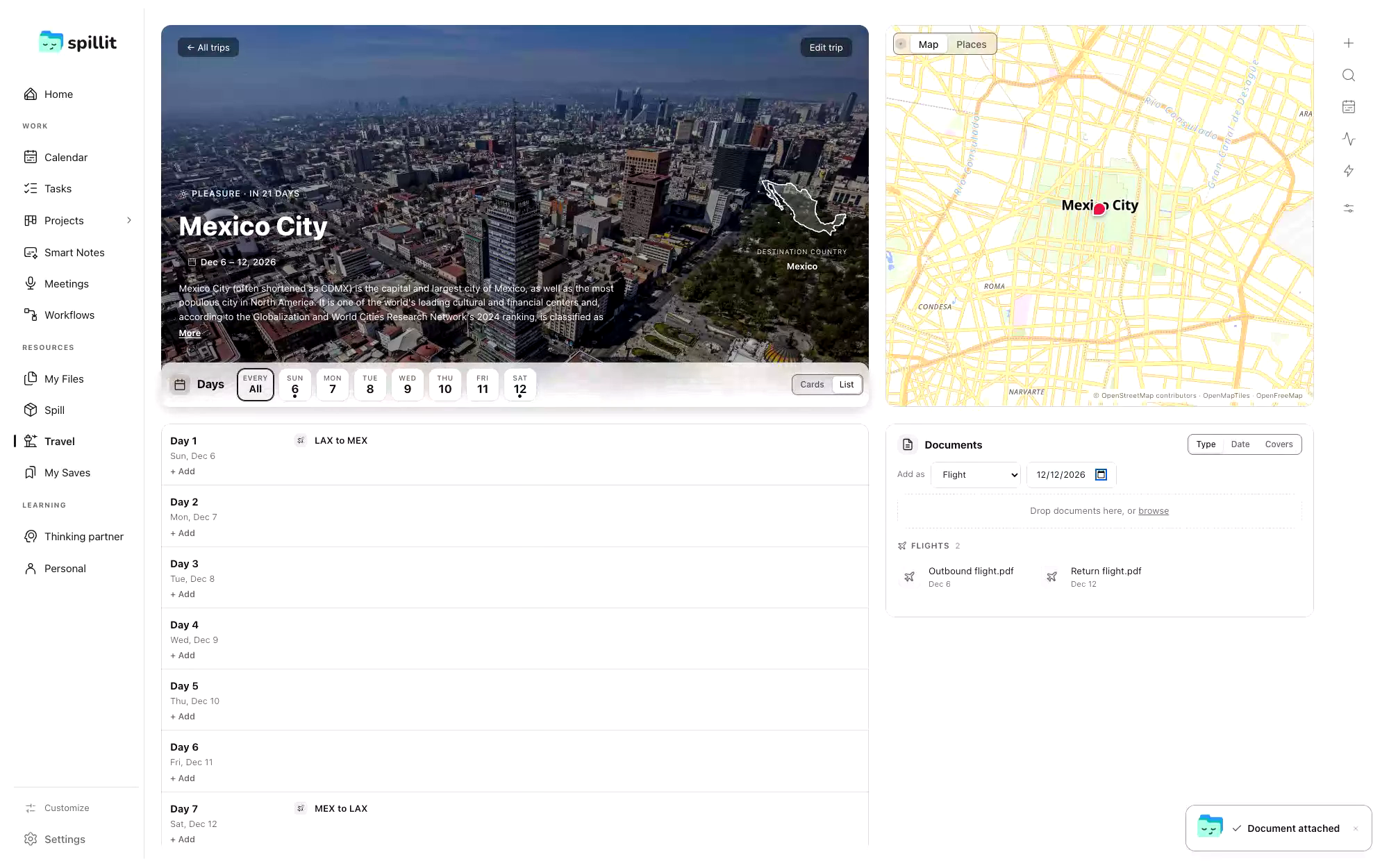
Open Documents on the trip. Use Add as to choose Flight, set the date, and attach the booking PDF.
Step 3 of 5
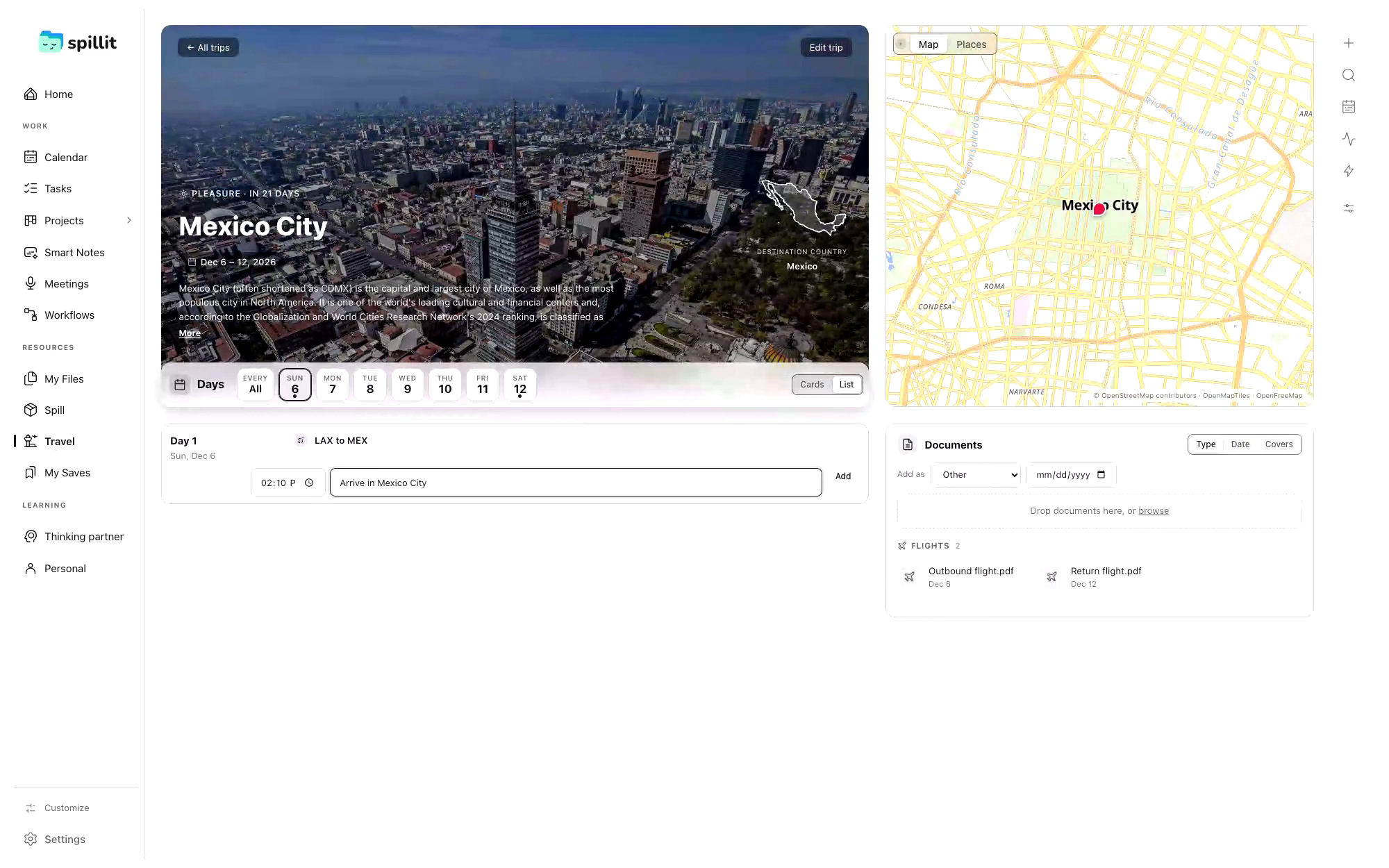
Plan each day
Choose a day and select + Add. Enter the activity and its time, such as “Arrive in Mexico City” at 2:10 PM.
Step 4 of 5
Confirm both tickets are attached
In Documents, check that the outbound and return flight PDFs are both listed. Open either ticket there to review its travel details.
Step 5 of 5
See the whole trip
Open All days to review the itinerary. The timed activities and both flight tickets are available from this trip.