

Everyday life
Fill 24 forms from one roster
Create a named workshop form for each participant from a single list.
- finished forms
- 24
- reusable template
- 1
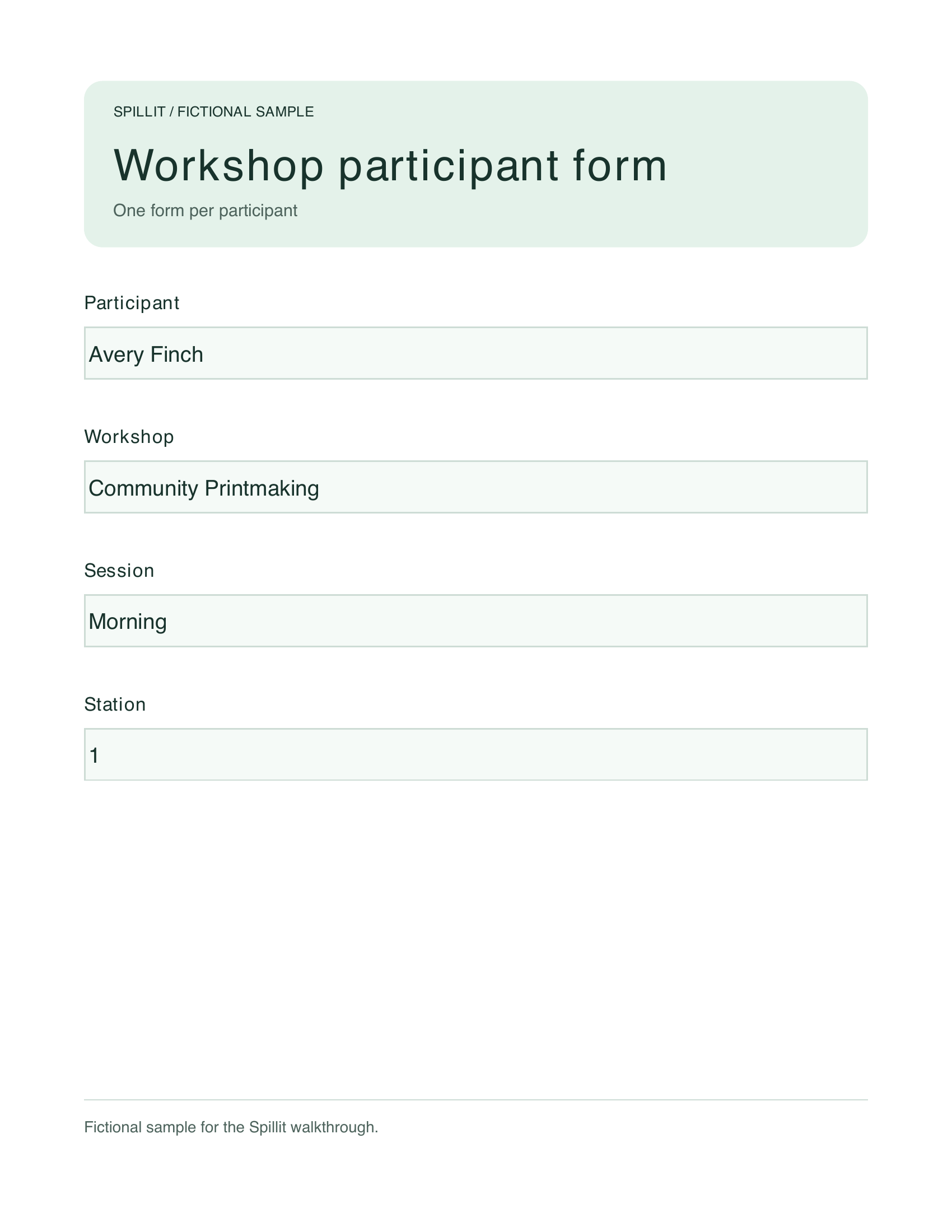
Before and after
Before
You’re preparing two sessions of a printmaking workshop. The roster lists 24 participants with a session and station for each.
- Each participant needs a separate copy of the same form.
- Every copy needs the name, session and station from the right row.
- The completed files need names you can match to the roster.
After One named PDF per participant
- 24 completed PDFs, each named for its participant.
- Each form has the workshop, session and station from its roster row.
- The blank template is available for another roster.
Start with these files
Fictional sample data for desktop Spillit.
Step by step
How Spillit solves it
Keep scrolling. The screen and the guide follow you.Swipe or tap the screen, or keep scrolling.



Step 1 of 5
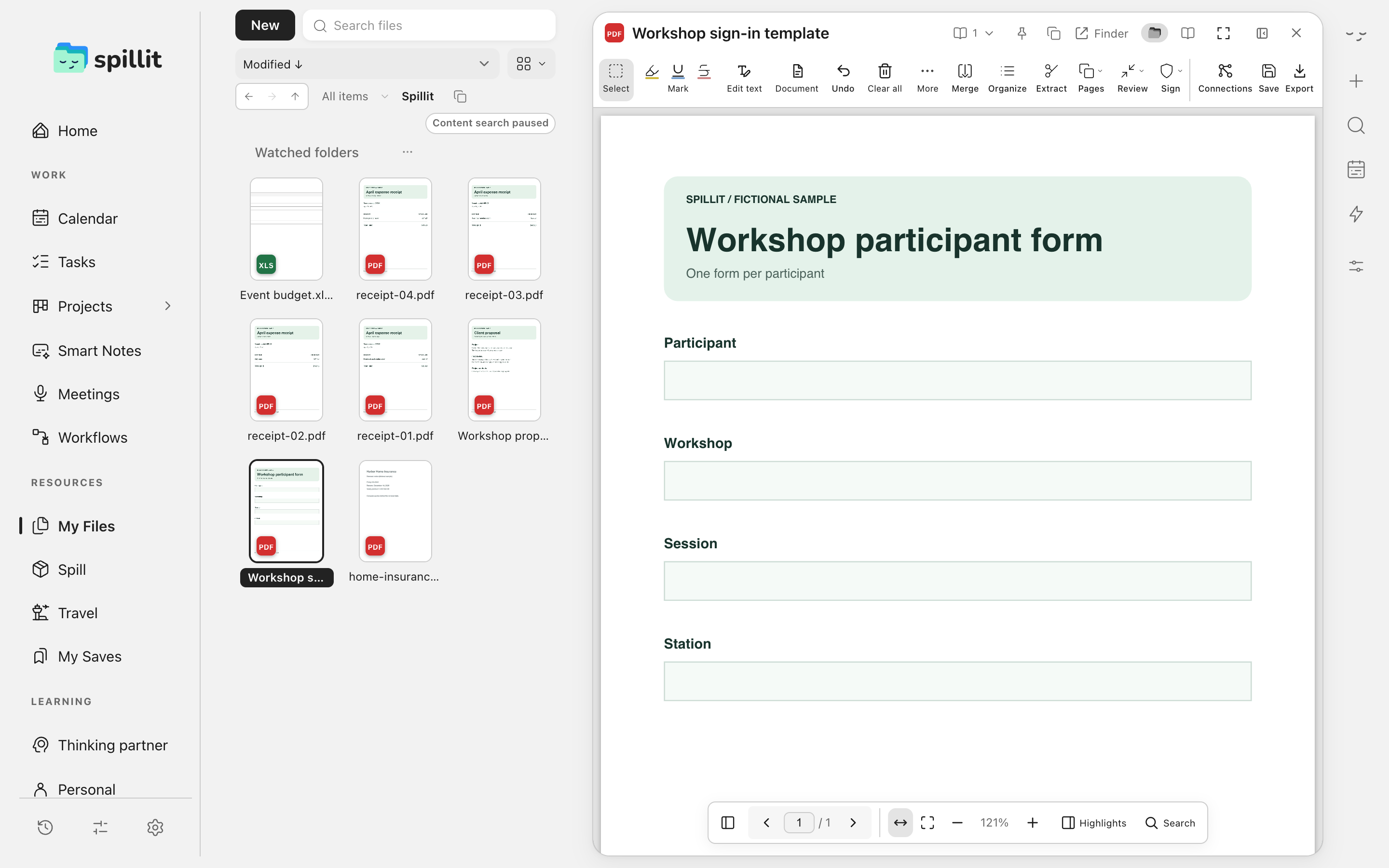
Open the blank form
- Open: Open the blank PDF in My Files
- Check: Match the four fields to the roster columns
Step 2 of 5
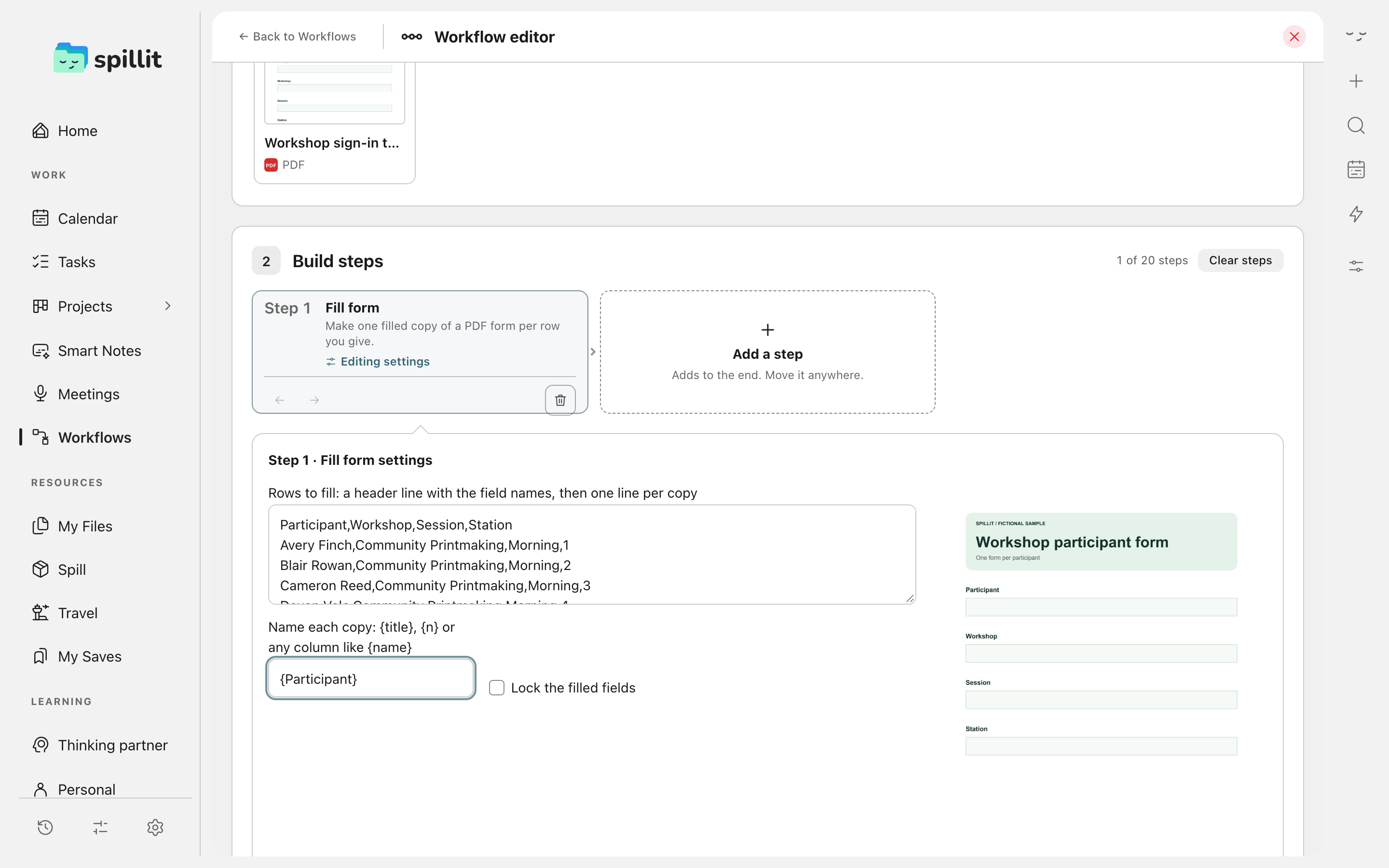
Put the roster into Fill form
- Choose: Choose the blank PDF and add Fill form
- Type: Paste the roster with its header and name copies {Participant}
Step 3 of 5
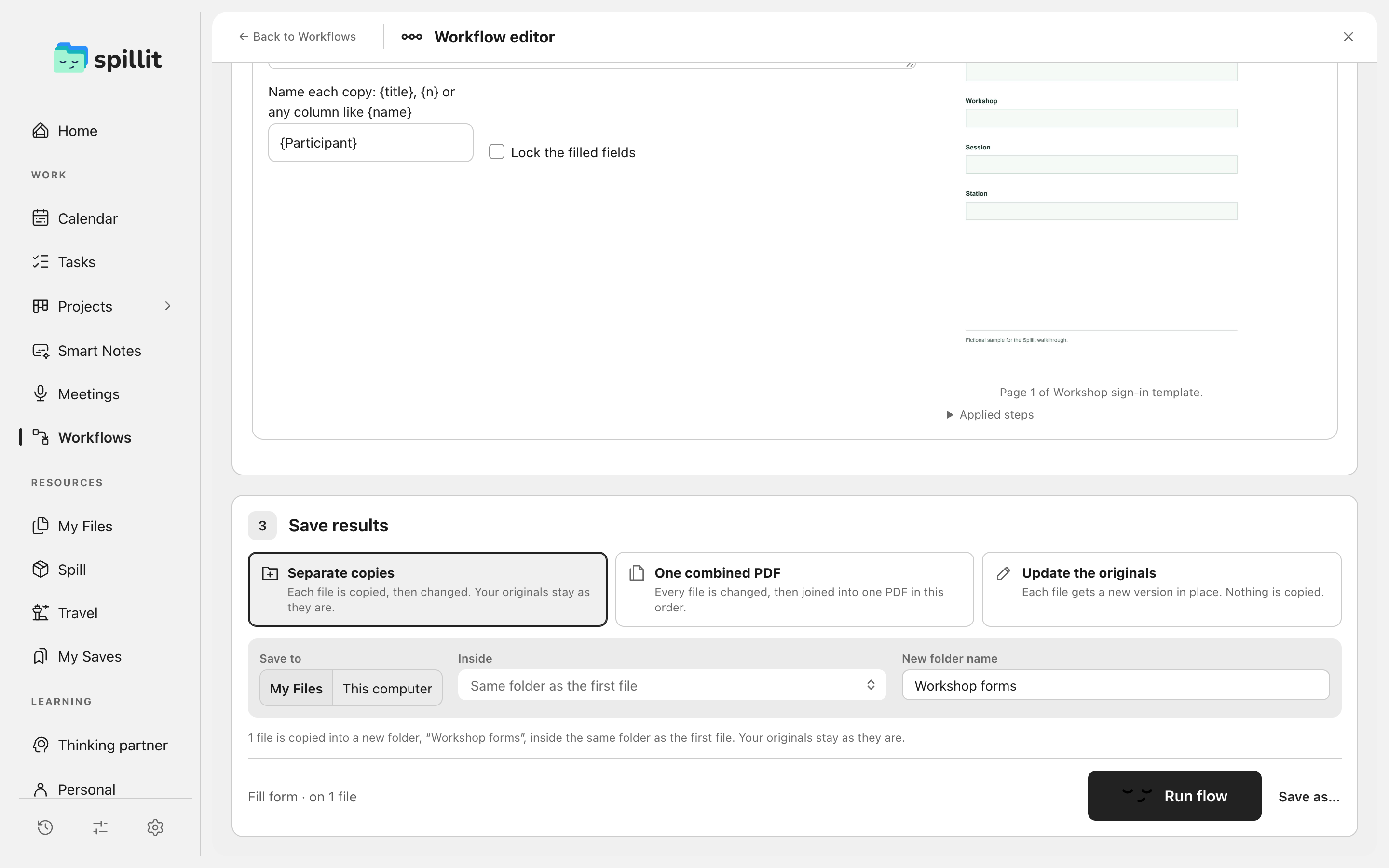
Run the workflow
- Choose: Keep Separate copies and choose Workshop forms in My Files
- Run: Click Run flow
Step 4 of 5
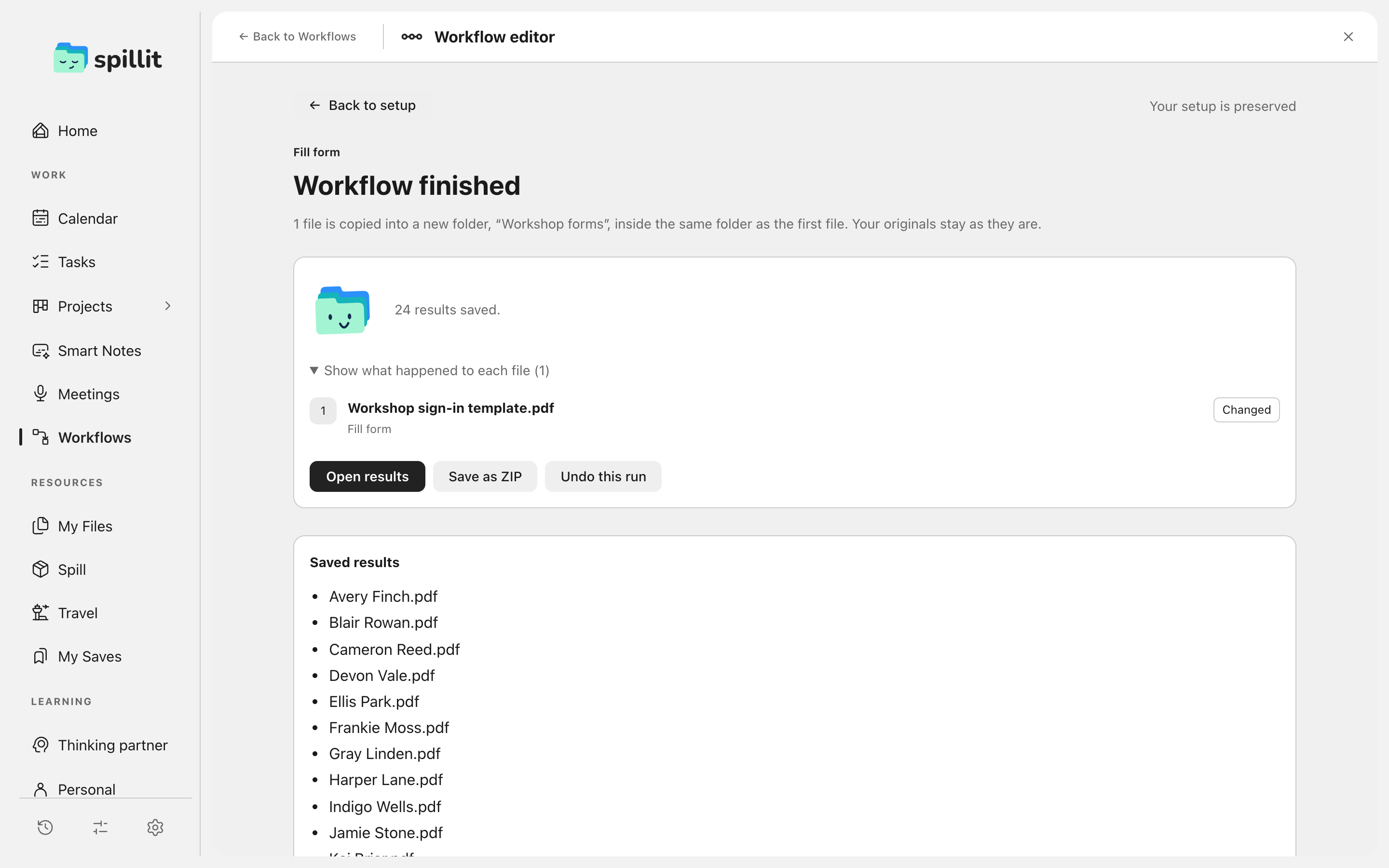
Check that all 24 copies were saved
- Check: Look for Workflow finished and 24 results saved
- Save: Choose Save as ZIP to package the copies
Step 5 of 5
Check the completed form
- Check: Compare Avery Finch, Morning, and 1 with the first roster row
- Open: Check the other copies in the finished forms download