

Build a bibliography from your sources
Your workshop research note cites a paper by Morgan and Reed. You want its title and authors to match the citation and the bibliography.
A formatted reference you can check
The same sample reference appears in My Library, the note, and the bibliography formatter.
See the resultBefore and after
Before
- Author names and dates are easy to mistype.
- The format of the finished reference depends on the citation style.
After A formatted reference you can check
- The same sample reference appears in My Library, the note, and the bibliography formatter.
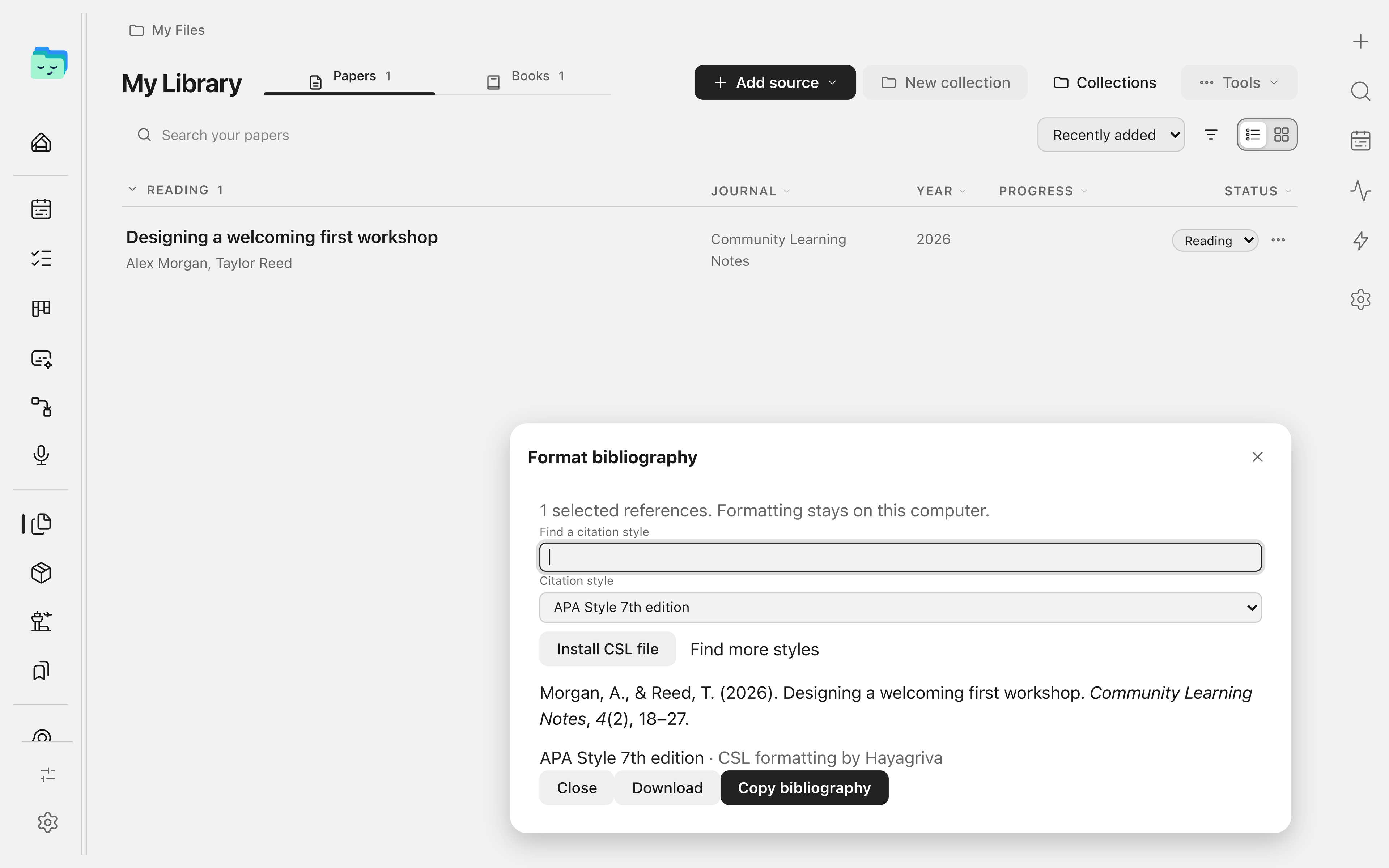
- The bibliography dialog shows the installed APA style and formatted entry.
Step by step
How Spillit solves it
Keep scrolling. The screen and the guide follow you.Swipe or tap the screen, or keep scrolling.



Step 1 of 4
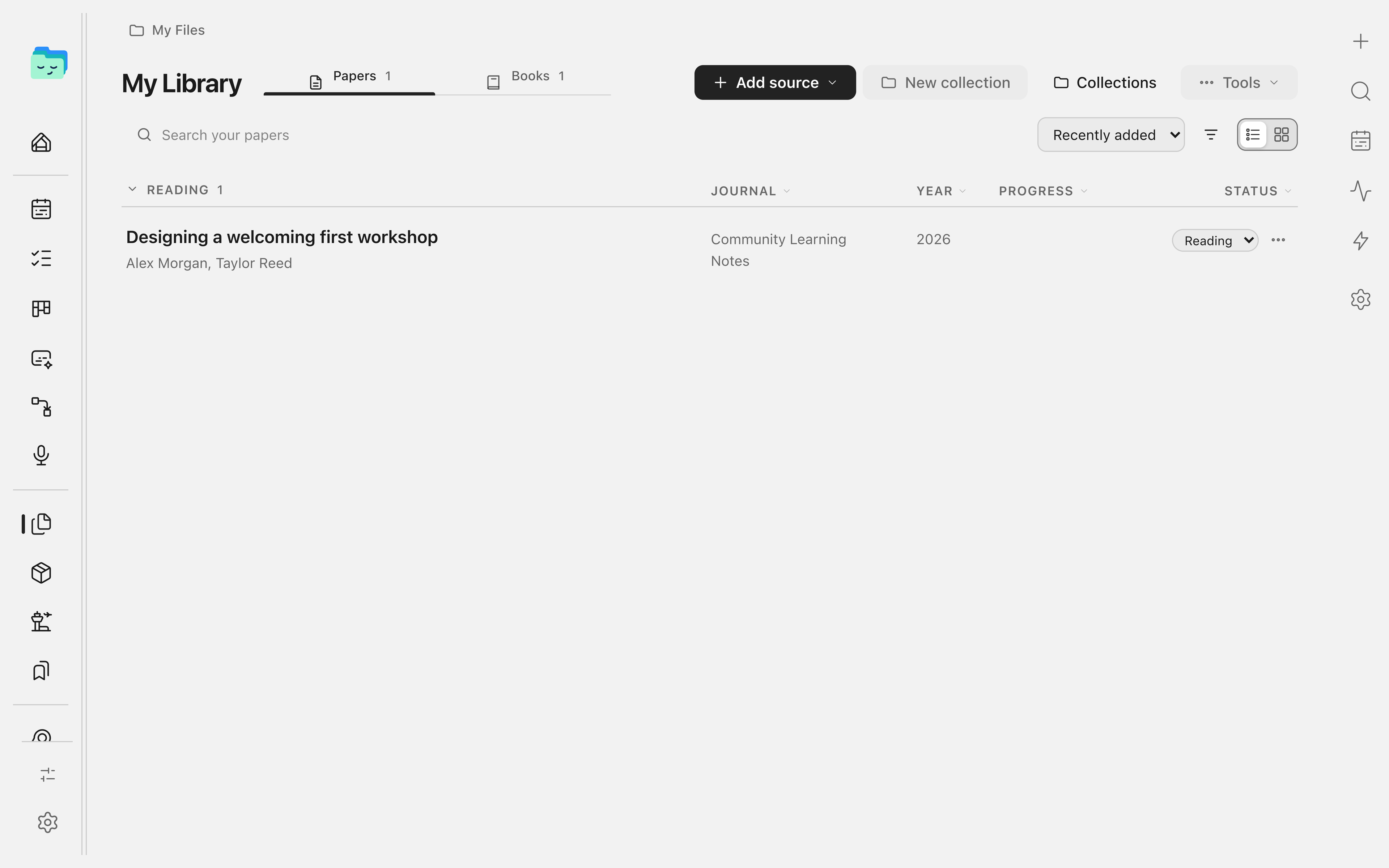
Open the workshop reference in My Library
In My Files, open My Library and find Designing a welcoming first workshop. Check that the list shows Morgan and Reed and the year 2026.
Step 2 of 4
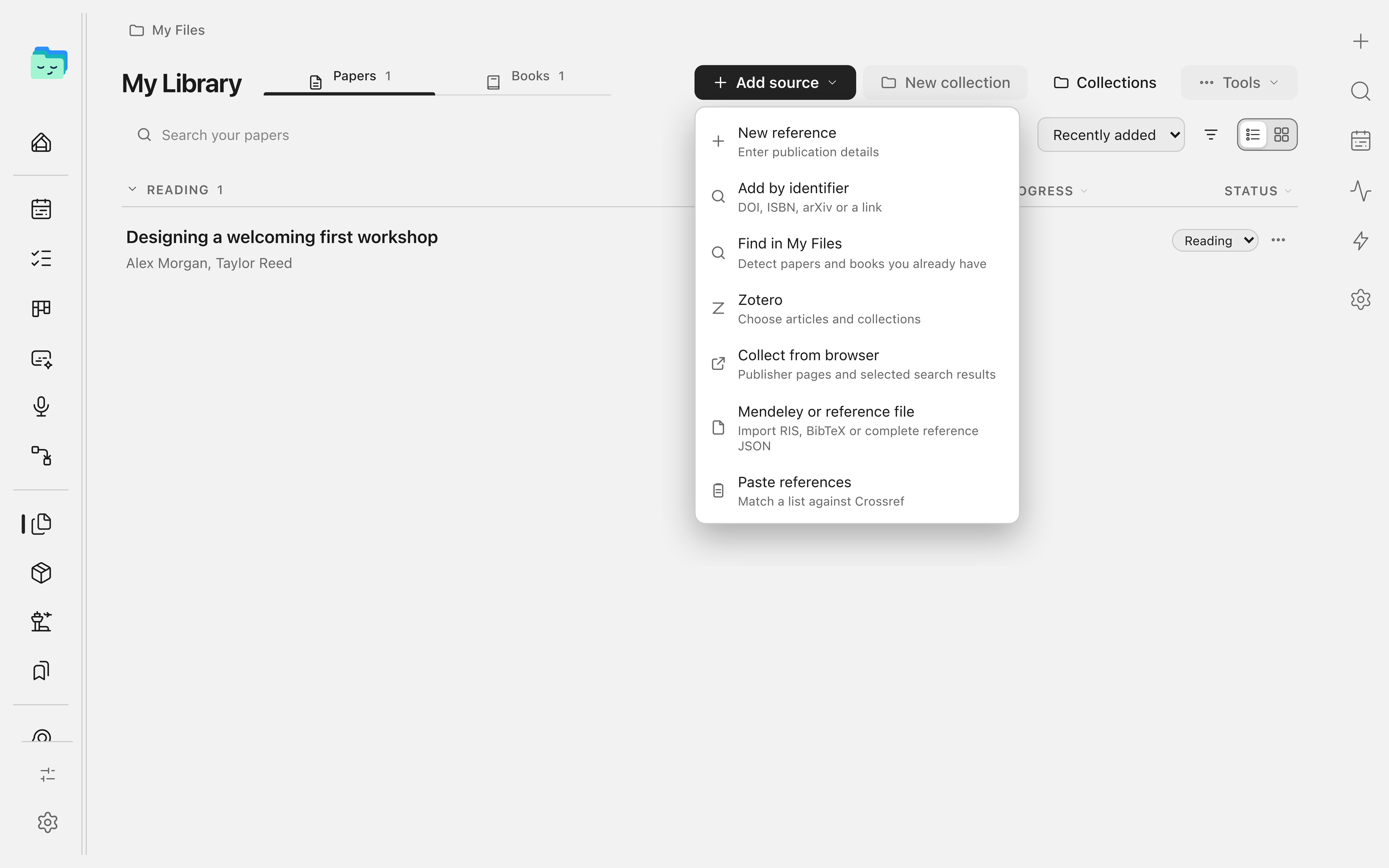
See how a new reference comes in
Use Add source when a reference is missing. Choose New reference to enter the publication details, or use an import option. The workshop reference is already saved.
Step 3 of 4
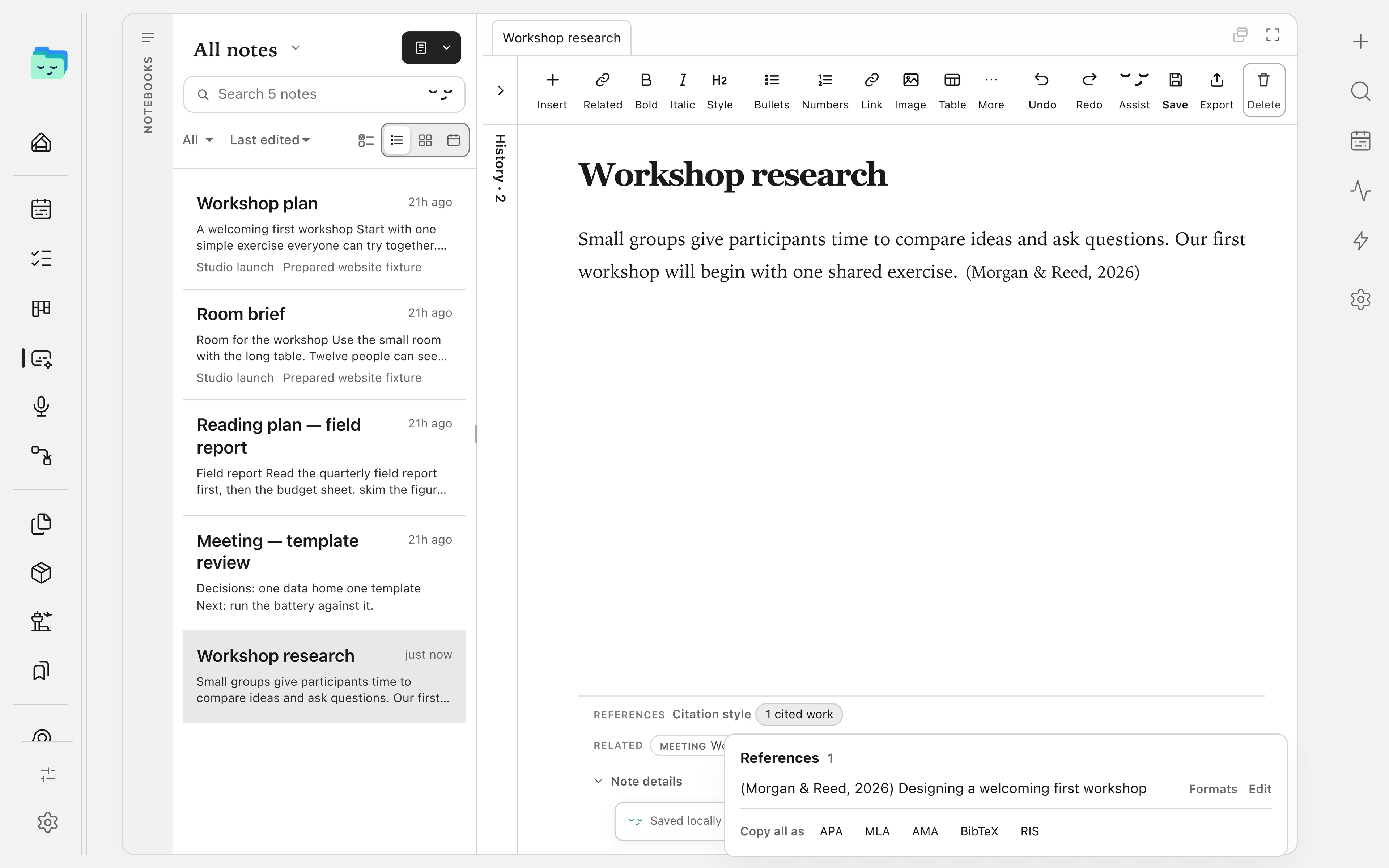
Check the citation in the note
Use the citation control in Smart Notes to insert the reference where you use it. Check the in-text citation against the title in References.
Step 4 of 4
Format the bibliography
In My Library, choose a citation style or open Format bibliography for your selection. Review the authors, year, title, and journal before copying the reference.
Try the example
Check that the citation in the draft points to the same work as the formatted reference.
- Find Morgan and Reed in My Library. Verify the title and 2026 date from the prepared reference.
- Read the citation in the note. Open Format bibliography and choose APA 7th edition for the same reference.
- Compare the authors, year, and title across the note and bibliography before copying the formatted entry.
Check your result
Morgan and Reed (2026) in the note points to Designing a welcoming first workshop in the bibliography. The bibliography includes more publication details.