

Find a link you copied earlier
You copied a link in Safari and then copied something else. You remember the website and want the original link again.
The original link ready to reuse
Search finds the captured link by the domain you remember.
See the resultBefore and after
Before
- The current clipboard holds your most recent copy.
- You remember the domain more easily than the full address.
After The original link ready to reuse
- Search finds the captured link by the domain you remember.
- Copy reuses the address. Pin or Save keeps it handy for later.
Step by step
How Spillit solves it
Keep scrolling. The screen and the guide follow you.Swipe or tap the screen, or keep scrolling.



Step 1 of 3
Search Clipboard in My Saves
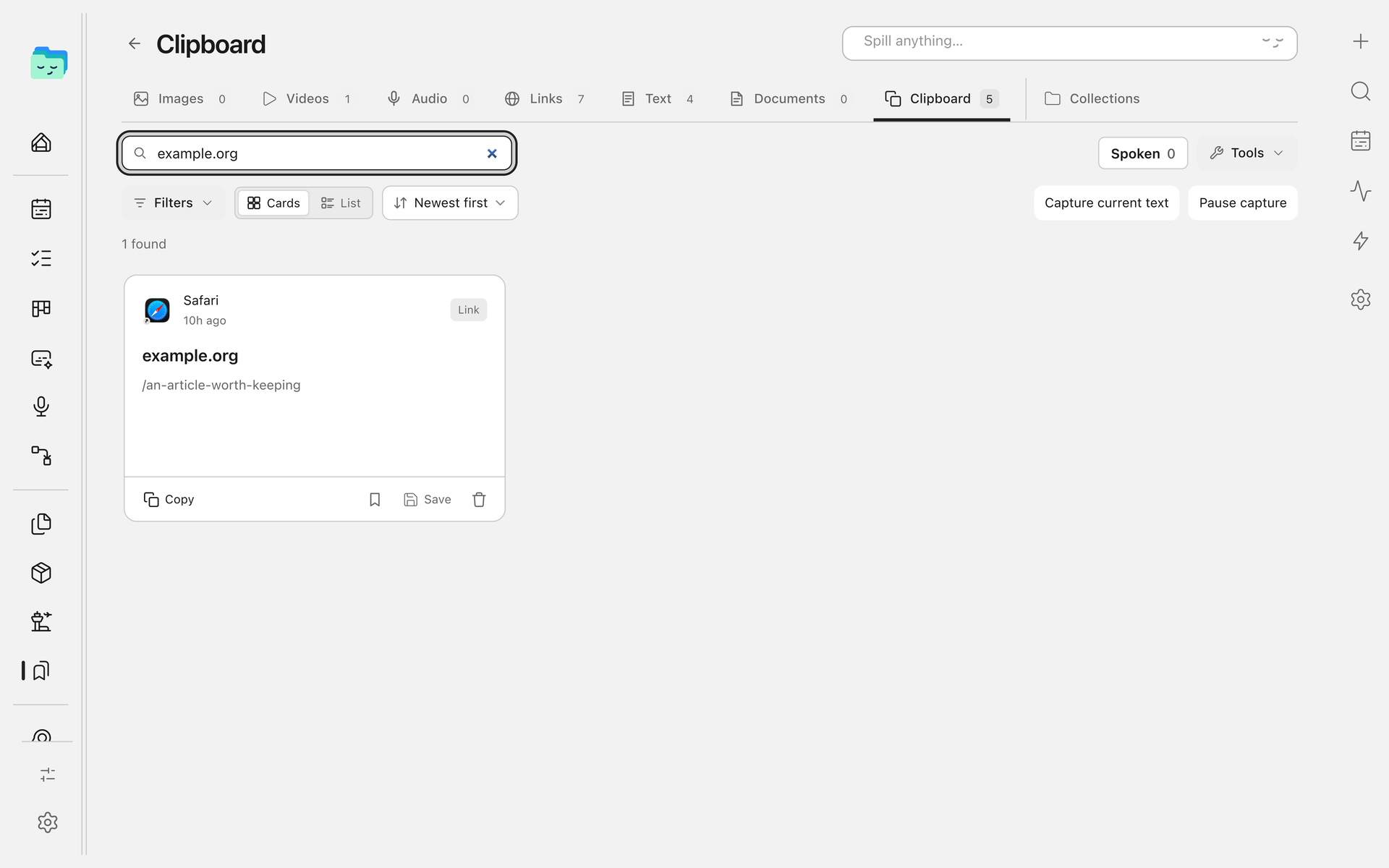
In My Saves, open Clipboard. Search for a word or domain you remember, such as example.org. Check the source app and the address on the matching entry.
Step 2 of 3
Copy the matching link again
Choose Copy on the entry to put the link back on the clipboard. Use Pin if you want to keep that entry easy to find in Clipboard.
Step 3 of 3
Check the address you copied
Paste the copied address where you need it and check it against the Safari card. Use Pin to keep the same entry easy to find.
Try the example
Recover the Safari link after another copy has replaced the current clipboard.
- Search example.org under Clipboard. Check the address and the source app in the matching item.
- Choose Copy. Paste into a temporary note to confirm that the original address is back on the clipboard.
- Use Pin for a recurring clipboard item, or Save if it belongs with your reference links.
Check your result
Clipboard search finds the Safari entry. The pasted text should contain the same address shown on that card.