

Find a line in a video transcript
You want the introduction from a saved workshop video and need its timestamp for your notes.
A passage you can revisit
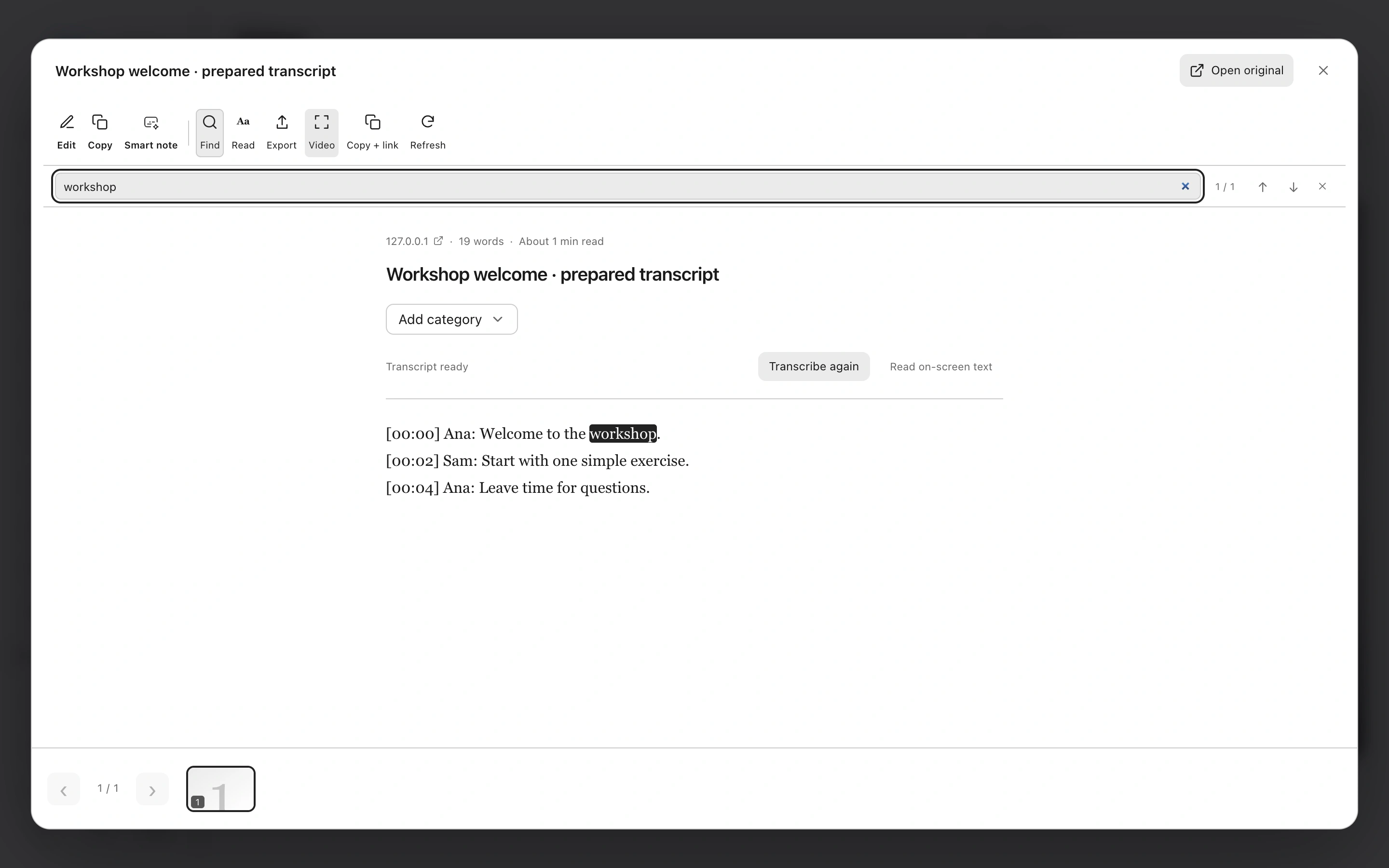
Find locates the matching line and its timestamp.
See the resultBefore and after
Before
- The words are hard to find by scrubbing the video.
- You need to check the line against its source.
After A passage you can revisit
- Find locates the matching line and its timestamp.
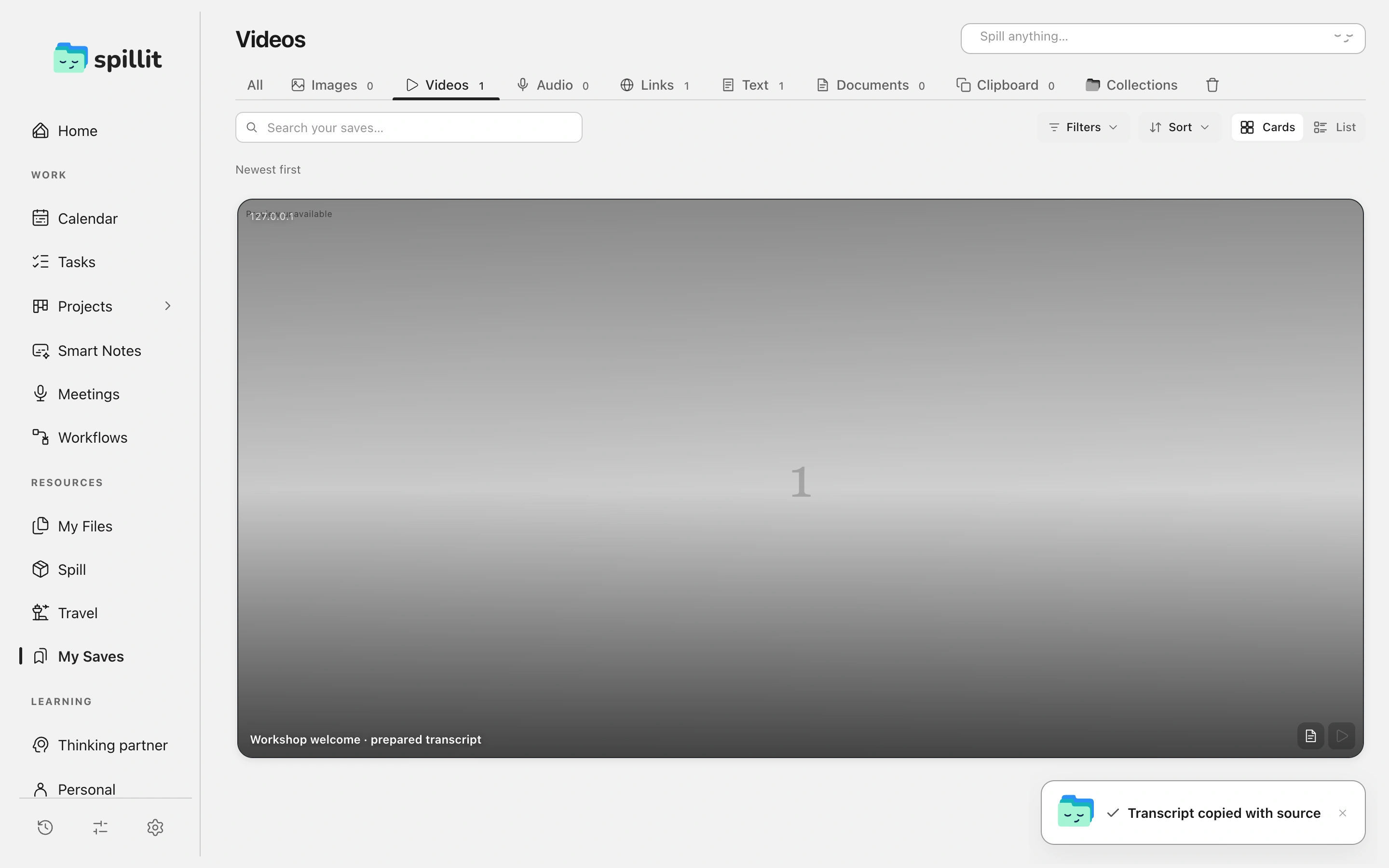
- Copy + link keeps the full transcript with its address.
Step by step
How Spillit solves it
Keep scrolling. The screen and the guide follow you.Swipe or tap the screen, or keep scrolling.



Step 1 of 3
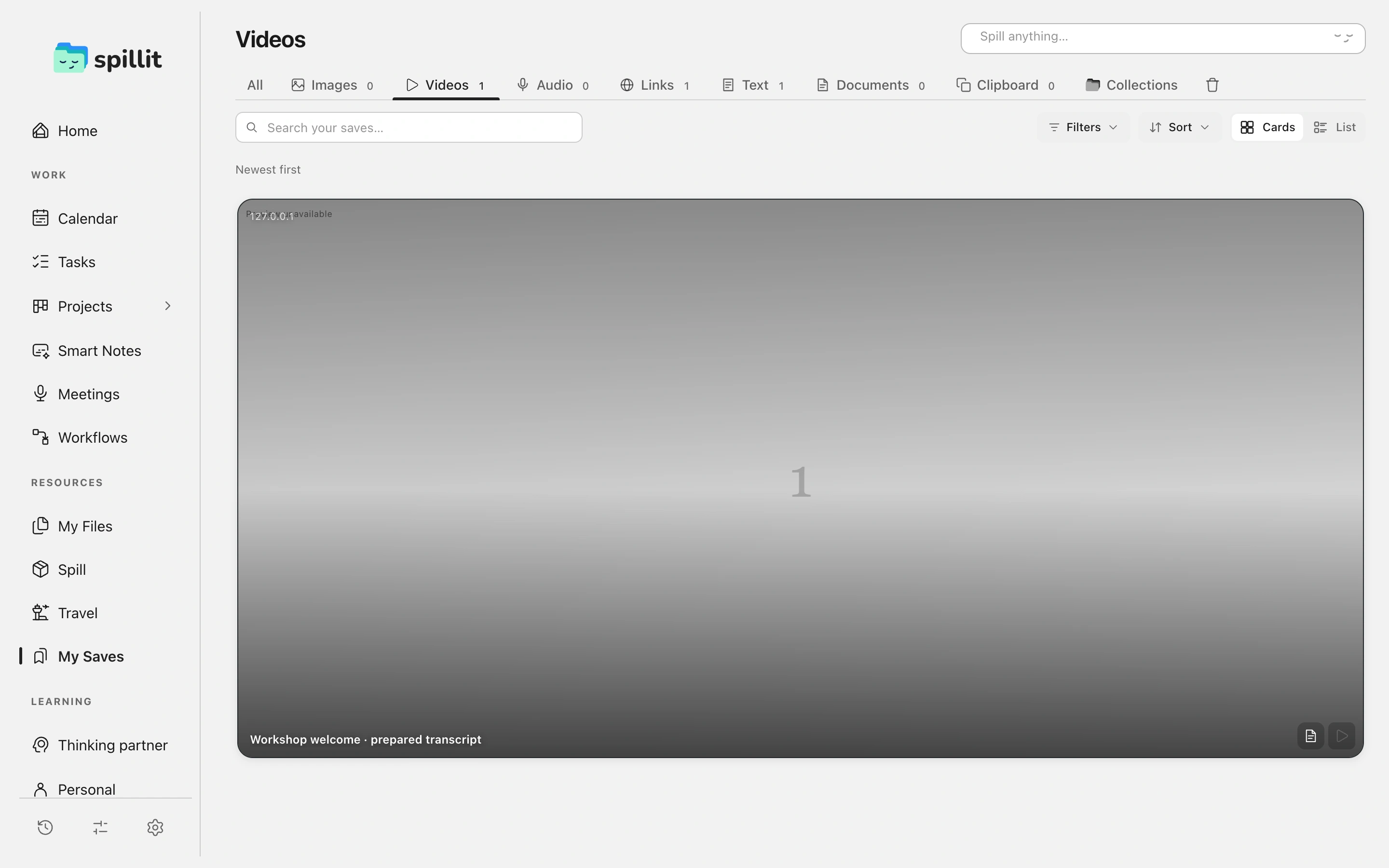
Open Workshop welcome in My Saves
In My Saves, choose Videos. Find Workshop welcome and open its prepared transcript to see the spoken words.
Step 2 of 3
Find the passage
Choose Find and search for workshop. The matching line starts at 00:00. Use the timestamp to locate the words in the video.
Step 3 of 3
Copy the transcript and check the confirmation
Choose Copy + link to copy the transcript and source address together. Check that Spillit confirms Transcript copied with source.
Try the example
Keep a useful passage with enough information to return to the original video.
- Open the prepared Workshop welcome transcript and search for workshop.
- Read the surrounding line at 00:00. Use its timestamp to check which part of the video it refers to.
- Choose Copy + link and paste into a temporary note. Check for the words and the original address.
Check your result
The copied text includes the transcript and its source address. The Find match identifies the line at 00:00.