

Review your plan on iPad
Before the community archive workshop, review the field guide and interview notes together on your iPad.
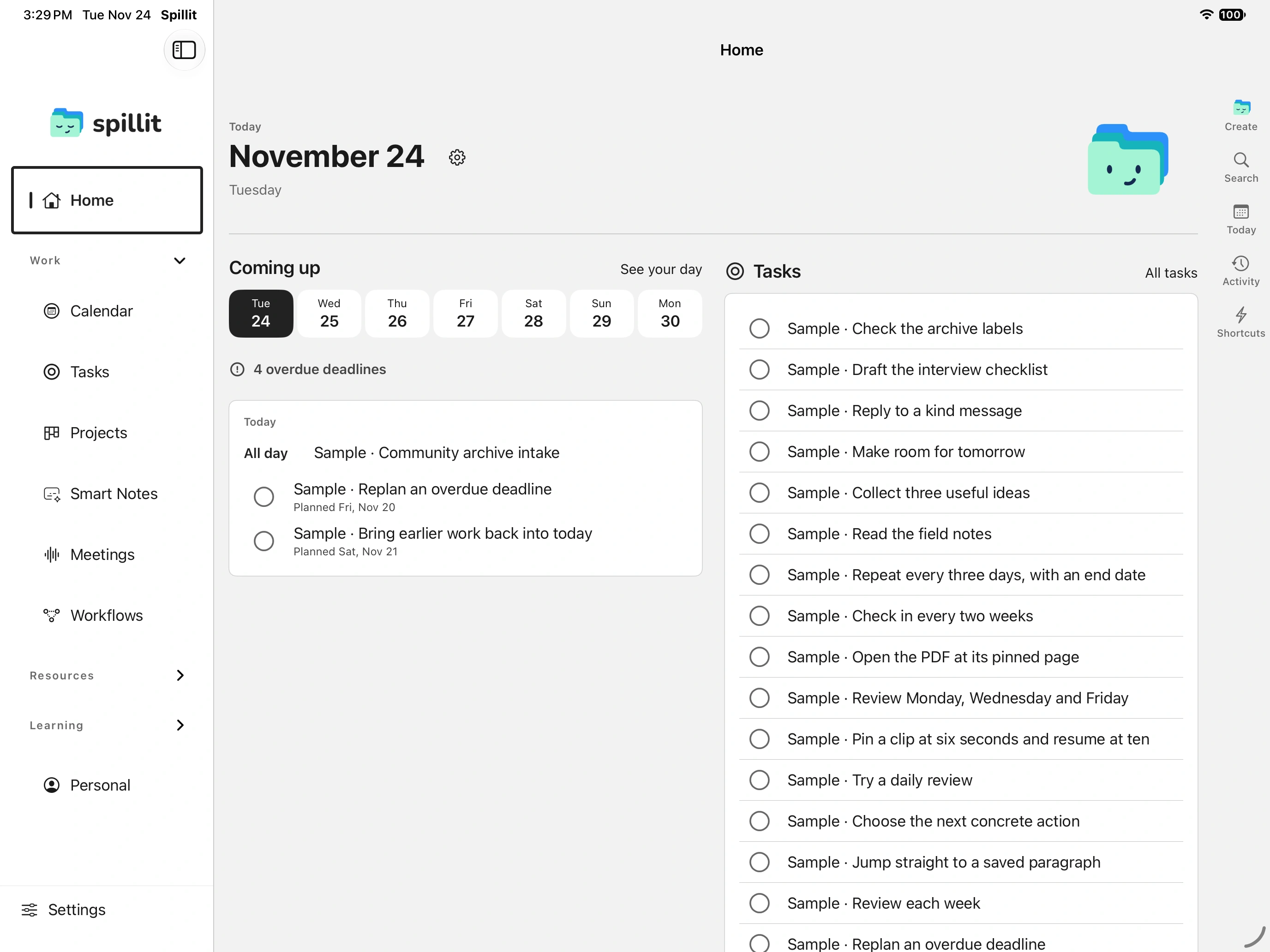
Before and after
Before
- The workshop plan has a checklist, interview notes, and files.
- The review needs an editable copy of the field guide.
After The field guide stays with the project
- The checklist and related notes stay in the project.
- The field guide can be shared as an editable Word document.
Step by step
How Spillit solves it
Keep scrolling. The screen and the guide follow you.Swipe or tap the screen, or keep scrolling.
Step 1 of 6
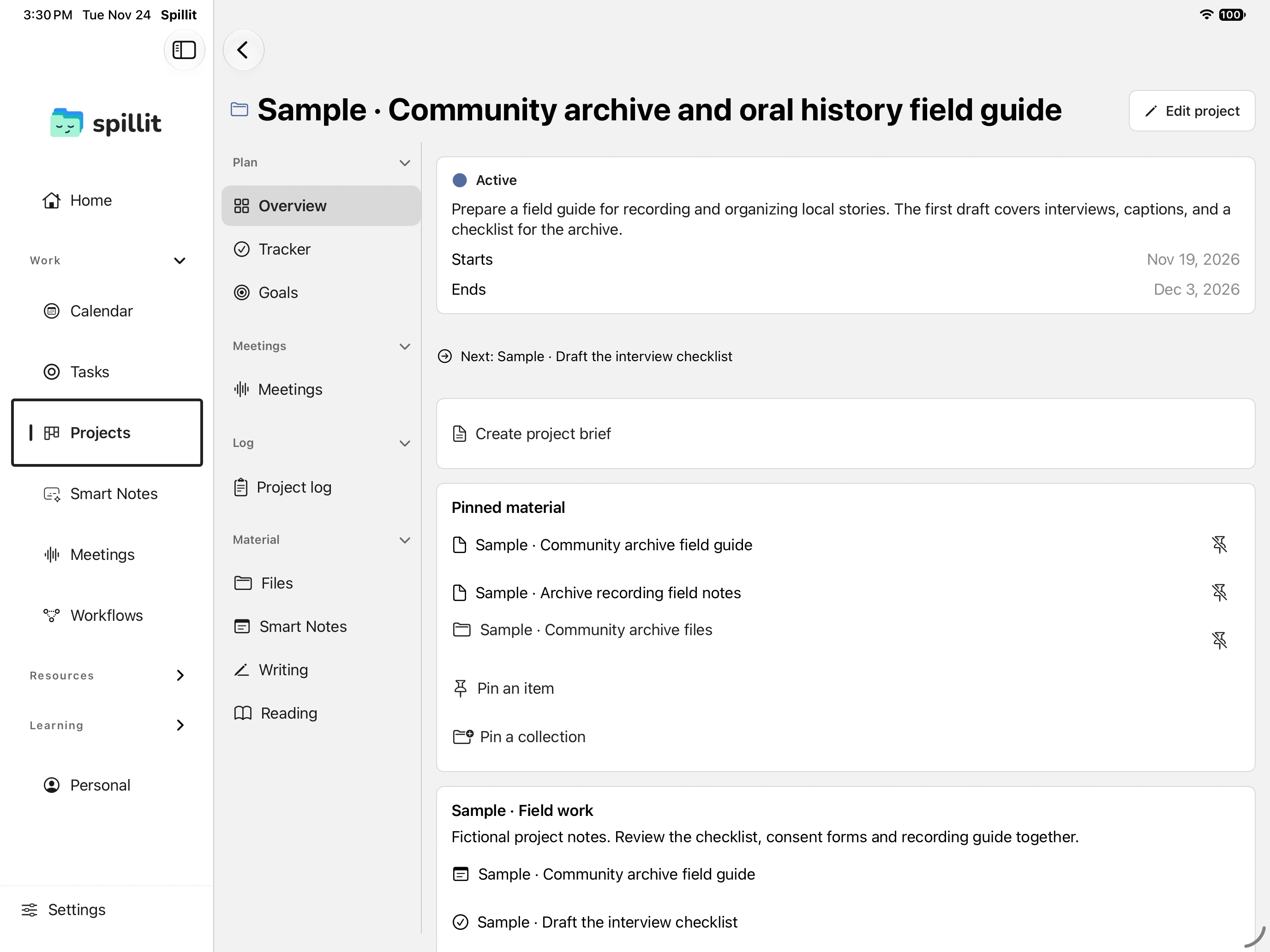
Open the project
Expand Work in the iPad sidebar. Choose Projects and select Community archive and oral history field guide.
Step 2 of 6
Open the pinned field guide
Find Community archive field guide under Pinned material. Tap it to open the note inside the project.
Step 3 of 6
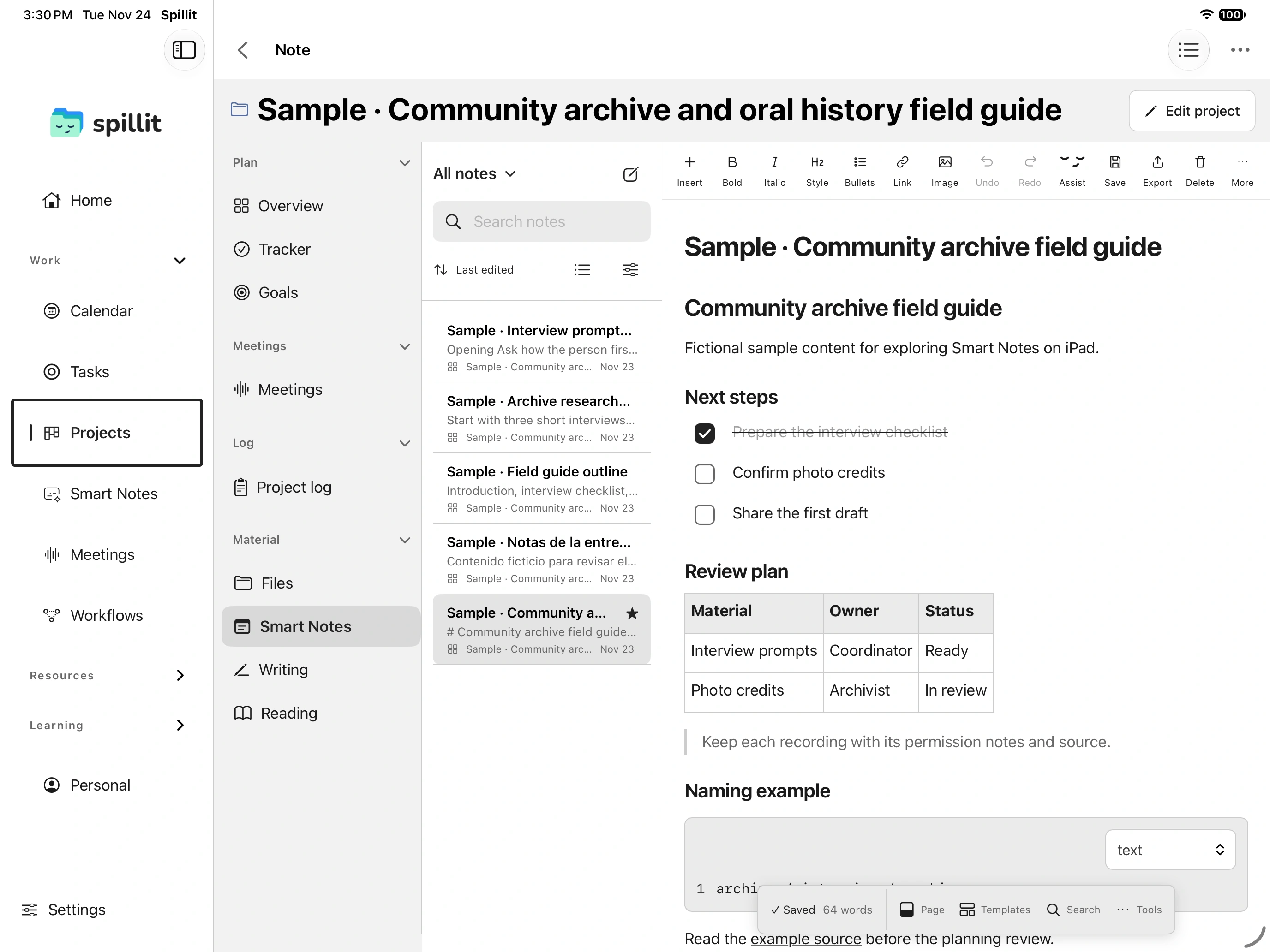
Review the checklist
Read Next steps in the field guide. In the wide iPad layout, the project and note list stay visible beside the guide.
Step 4 of 6
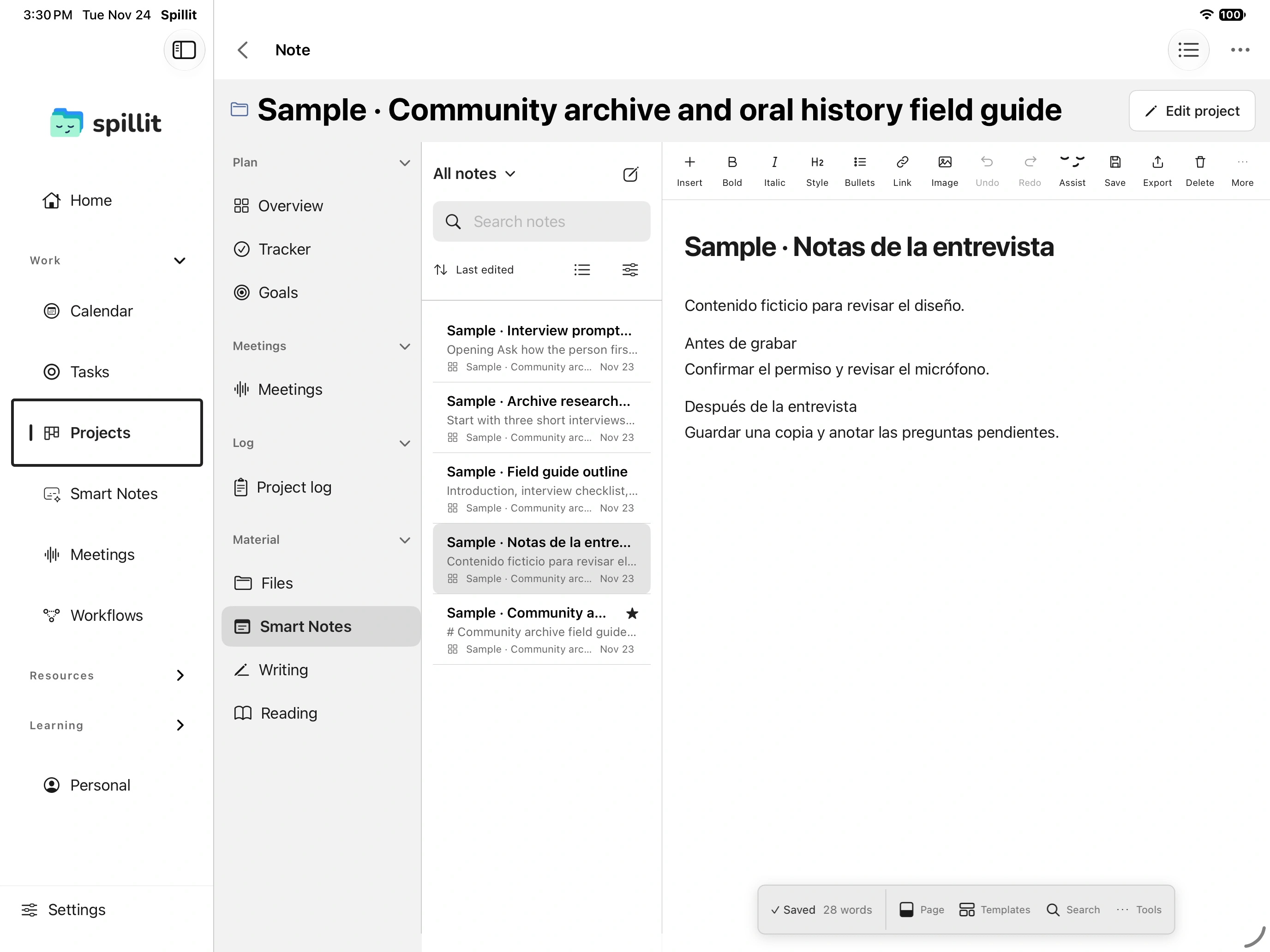
Switch to the interview note
Tap Notas de la entrevista to review the interview setup. Return to the field guide and check off Confirm photo credits when it’s done.
Step 5 of 6
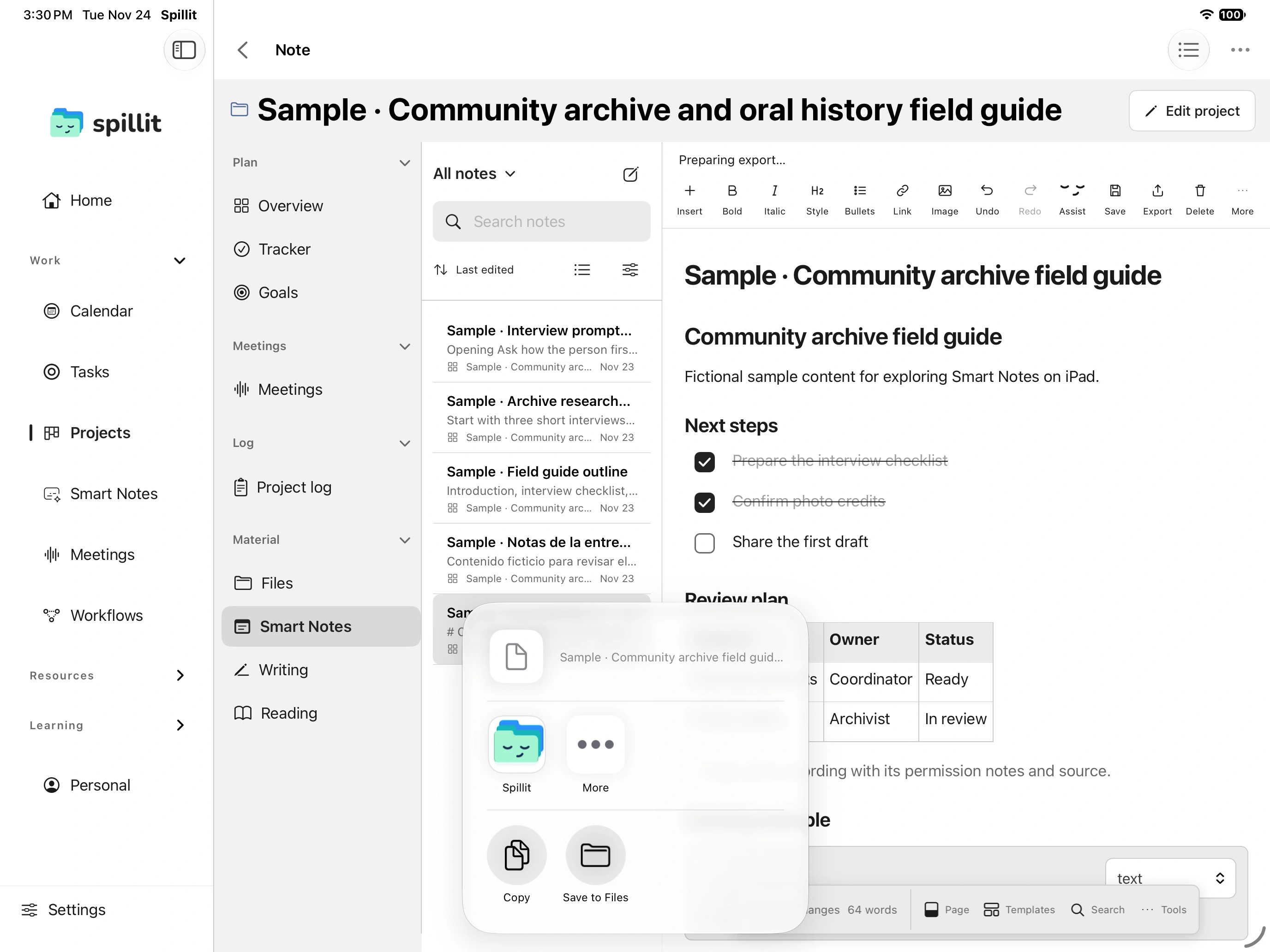
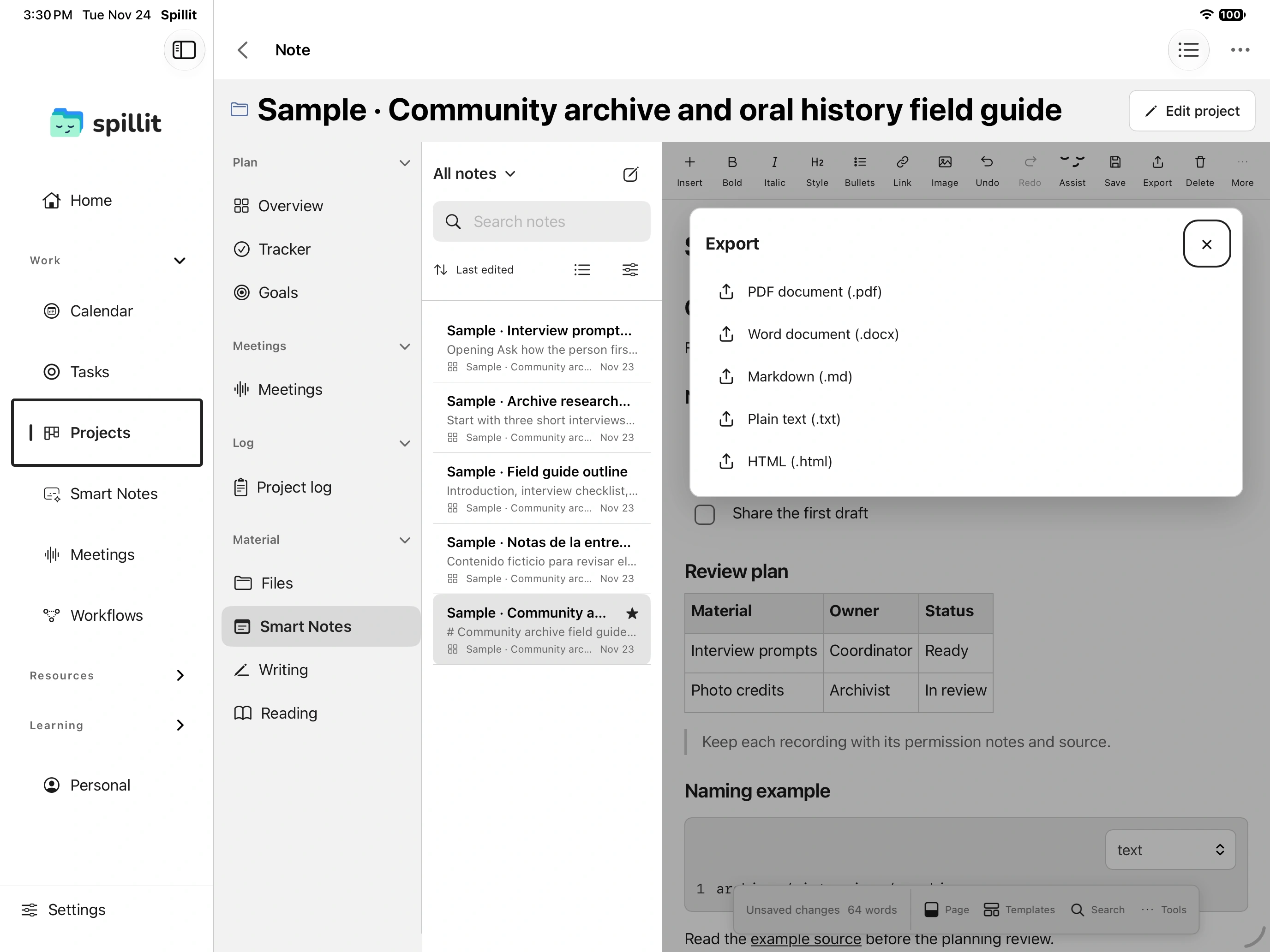
Share an editable copy
Open Export and choose Word document (.docx) to open the share sheet.
Step 6 of 6
Save or share the Word copy
The share sheet opens with the exported field guide. Choose Save to Files or share it with someone who needs to edit it.