

Make time for the next task
Workshop planning is already on the calendar. You need a block to write up the ideas before the draft is due.
A task you can plan and focus on
Plan shows where you can fit task time around calendar events.
See the resultBefore and after
Before
- The writing task has a deadline and still needs time on the calendar.
- Meetings and other tasks already compete for the same hours.
After A task you can plan and focus on
- Plan shows where you can fit task time around calendar events.
- The focus session keeps the writing task in view while you work.
Step by step
How Spillit solves it
Keep scrolling. The screen and the guide follow you.Swipe or tap the screen, or keep scrolling.



Step 1 of 3
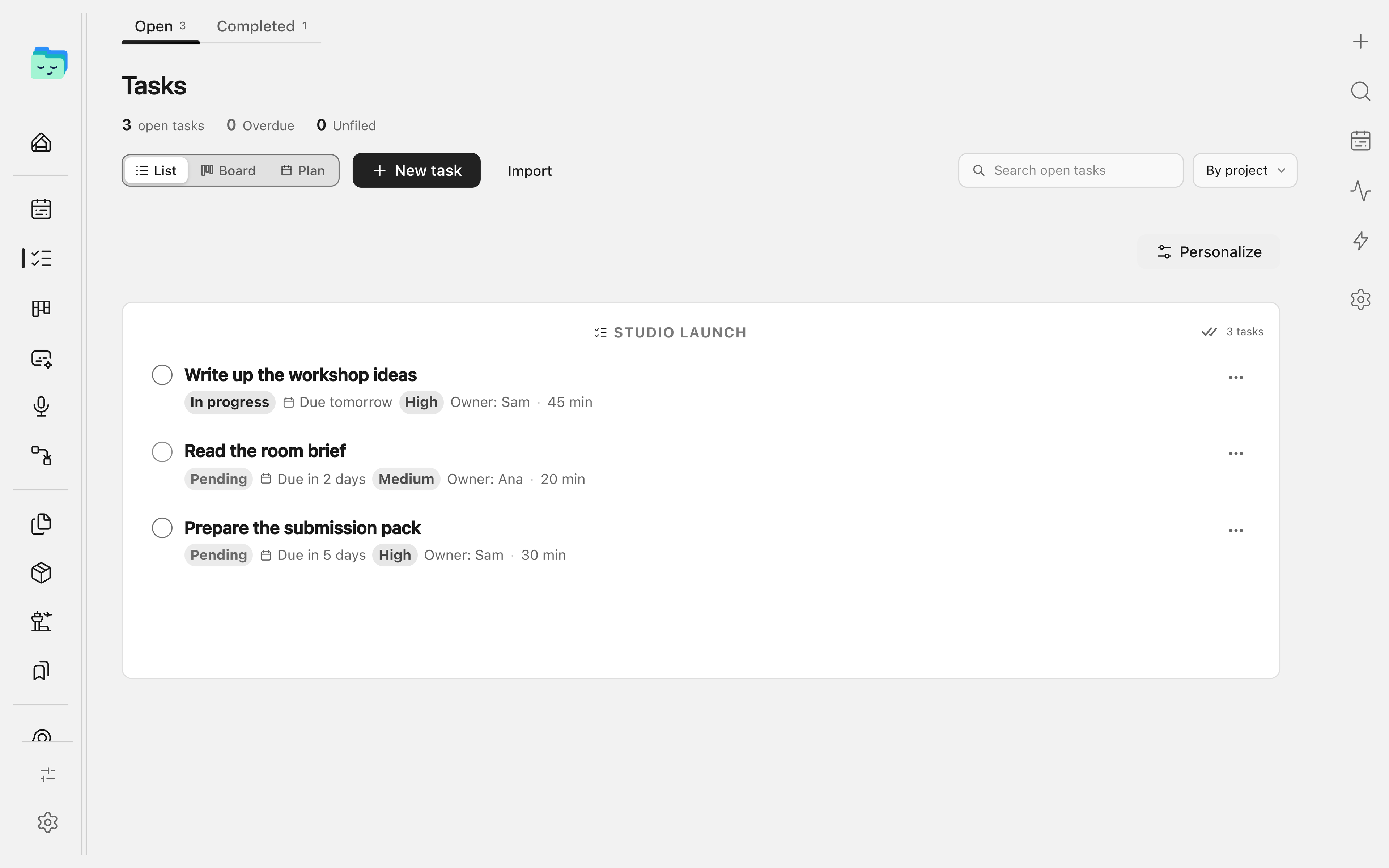
Open the writing task in Tasks
In Tasks, choose List and find Write up the workshop ideas. Check its due date and estimate before looking for a slot.
Step 2 of 3
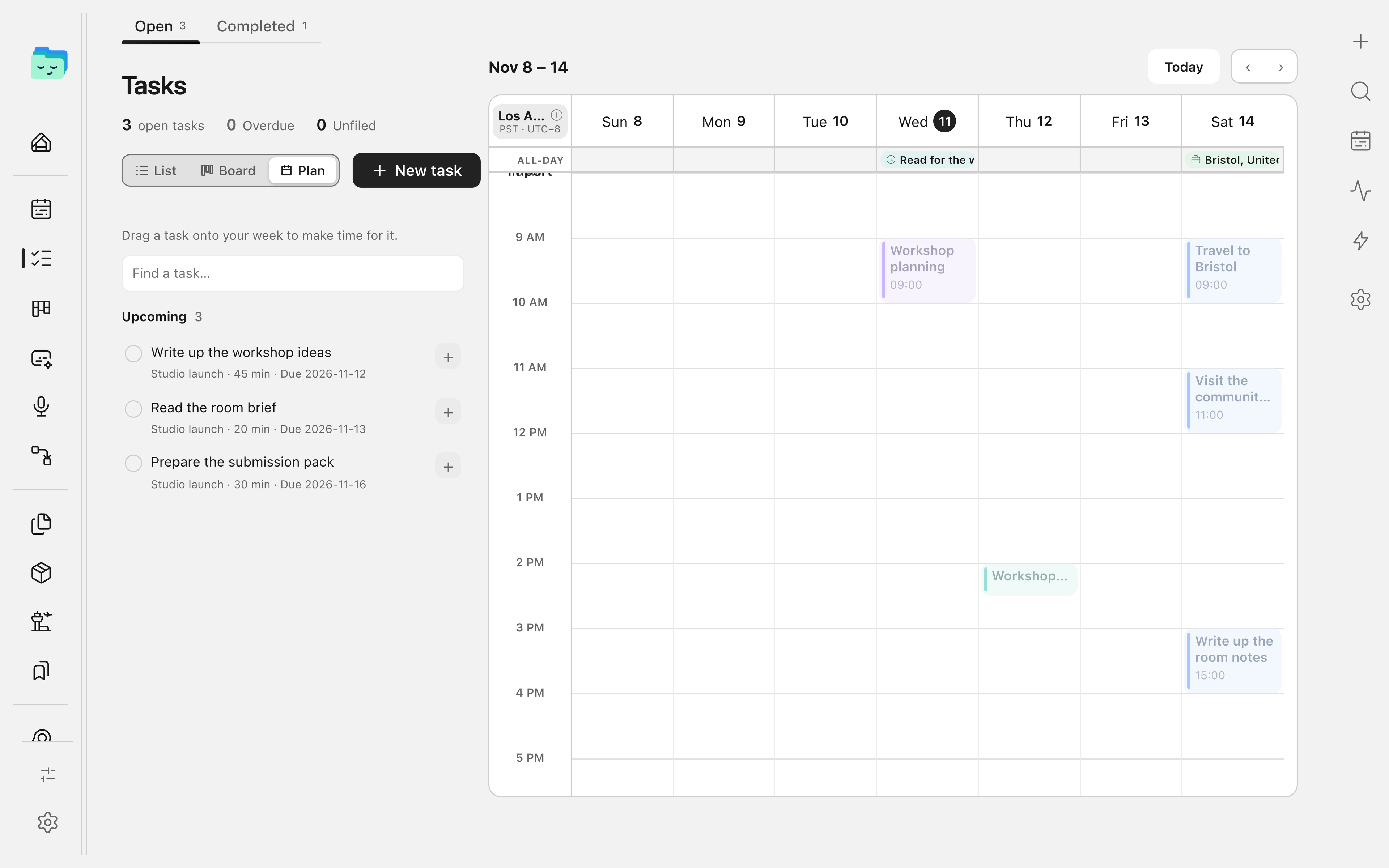
Reserve time beside the meeting
Switch to Plan and find the same task in Your tasks. Pick a gap around the existing events and drag the task onto it.
Step 3 of 3
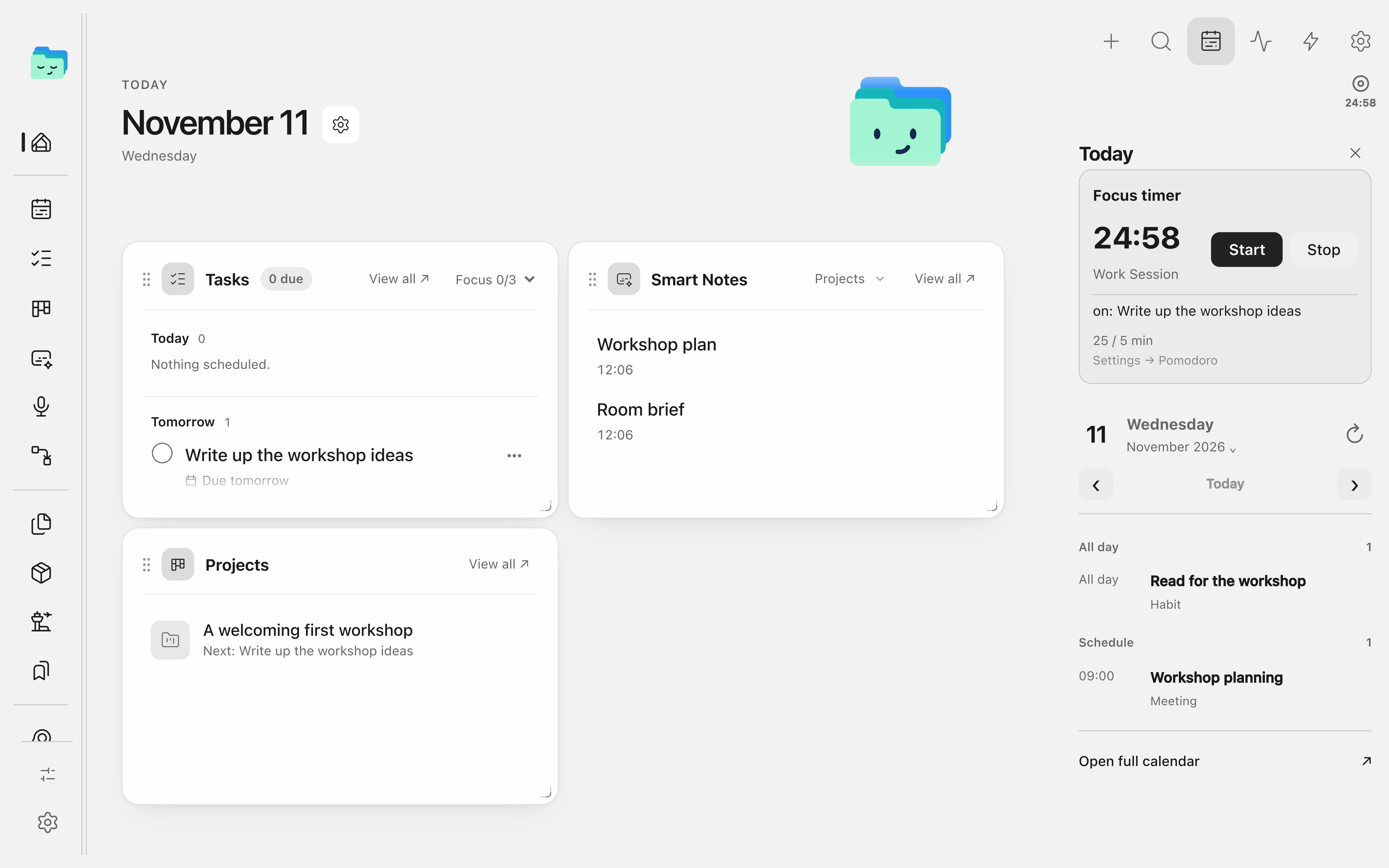
Keep the writing task with your timer
Open Today when you sit down to write. Start a focus session, a timer tied to the task. The task stays attached when you pause.
Try the example
Make room for the writing task beside a meeting and keep the timer tied to that task.
- Check the task’s estimate and due date in List. Find it again in the unscheduled list in Plan.
- Pick a gap long enough for the estimate, then schedule the task there. Check for overlap with existing blocks.
- Start a focus session for that task in Today. Pause and resume it to check that the task stays attached.
Check your result
The planned slot has the date, start time, and minutes you intended. The focus session is labeled with the writing task.