

Prepare a numbered PDF bundle
A reviewer needs the latest agreement and the instruction behind the revision in one file. You want page numbers so you can discuss the same passage.
One review copy in the right order
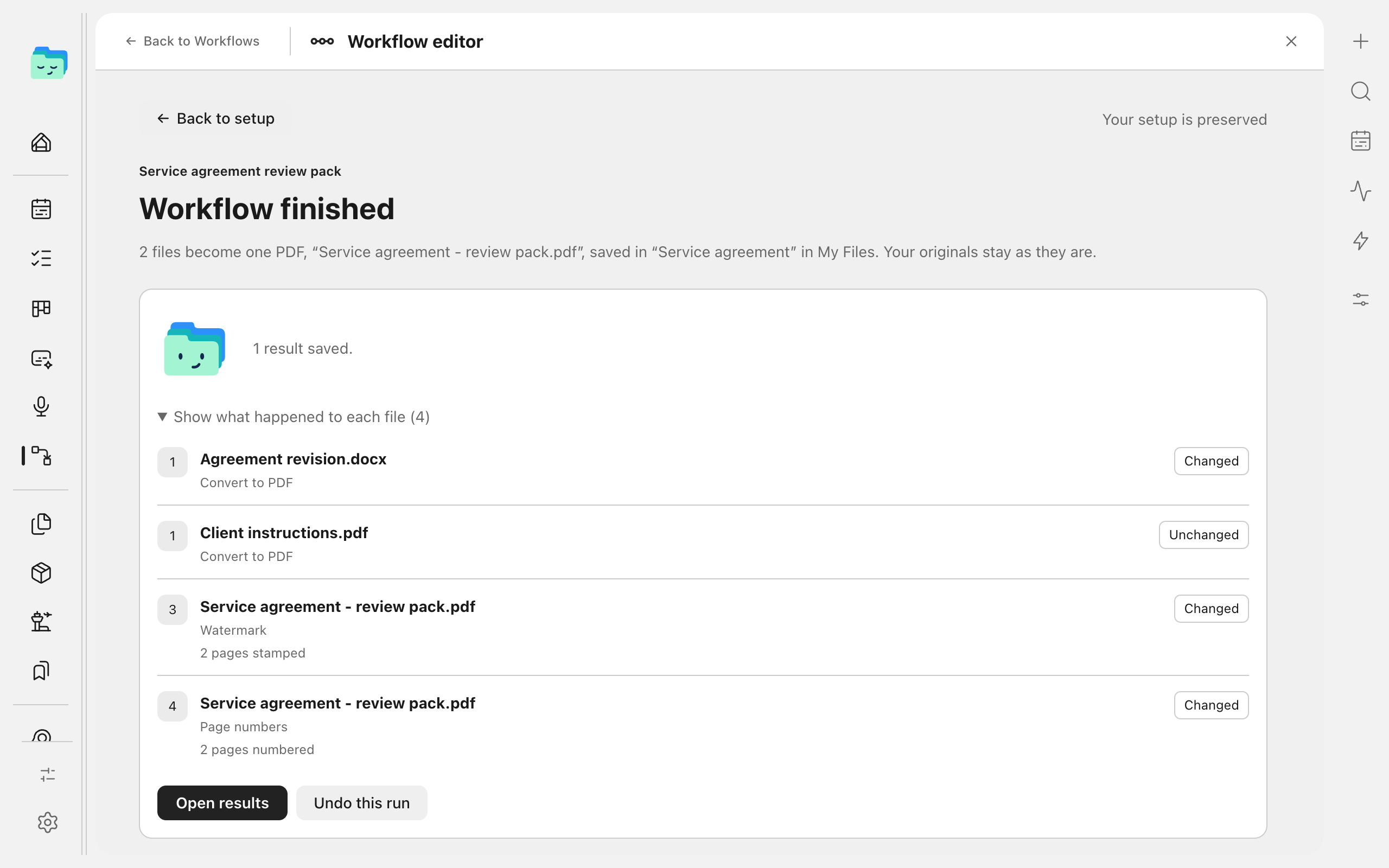
The agreement and the instruction are together in a two-page PDF.
See the resultBefore and after
Before
- The revised agreement is in Word and the instruction is a separate PDF.
- The reviewer needs to know the order of the documents and that the copy is a draft.
After One review copy in the right order
- The agreement and the instruction are together in a two-page PDF.
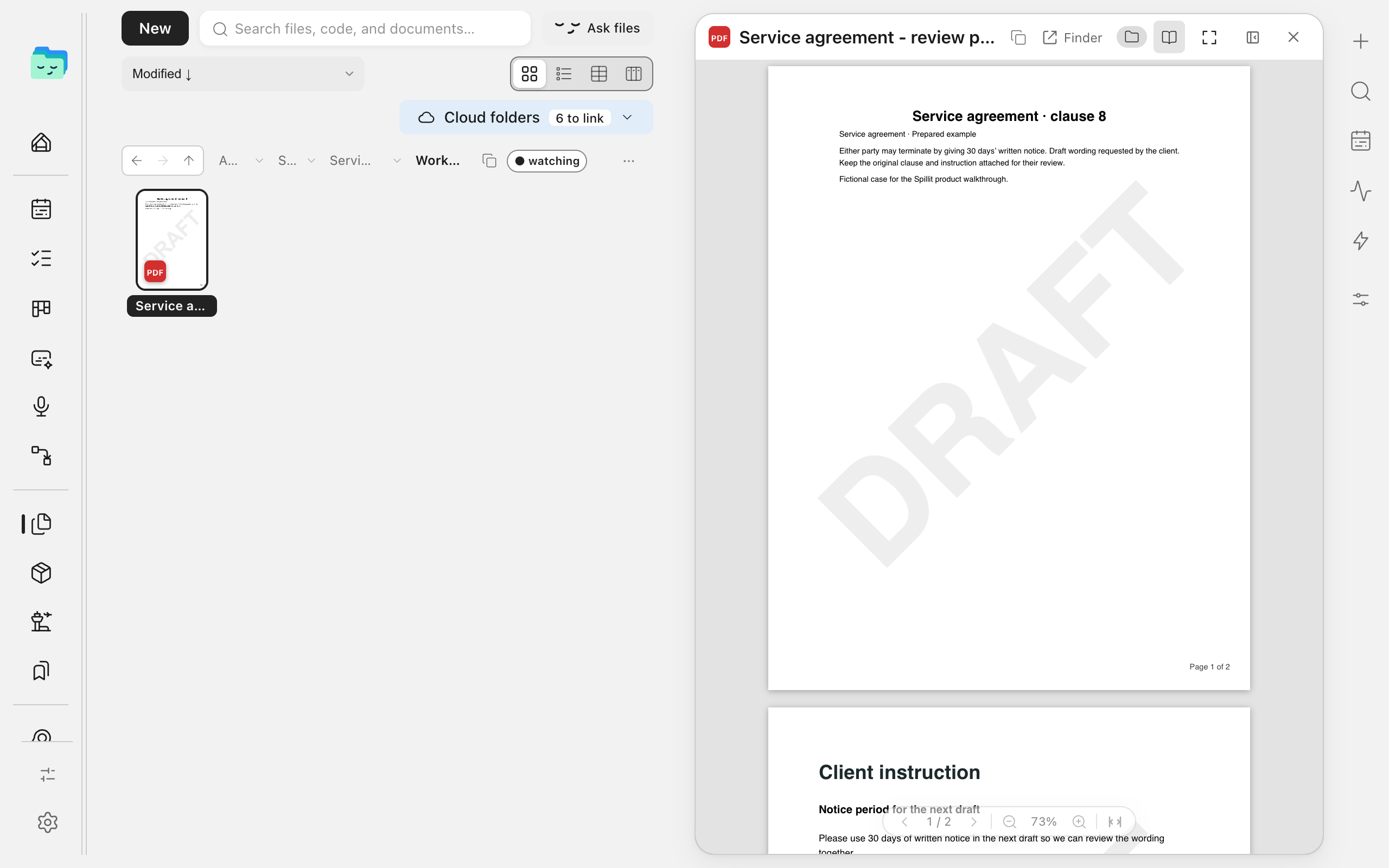
- The DRAFT watermark and page numbers are visible in the saved review pack.
Step by step
How Spillit solves it
Keep scrolling. The screen and the guide follow you.Swipe or tap the screen, or keep scrolling.



Step 1 of 6
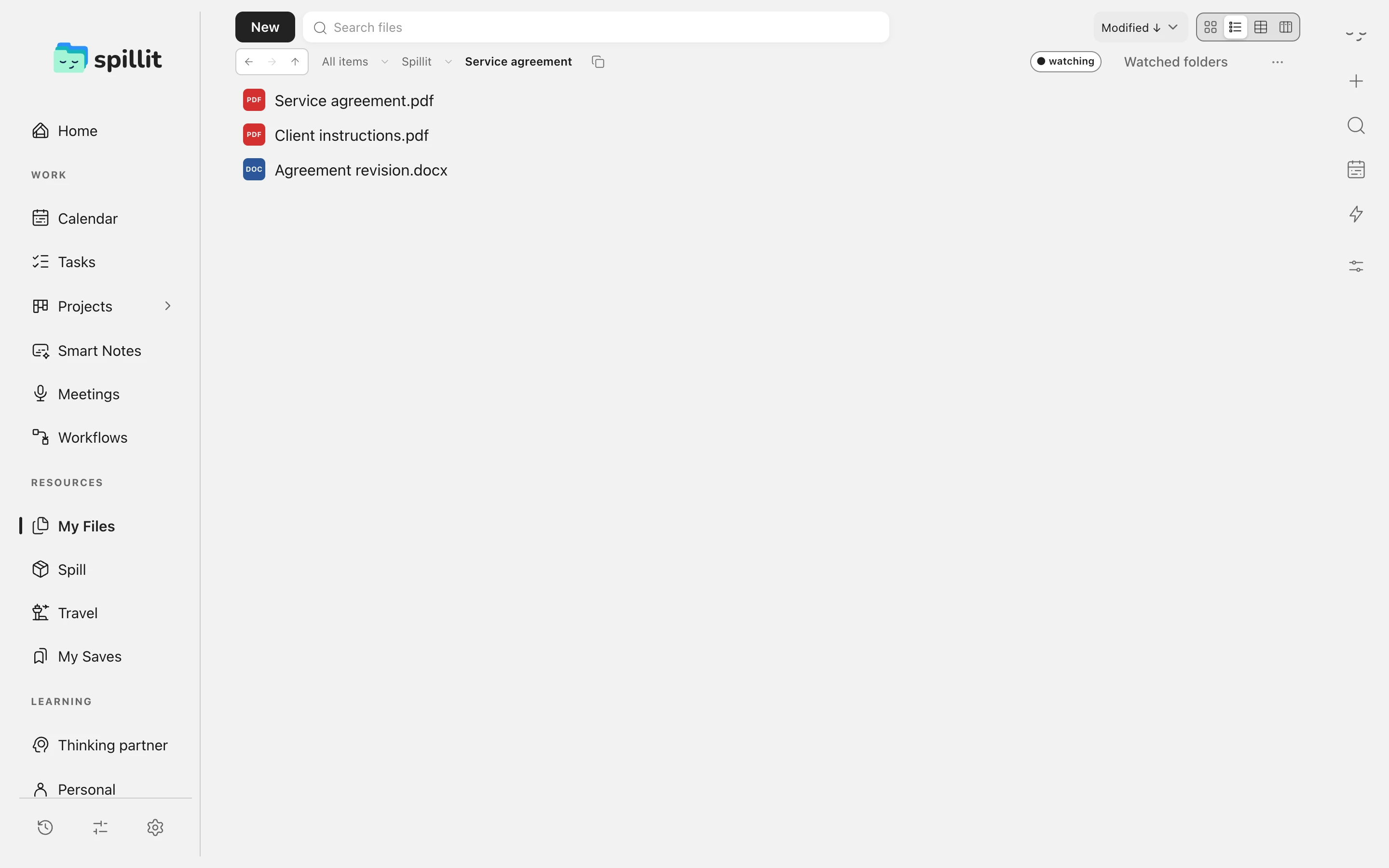
Find the two files in My Files
Open Service agreement in My Files. The Word revision goes first in the review pack. Client instructions.pdf goes second.
Step 2 of 6
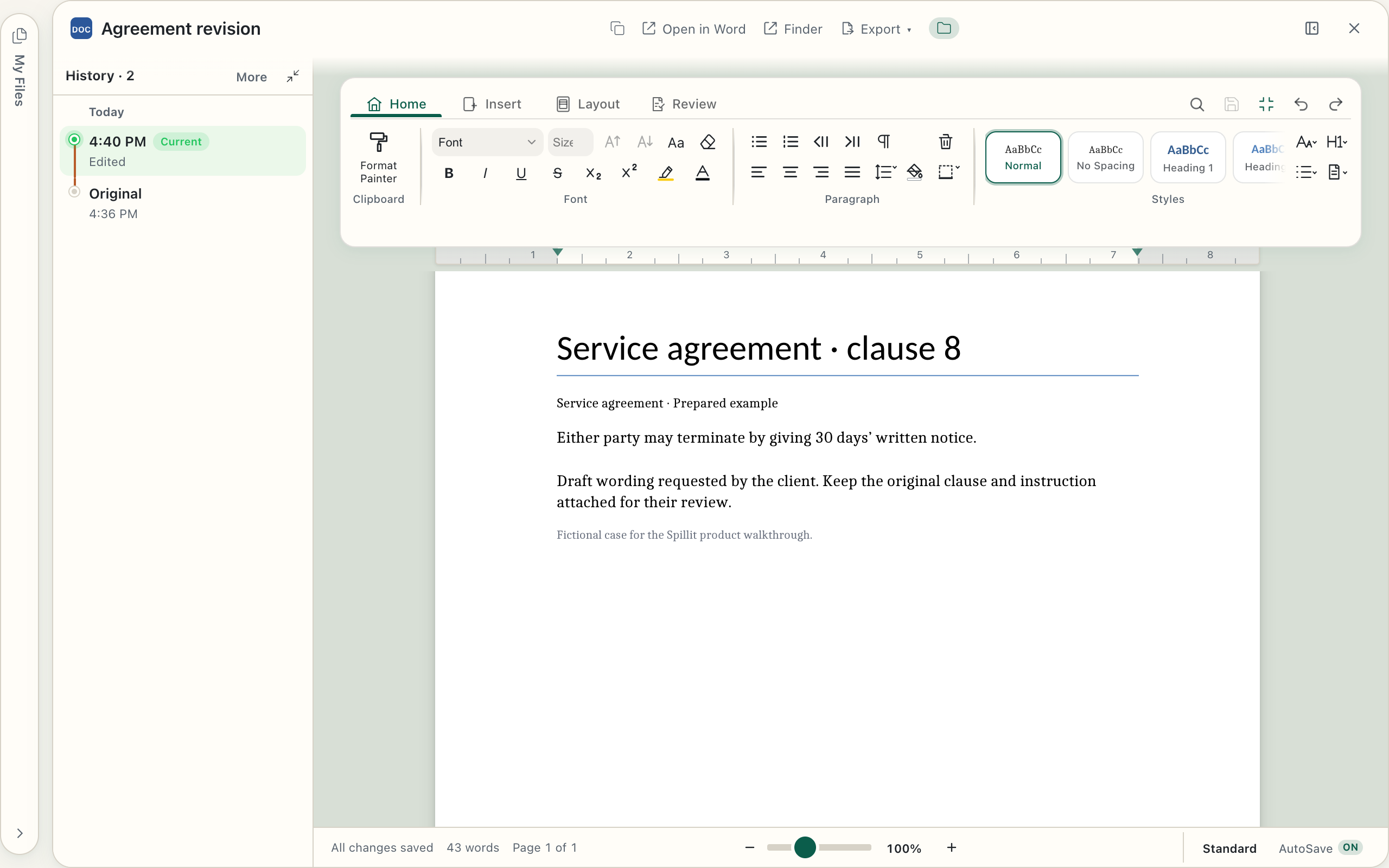
Check the agreement you will include
Open Agreement revision from My Files and check the notice clause. Use this saved Word revision as the first file in the packet, followed by Client instructions.pdf.
Step 3 of 6
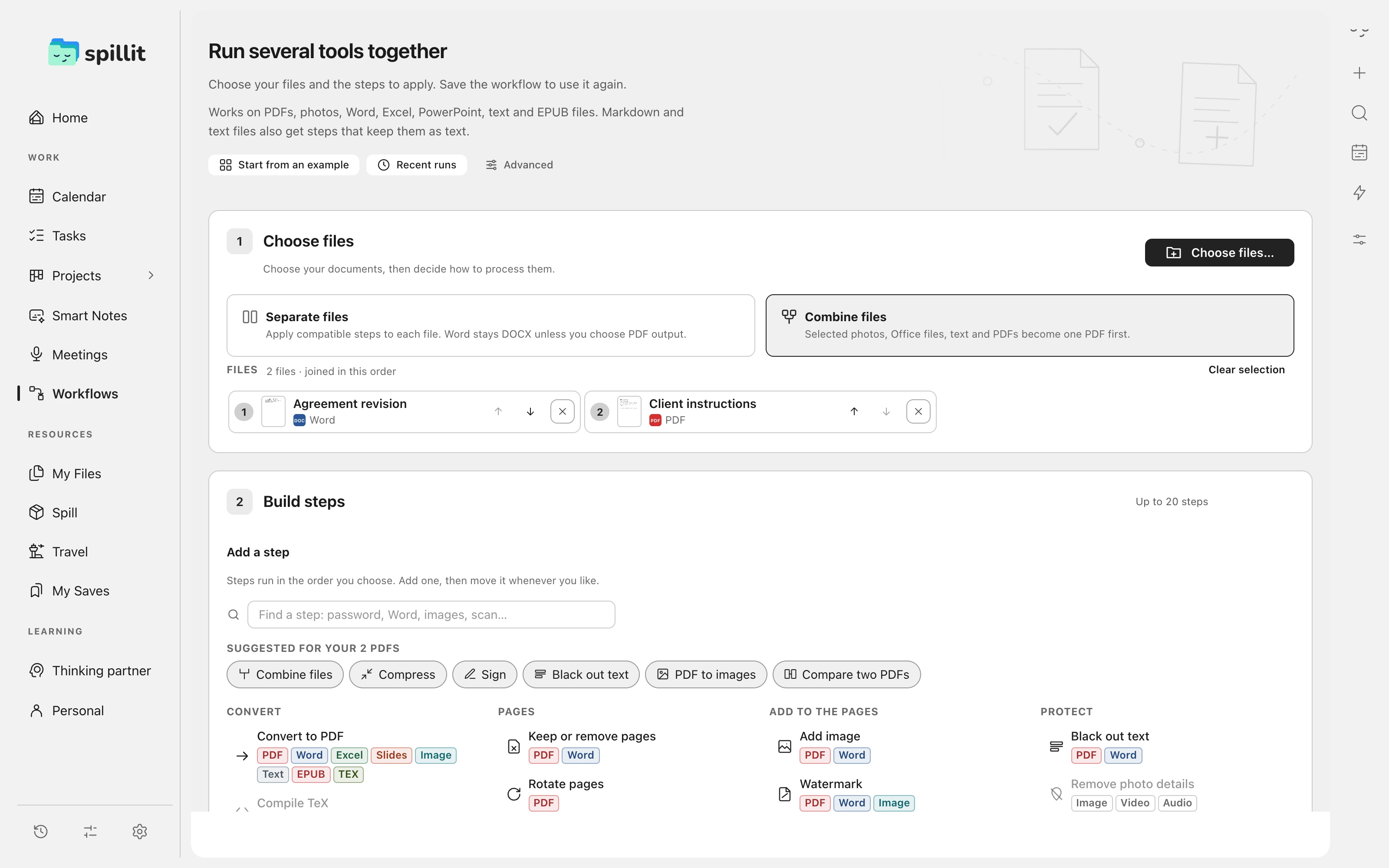
Select both files in Workflows
In Workflows, choose Create workflow, then Choose files. Select the agreement first and the instructions second. Choose Done and select Combine files.
Step 4 of 6
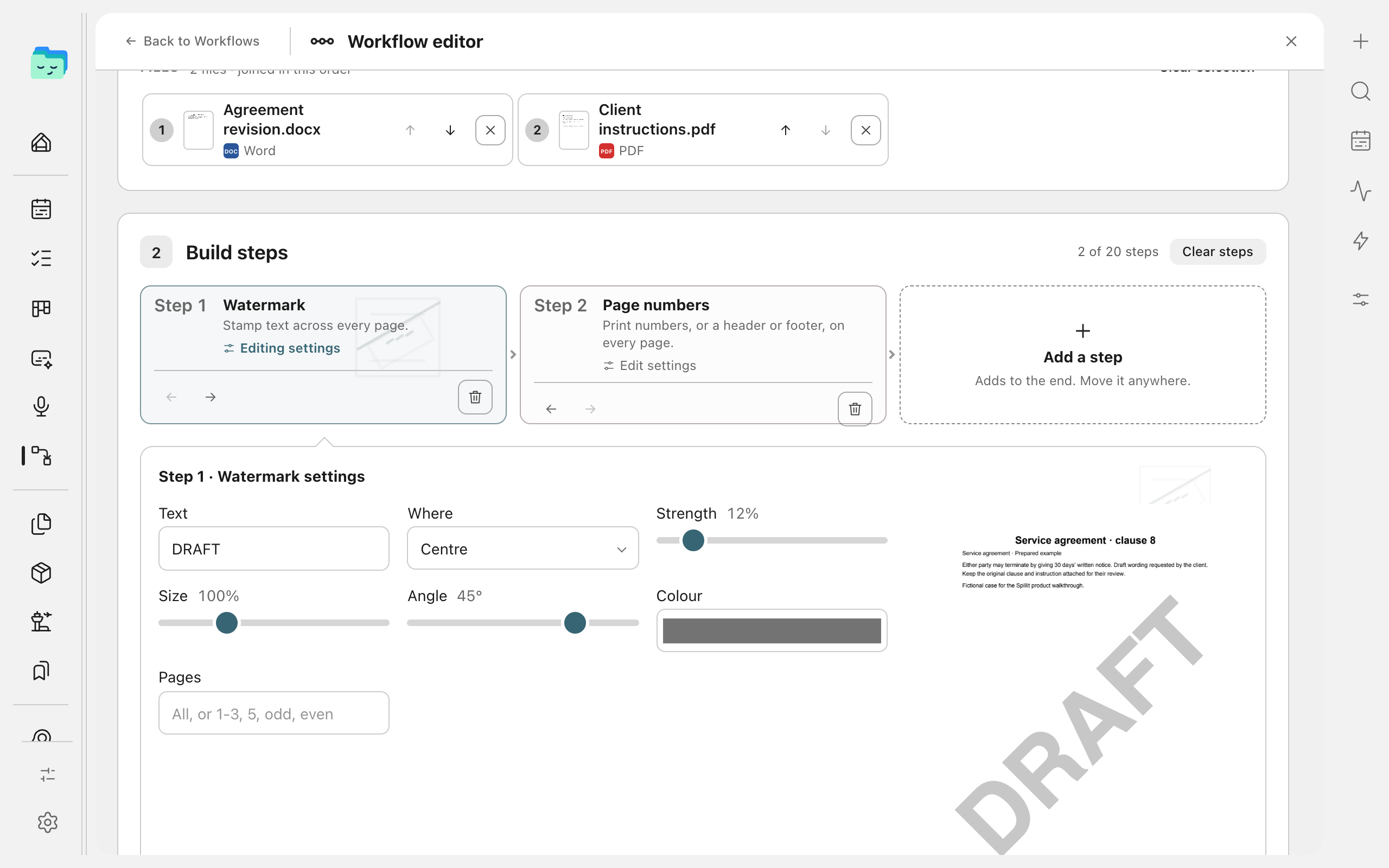
Combine the files and add page numbers
With Combine files selected, add Watermark with the text DRAFT. Add Page numbers and check the order and watermark in the preview.
Step 5 of 6
Run the workflow and check the output
Under Save results, choose My Files and enter the output name. Choose Run flow. When Workflow finished appears, check that the run saved one result and numbered both pages.
Step 6 of 6
Open the saved review pack
Choose Open results and open Service agreement - review pack.pdf. Check the agreement is page 1 and the instruction starts on page 2.
Try the example
Make a two-page review copy with the revised agreement first and the instructions second.
- Select the agreement and the instructions in the file chooser. Put the agreement first and choose Combine files.
- Add the DRAFT watermark and page numbers. Give the output a separate review-pack name before running.
- Open the saved result and check both pages in order. Confirm the draft mark and numbering before sharing.
Check your result
The workflow saves one PDF. Page 1 is the revised agreement and page 2 is the client instruction.