

Send work in one file
A colleague is taking over part of your workshop project. They need its welcome note and next task.
Before and after
Before
- Sending pieces one by one loses some of them.
- Long email threads hide the context.
- The other person gets more than they need.
After A clean handover
- One file holds everything they need.
- They choose what to bring into their workspace.
- Nothing gets lost in an email thread.
Step by step
How Spillit solves it
Keep scrolling. The screen and the guide follow you.Swipe or tap the screen, or keep scrolling.



Step 1 of 5
Choose what they need
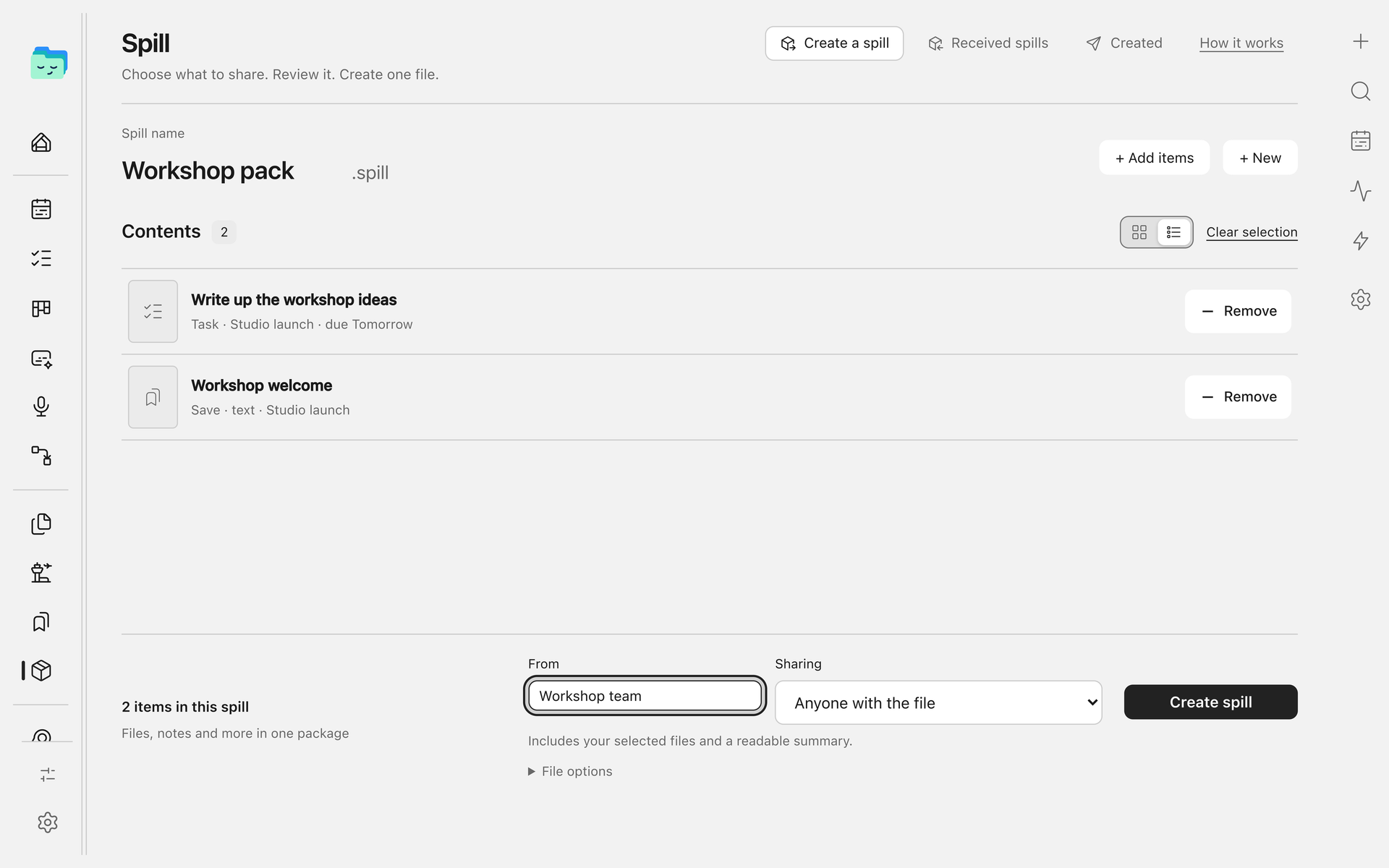
Open the Spill sharing tools. Pick the files, notes and tasks, and add a short handover note about the next step.
Step 2 of 5
Choose who can open the package
Check the Sharing setting. Anyone with the file is suitable for an open package. Choose a password or use a verified recipient’s sharing identity when the package needs protection.
Step 3 of 5
Preview the welcome note
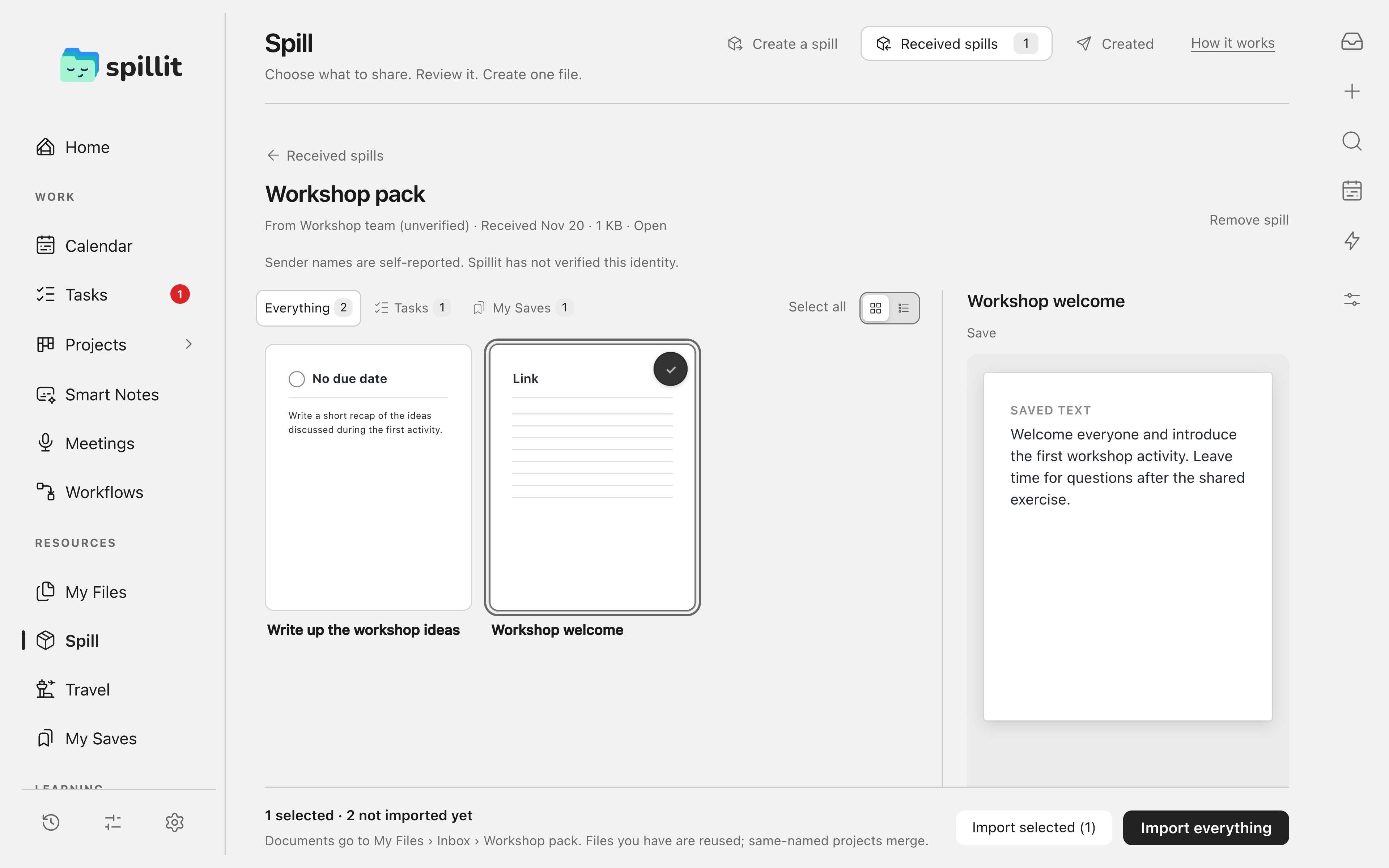
In Received spills, open Workshop pack and select Workshop welcome. The preview lets your colleague read it before importing it.
Step 4 of 5
Keep just the welcome note
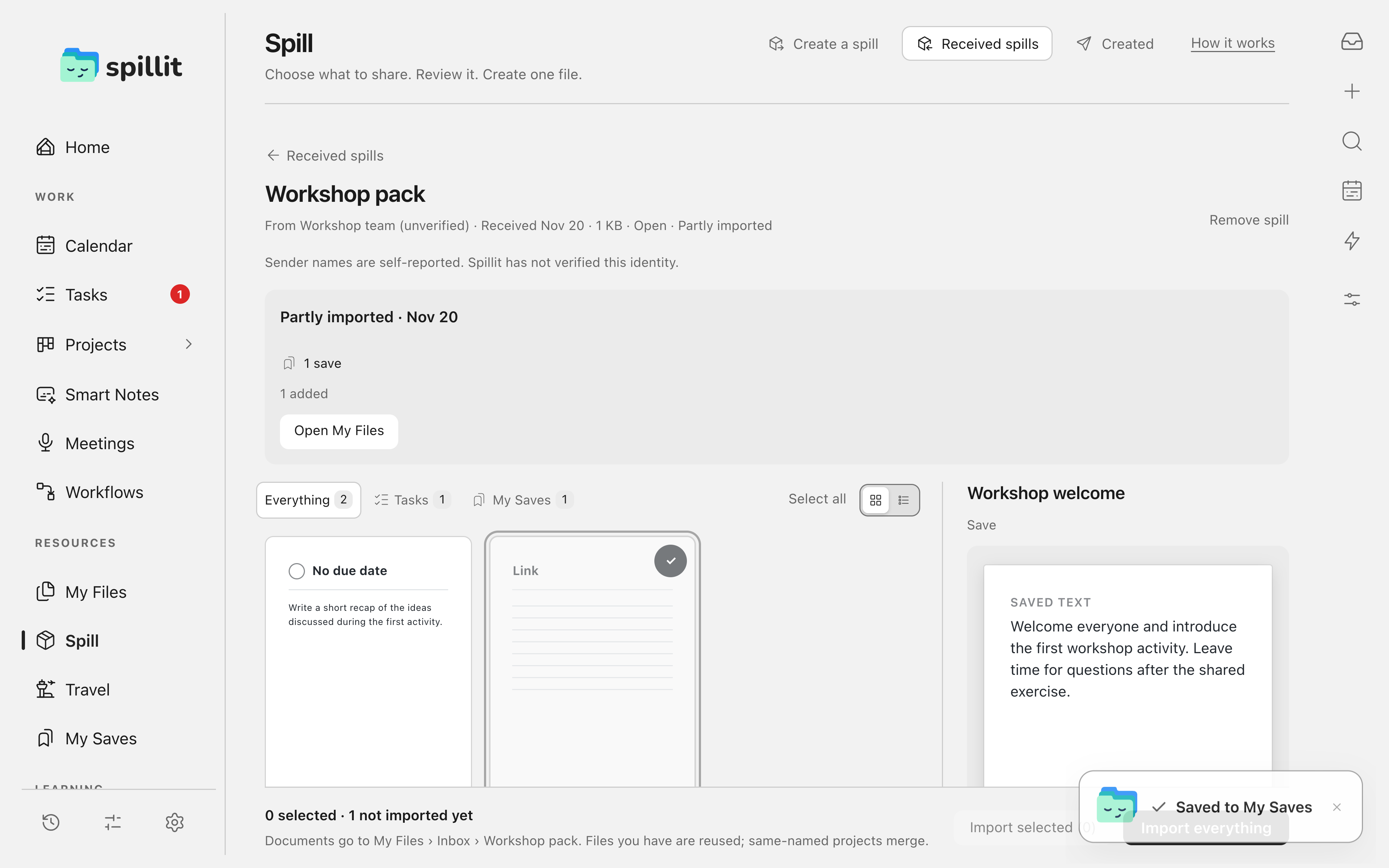
With only Workshop welcome checked, confirm the count and choose Import selected (1). The other item stays in the package.
Step 5 of 5
Check where the note was saved
Check the Saved to My Saves confirmation. Workshop pack is marked Partly imported because the other item is still available.