

Check a renewal
Your home insurance renews once a year. Last time it renewed at a higher price before you had time to compare.
Before and after
Before
- Yearly dates are easy to forget.
- The price can go up without you noticing.
- By the time you remember, it has already renewed.
After Time to decide before it renews
- The renewal date, cost and notice are in one place.
- A reminder waits a week ahead.
- Your monthly and yearly totals stay right.
Step by step
How Spillit solves it
Keep scrolling. The screen and the guide follow you.Swipe or tap the screen, or keep scrolling.



Step 1 of 6
Add the subscription
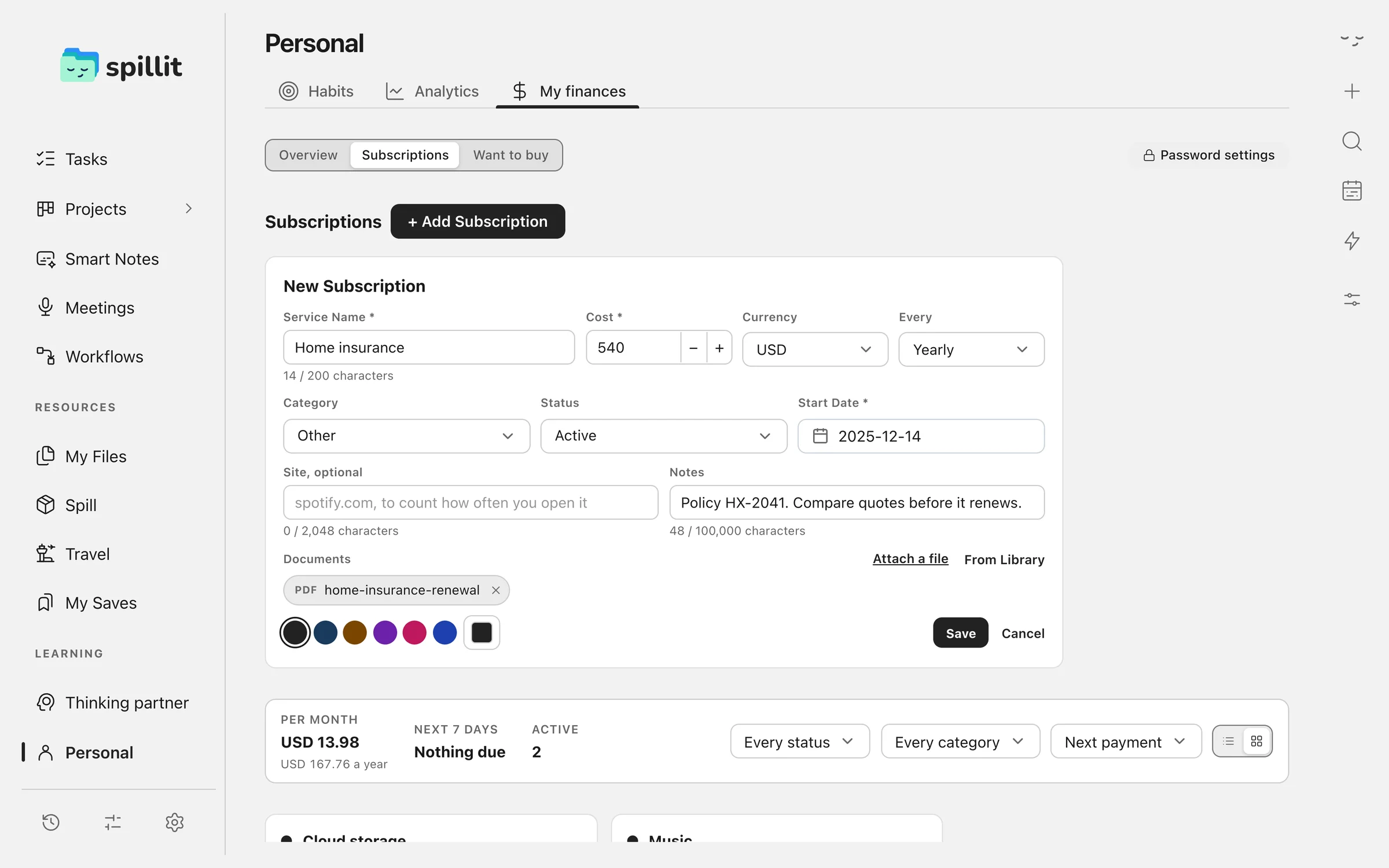
In Personal → My finances → Subscriptions, choose + Add Subscription. Enter the name, cost and currency, and set Every to Yearly.
Step 2 of 6
Keep the paperwork with it
Put the policy number in Notes. Under Documents, choose Attach a file and add the renewal notice.
Step 3 of 6
See when it renews
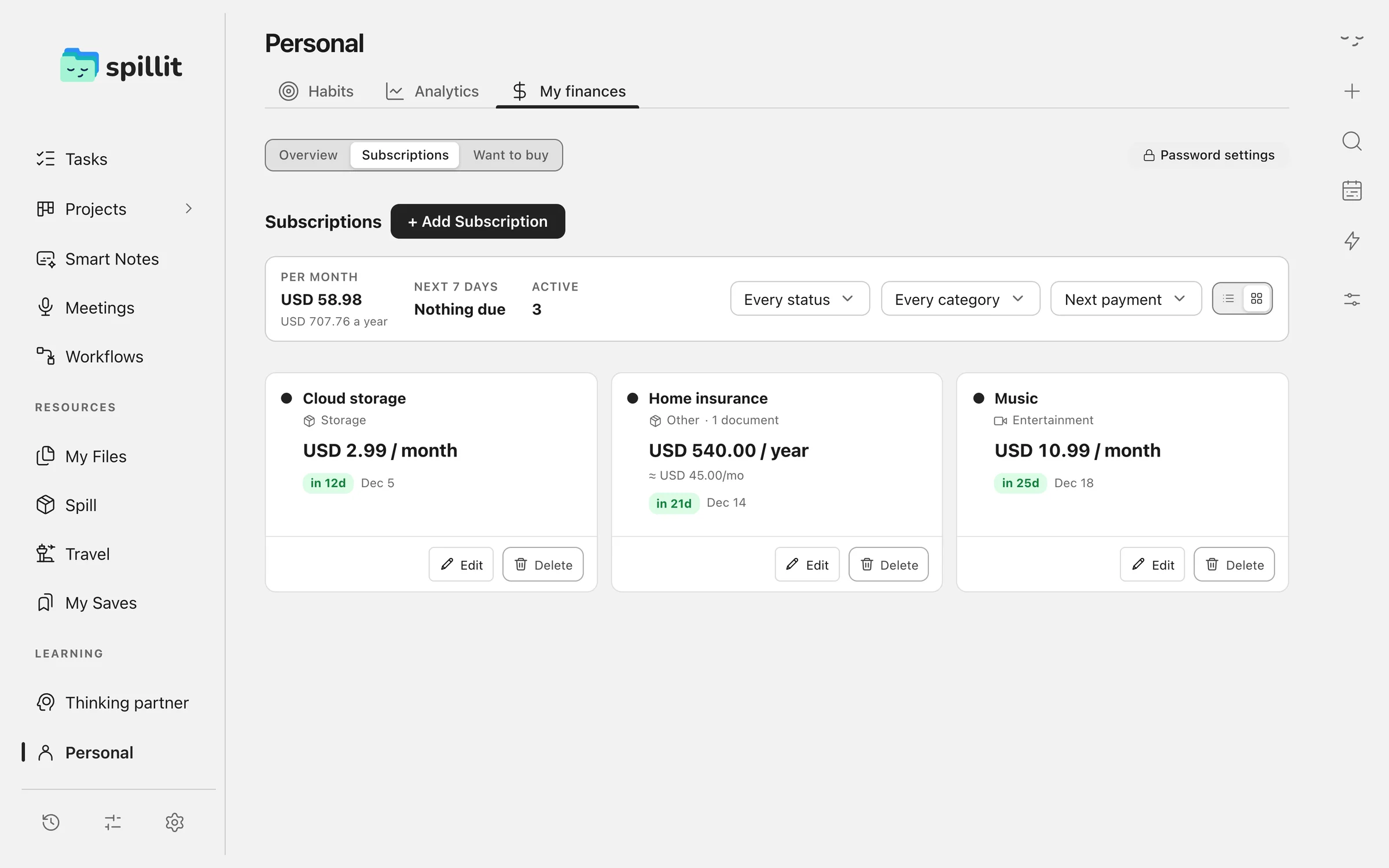
Each card shows the next payment and the days left. A yearly plan also shows what it costs per month.
Step 4 of 6
Add a reminder a week before
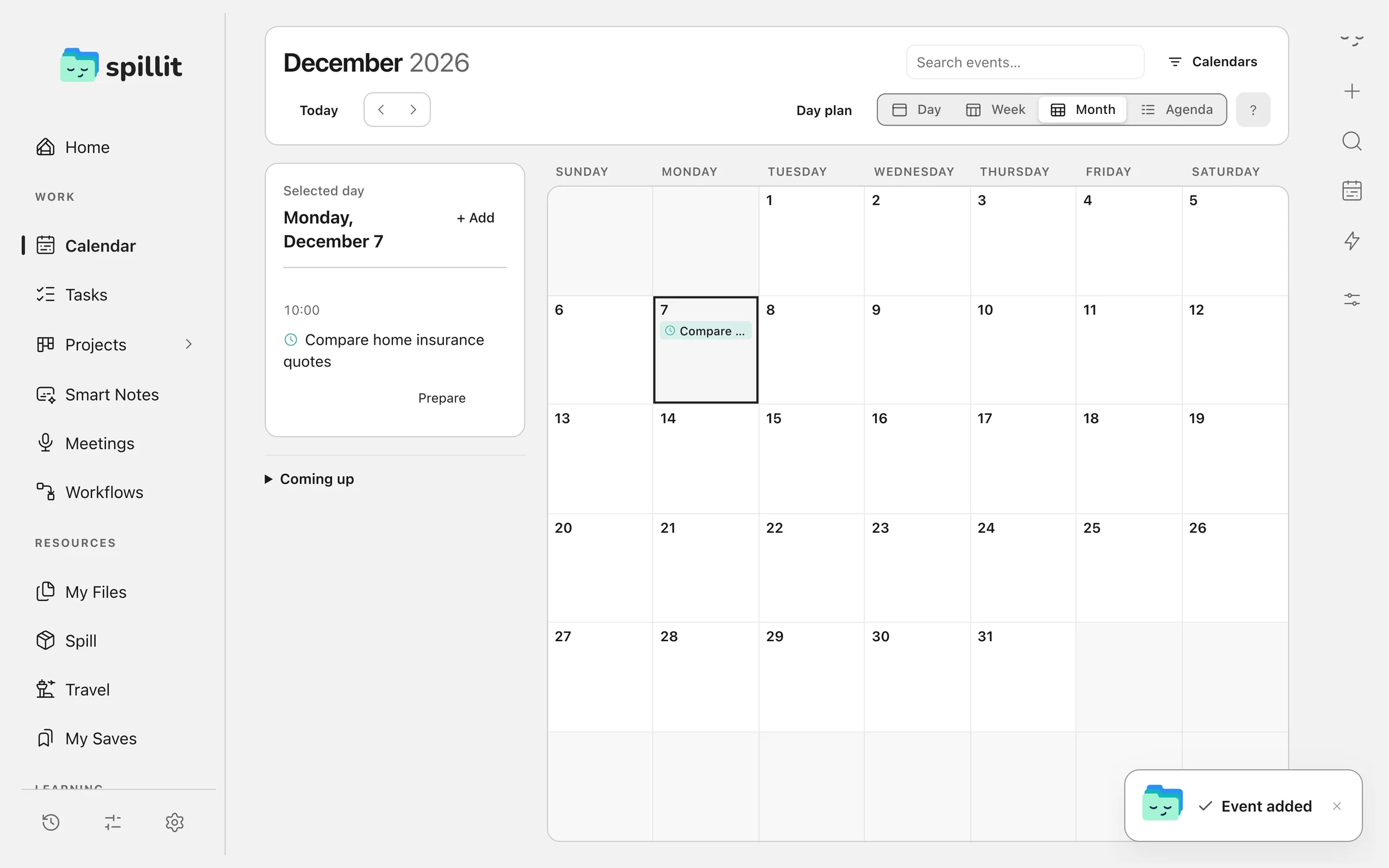
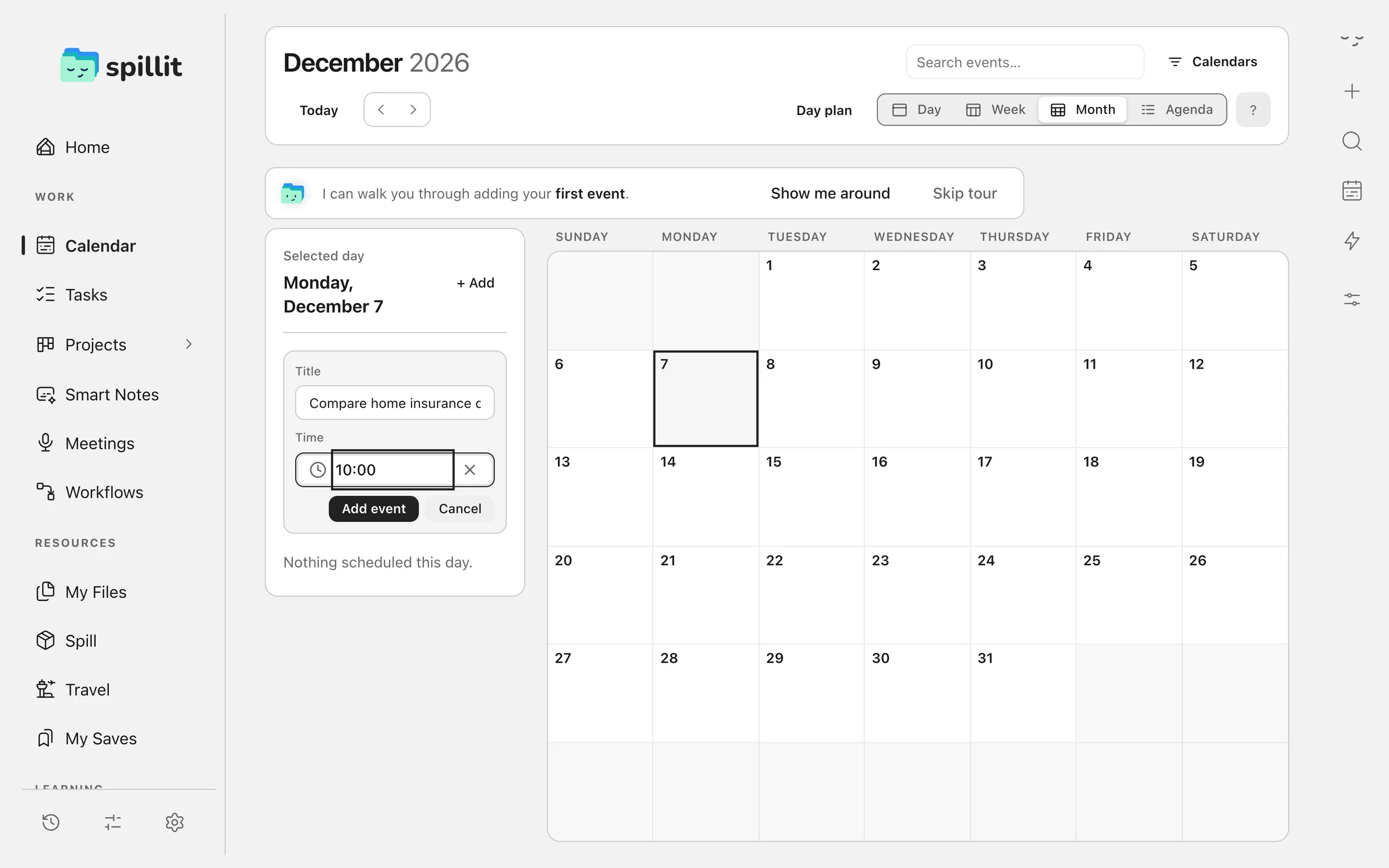
Open Calendar, choose the day, then + Add → Event. Enter a title such as “Compare home insurance quotes” and a time, then choose Add event.
Step 5 of 6
Update the subscription when the price changes
Choose Edit on the Home insurance card when the new price arrives. Save the new amount so the monthly and yearly totals reflect it.
Step 6 of 6
Check the reminder on your calendar
The sample reminder is on December 7 at 10:00, one week before the policy renews.