

Choose a follow-up from a meeting
The website proposal depends on product copy from the client. Check the kickoff transcript before assigning the follow-up.
A follow-up tied to its source
The client team owns the Wednesday follow-up.
See the resultBefore and after
Before
- The proposal review is Thursday.
- The product copy needs a confirmed owner and due date.
After A follow-up tied to its source
- The client team owns the Wednesday follow-up.
- The saved task keeps the proposal project and the 02:10 source.
Step by step
How Spillit solves it
Keep scrolling. The screen and the guide follow you.Swipe or tap the screen, or keep scrolling.



Step 1 of 4
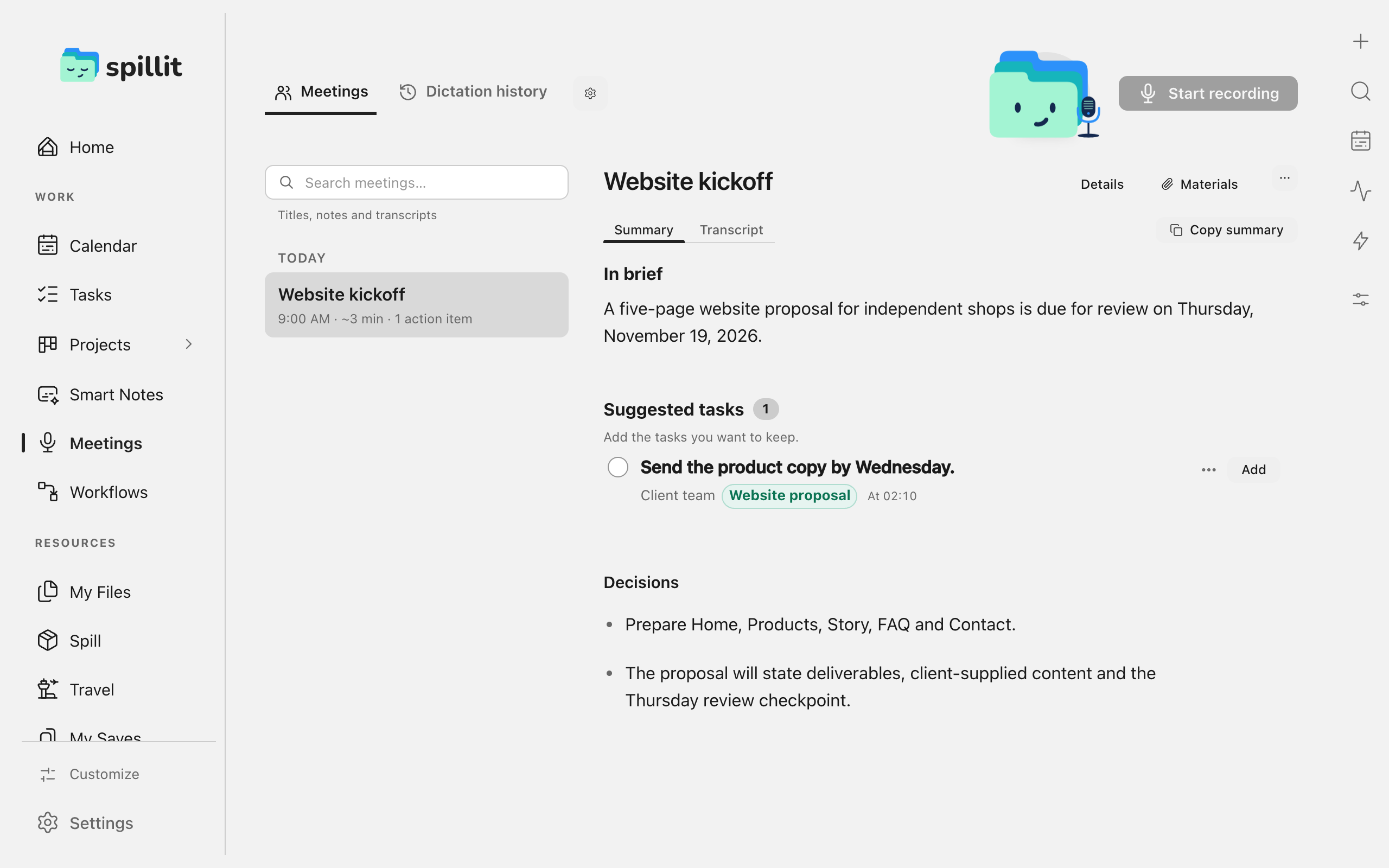
Open the kickoff in Meetings
Select Website kickoff in Meetings. Summary lists the proposed copy follow-up. Open Transcript to check what the client said.
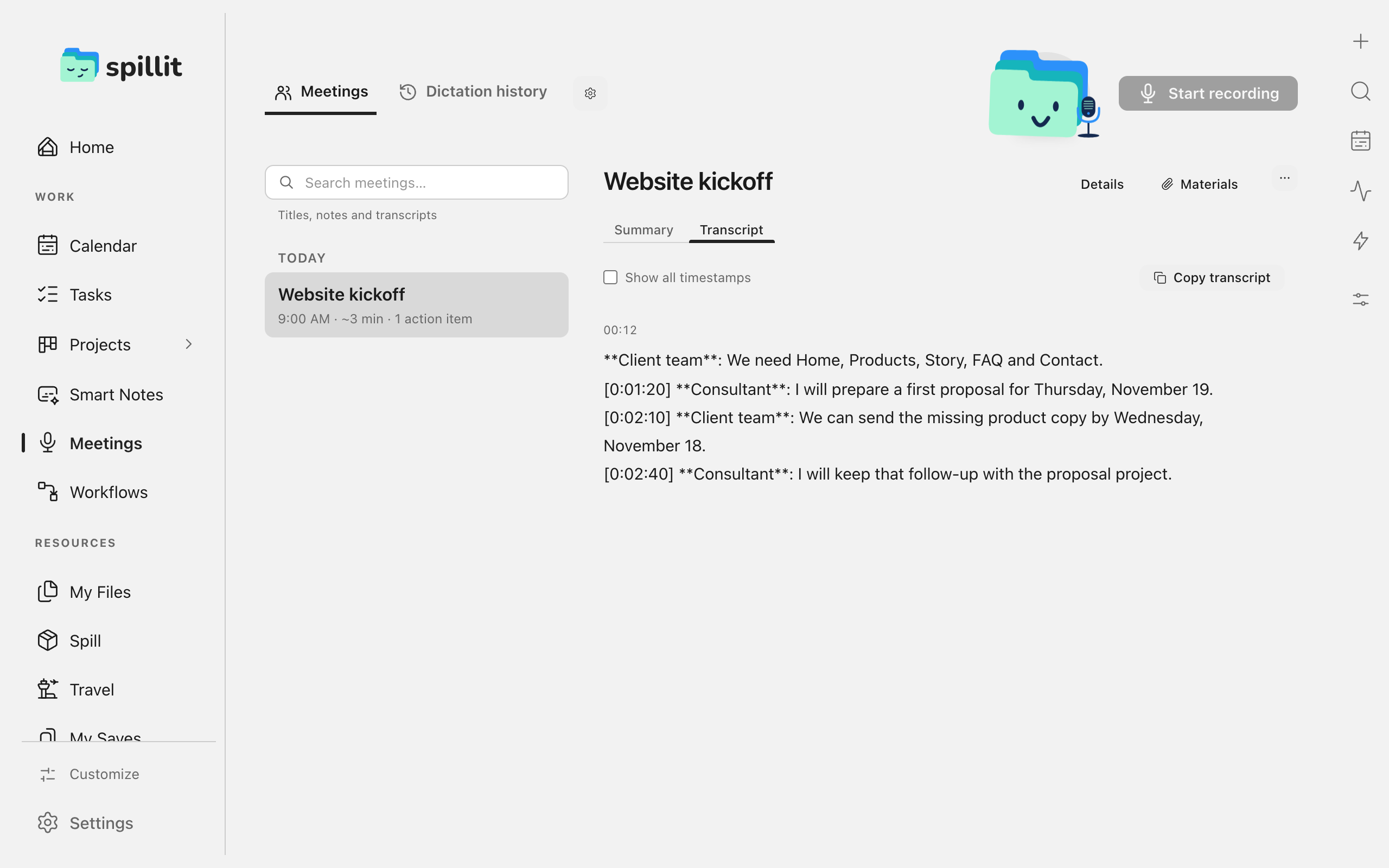
Step 2 of 4
Check the original commitment
At 02:10, the client team says it can send the missing product copy by Wednesday, November 18. Check this against the suggested task.
Step 3 of 4
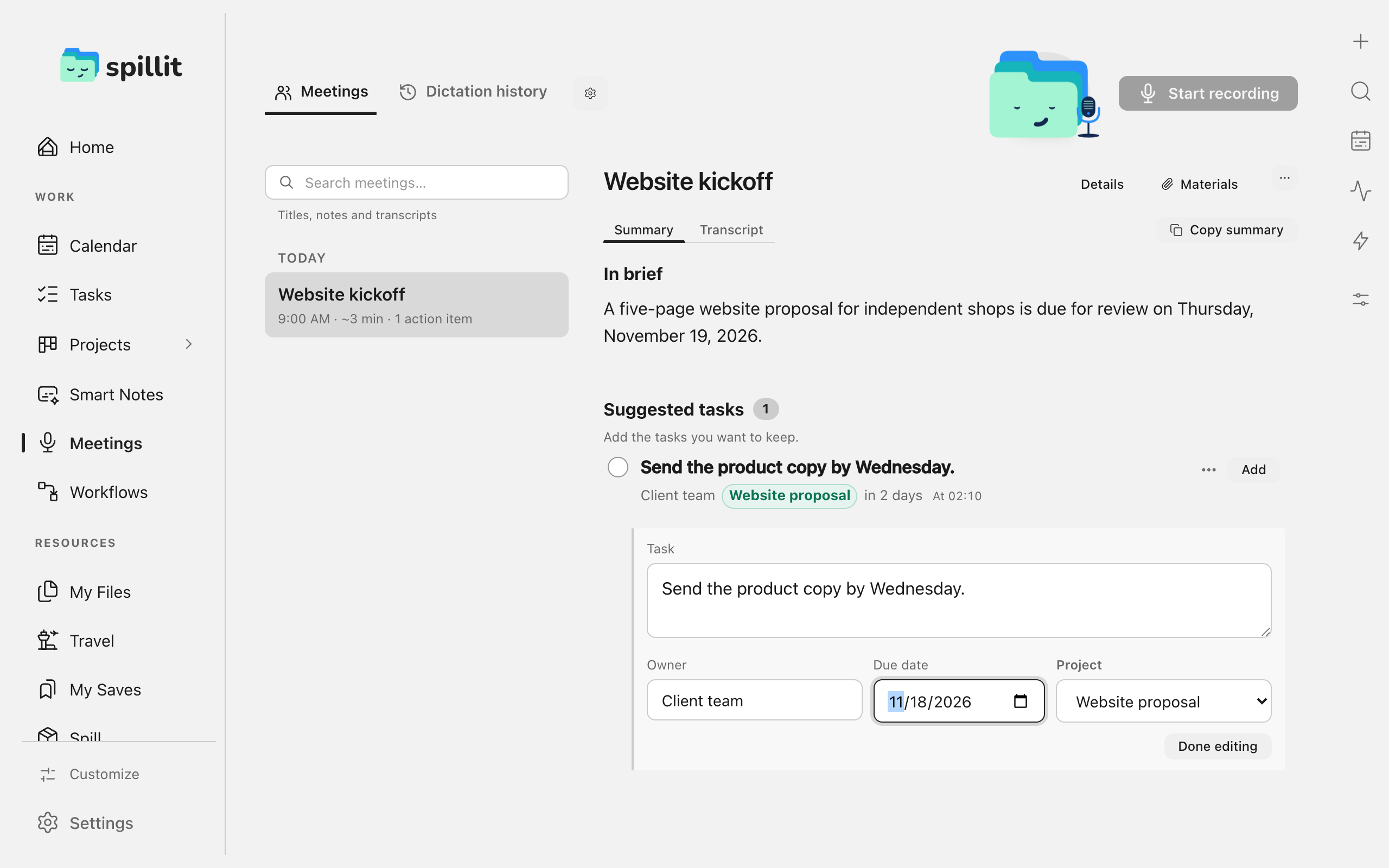
Review the suggested task
Return to Summary. Open the task details and check the wording, Client team as the owner, November 18 as the due date, and Website proposal as the project.
Step 4 of 4
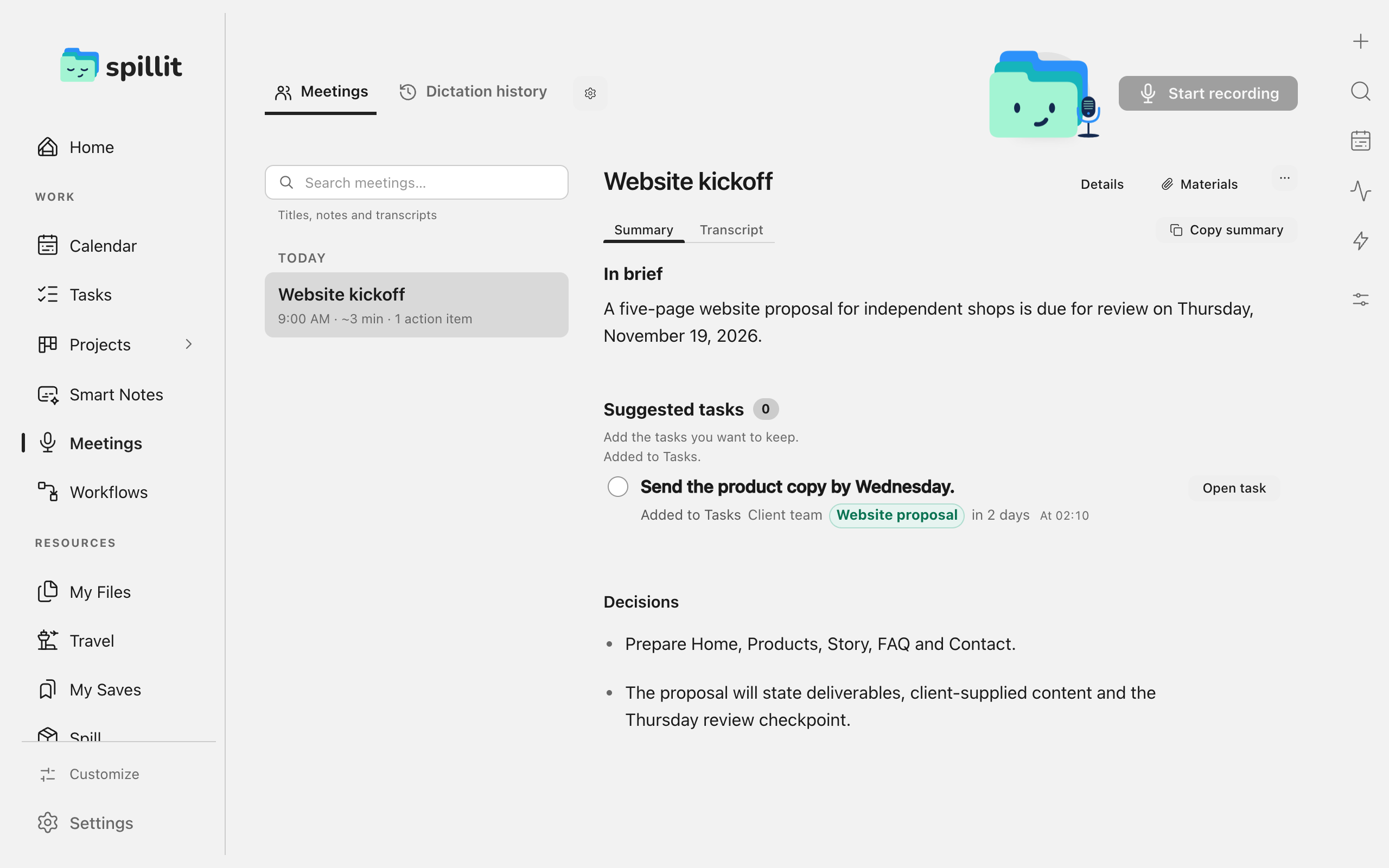
Add the task you want
Choose Add for the reviewed follow-up. Added to Tasks confirms that the task was kept. Use Open task to return to it.
Try the example
Keep one follow-up and make sure its owner and deadline match what was said.
- Read the transcript around 02:10 before using the summary.
- Compare the suggested task with the source. Check Client team, November 18, and Website proposal in the task details.
- Add that task and open it from the confirmation to verify the information is there.
Check your result
Added to Tasks confirms the selected follow-up. The task keeps the Wednesday deadline and the source at 02:10.