

Highlight a passage in a PDF
You’re preparing the workshop agenda and want to keep the brief’s instruction about how to start the session.
An instruction you can find again
The mark stays beside the passage on its source page.
See the resultBefore and after
Before
- The opening exercise is one sentence on a busy page.
- You need the instruction in its original context.
After An instruction you can find again
- The mark stays beside the passage on its source page.
- Highlights lets you revisit the words in context.
Step by step
How Spillit solves it
Keep scrolling. The screen and the guide follow you.Swipe or tap the screen, or keep scrolling.



Step 1 of 4
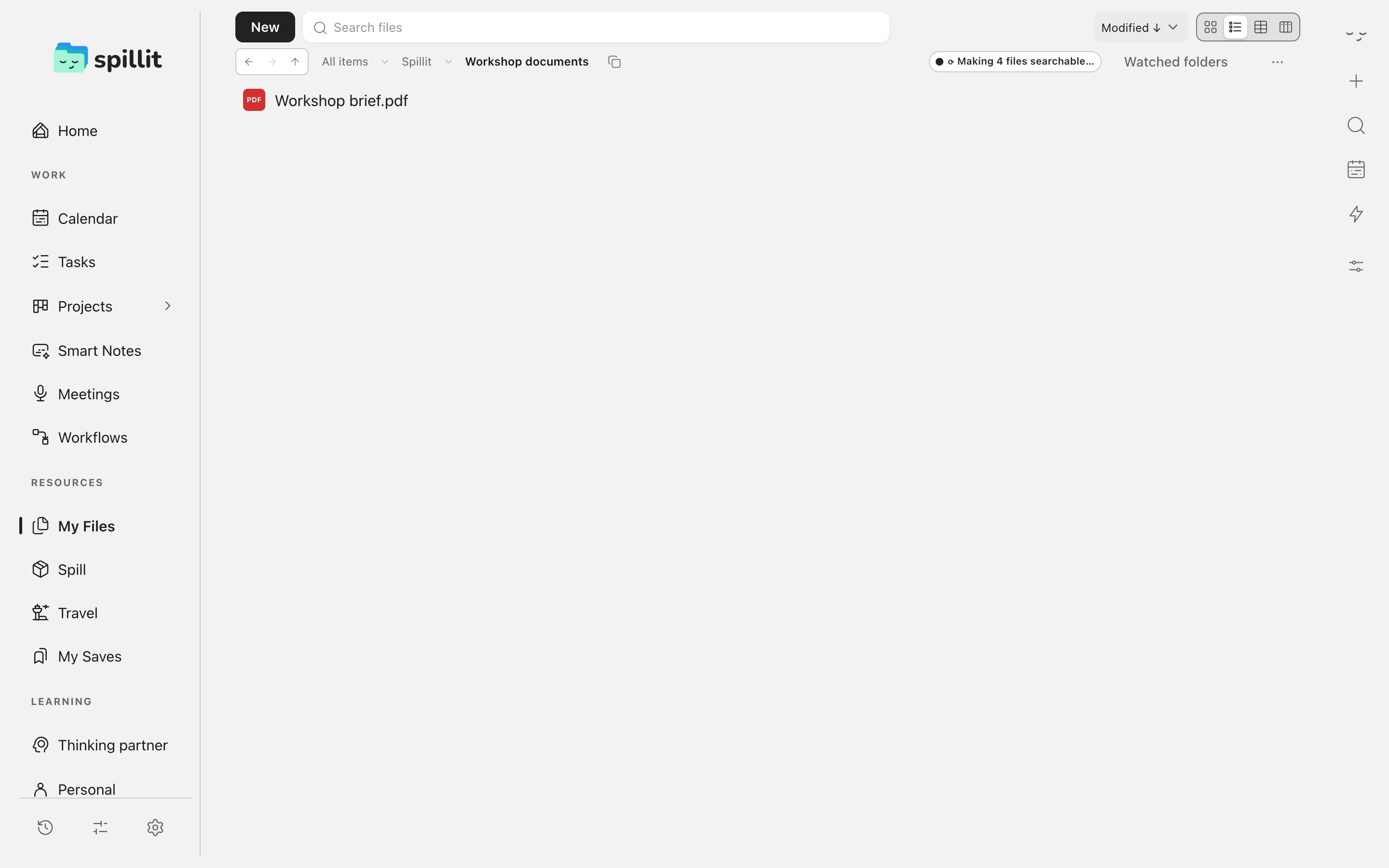
Open the brief from My Files
Open Workshop documents and select Workshop brief.pdf. The first page opens in the PDF reader.
Step 2 of 4
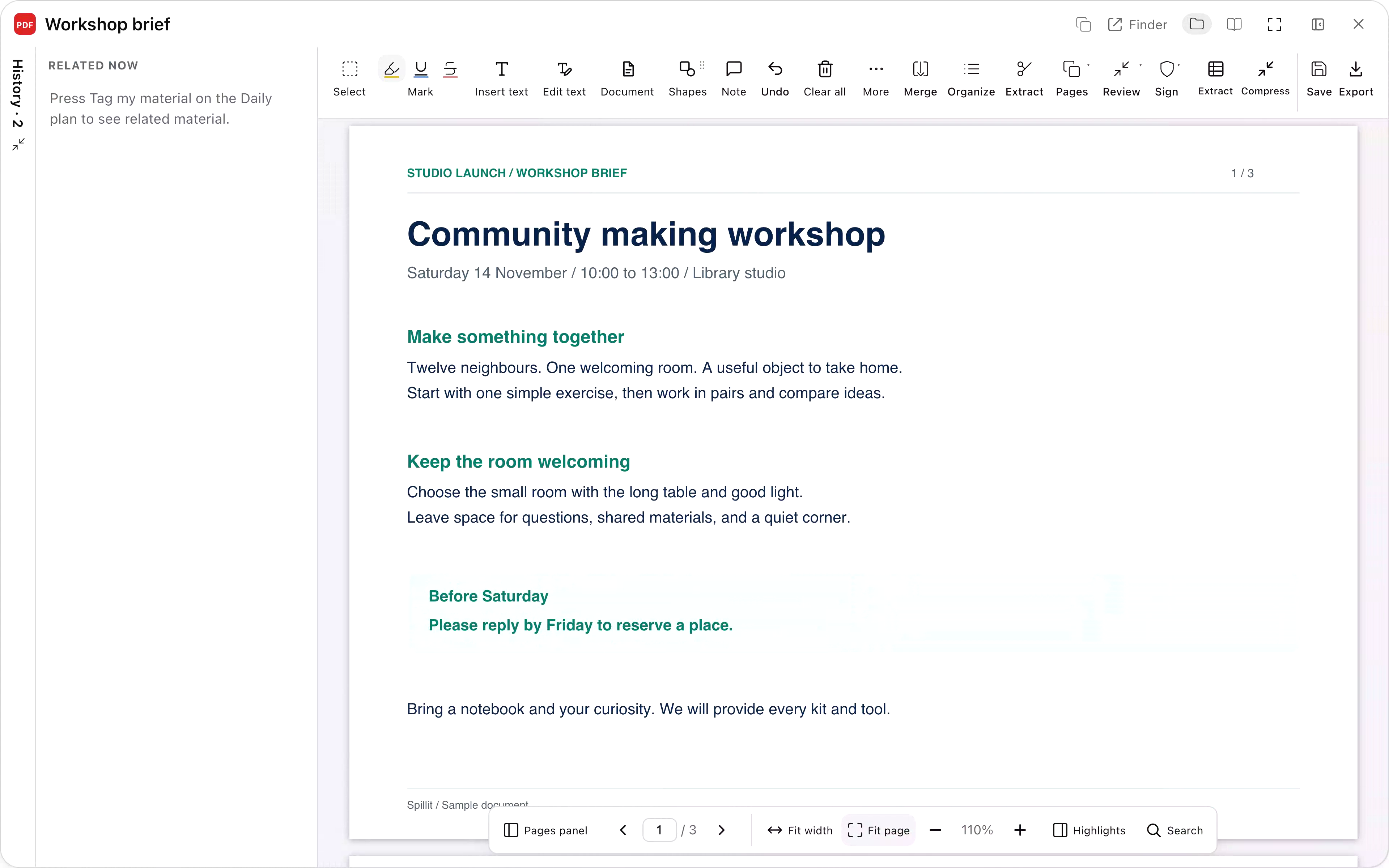
Find the opening exercise
Read Make something together on page 1. Find the sentence about starting with a simple exercise and working in pairs.
Step 3 of 4
Mark the opening exercise
Use Highlight under Mark and drag across the words you want to keep. Check that the mark ends at the right place.
Step 4 of 4
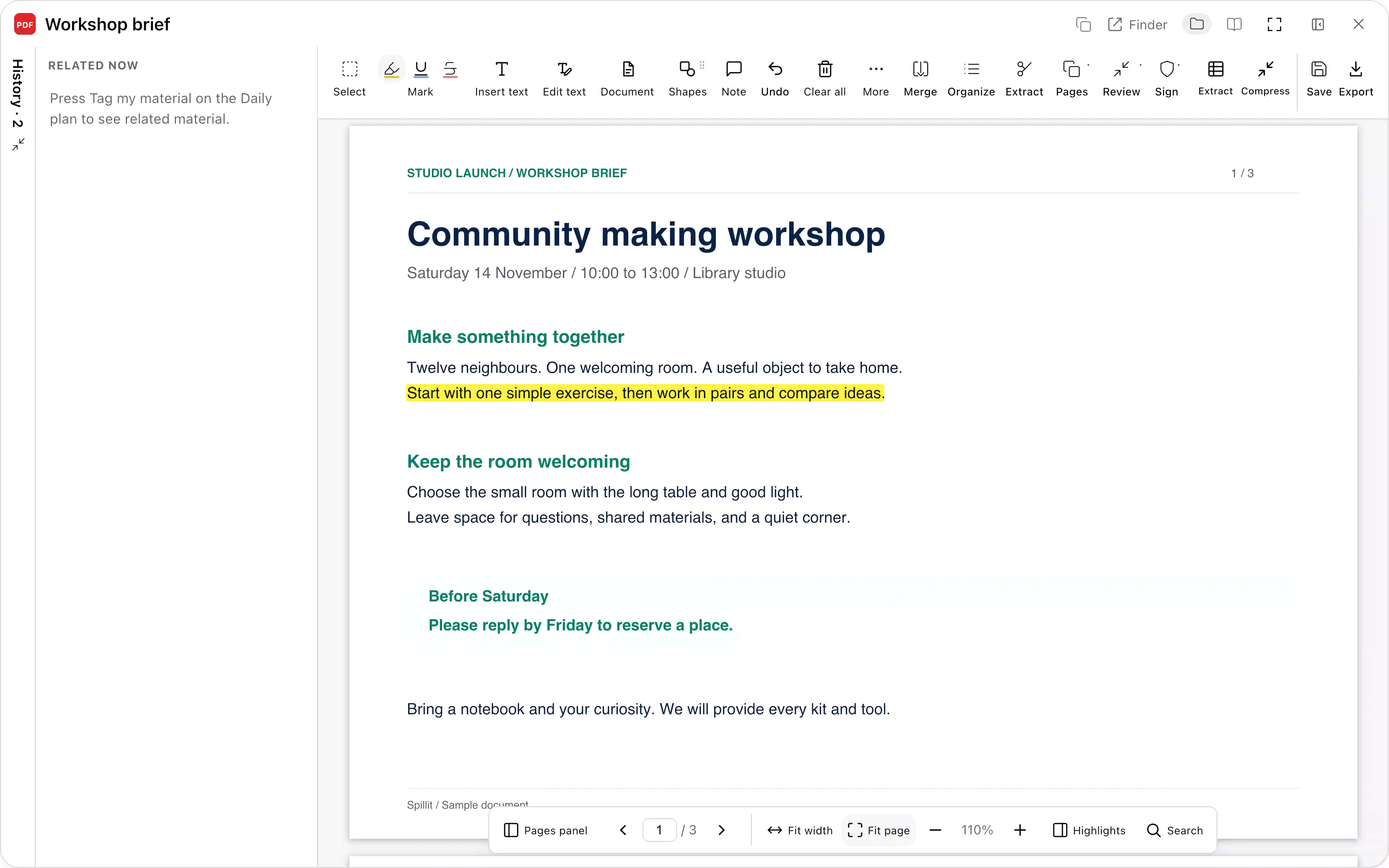
Check the marked sentence
Check that the highlight covers the line about the exercise and pairing up. Use Highlights when you want to find the mark again.
Try the example
Keep the instruction about the shared exercise tied to its page.
- Find the instruction on page 1 and select the complete sentence, including the work-in-pairs detail.
- Apply Highlight and check the start and end of the mark against the original sentence.
- Open Highlights and return to the passage. Read the surrounding paragraph before quoting it.
Check your result
The highlight covers the opening exercise without marking the next instruction. You can locate it again from Highlights.