

Find a saved link
Weeks ago you saved a pasta recipe. Tonight you want to cook it, but you only remember the word “weeknight”.
Before and after
Before
- Bookmarks pile up without names you recognize.
- Links are spread across apps and chats.
- Searching the whole web again takes longer than cooking.
After The recipe in seconds
- Every link you saved is in one searchable place.
- Collections and tags group what belongs together.
- You copy the link and get cooking.
Step by step
How Spillit solves it
Keep scrolling. The screen and the guide follow you.Swipe or tap the screen, or keep scrolling.



Step 1 of 5
Save links as you find them
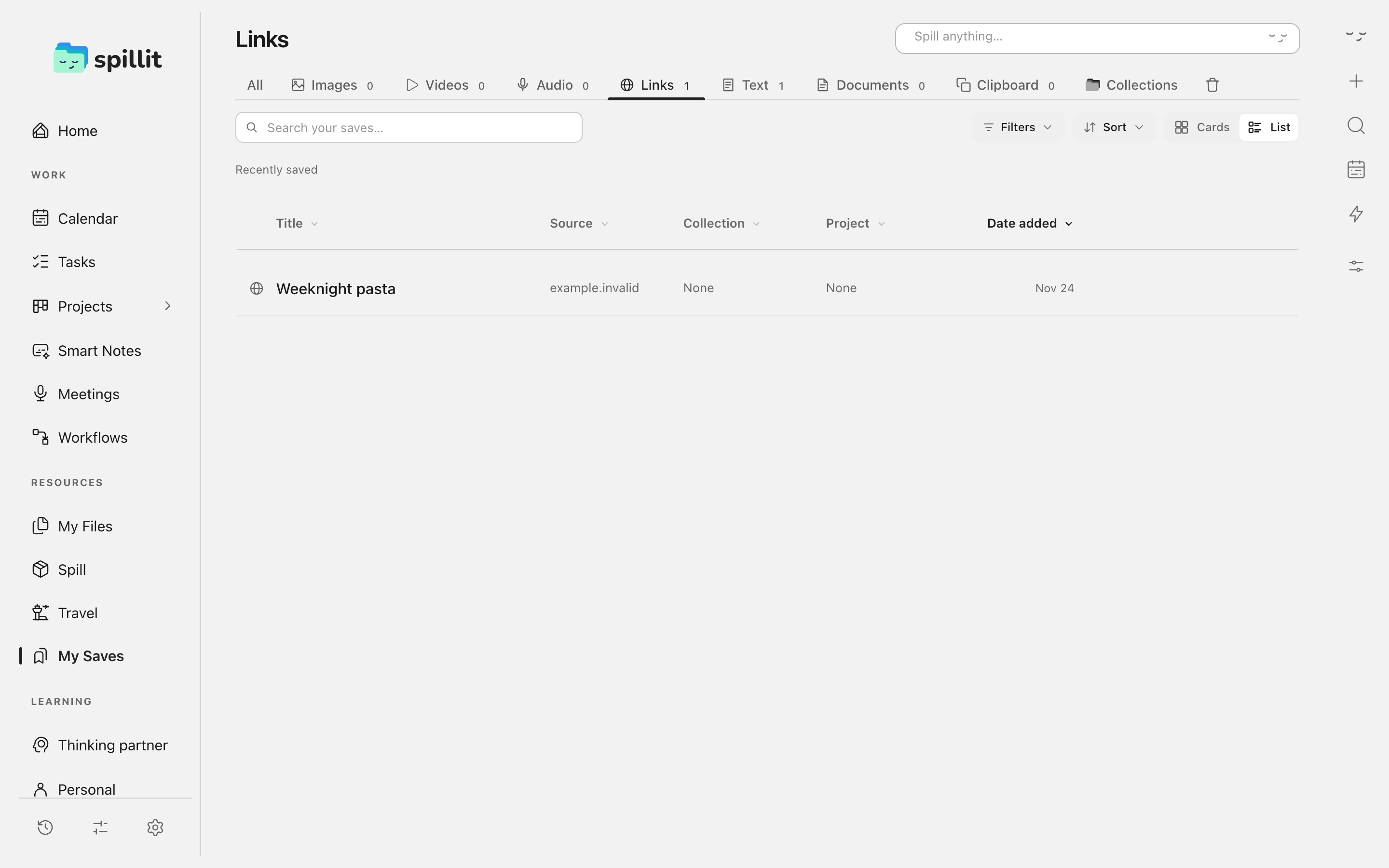
In My Saves, paste a link into Spill anything and press Enter. Open the item to check its title and source.
Step 2 of 5
Give it a place to live
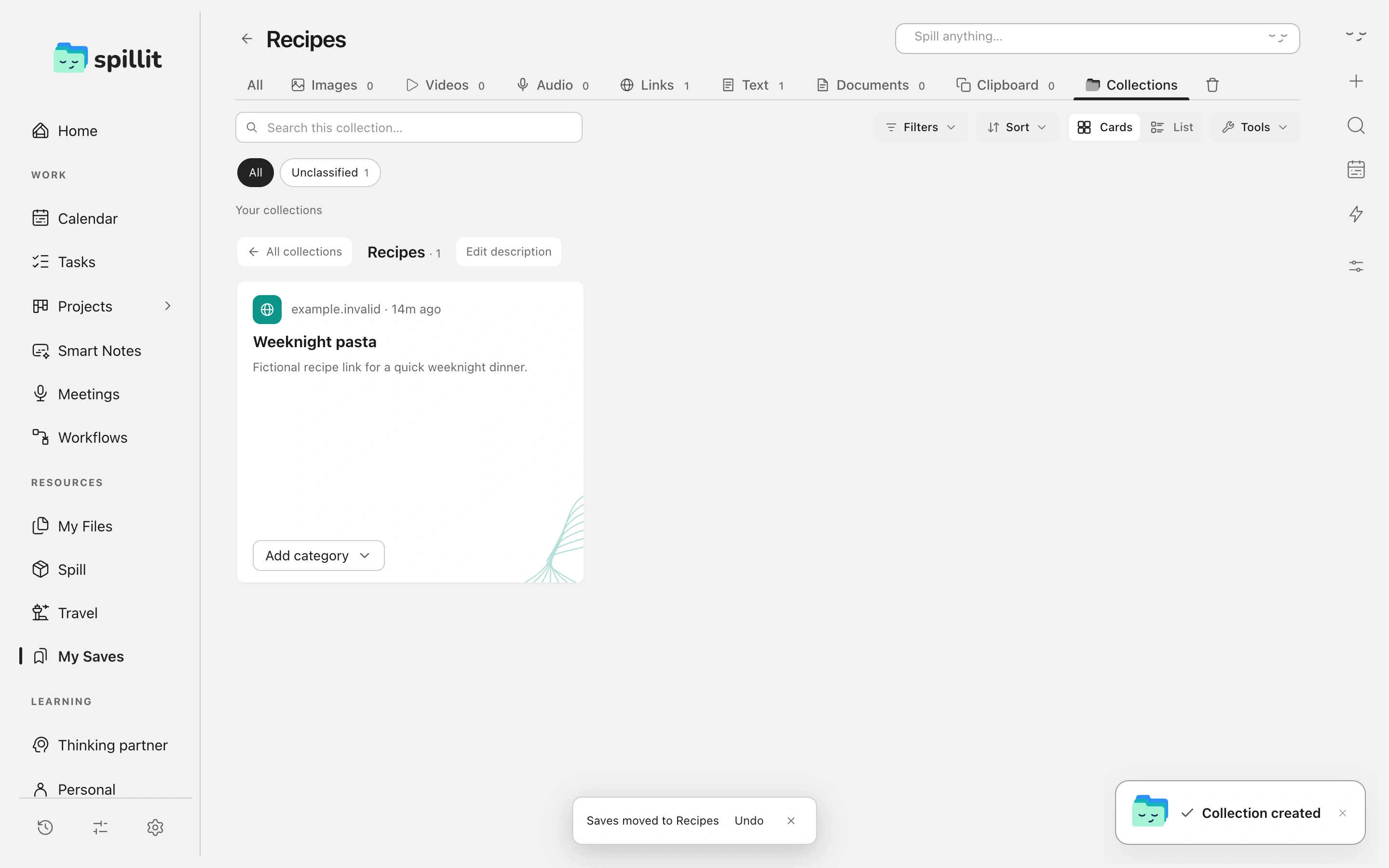
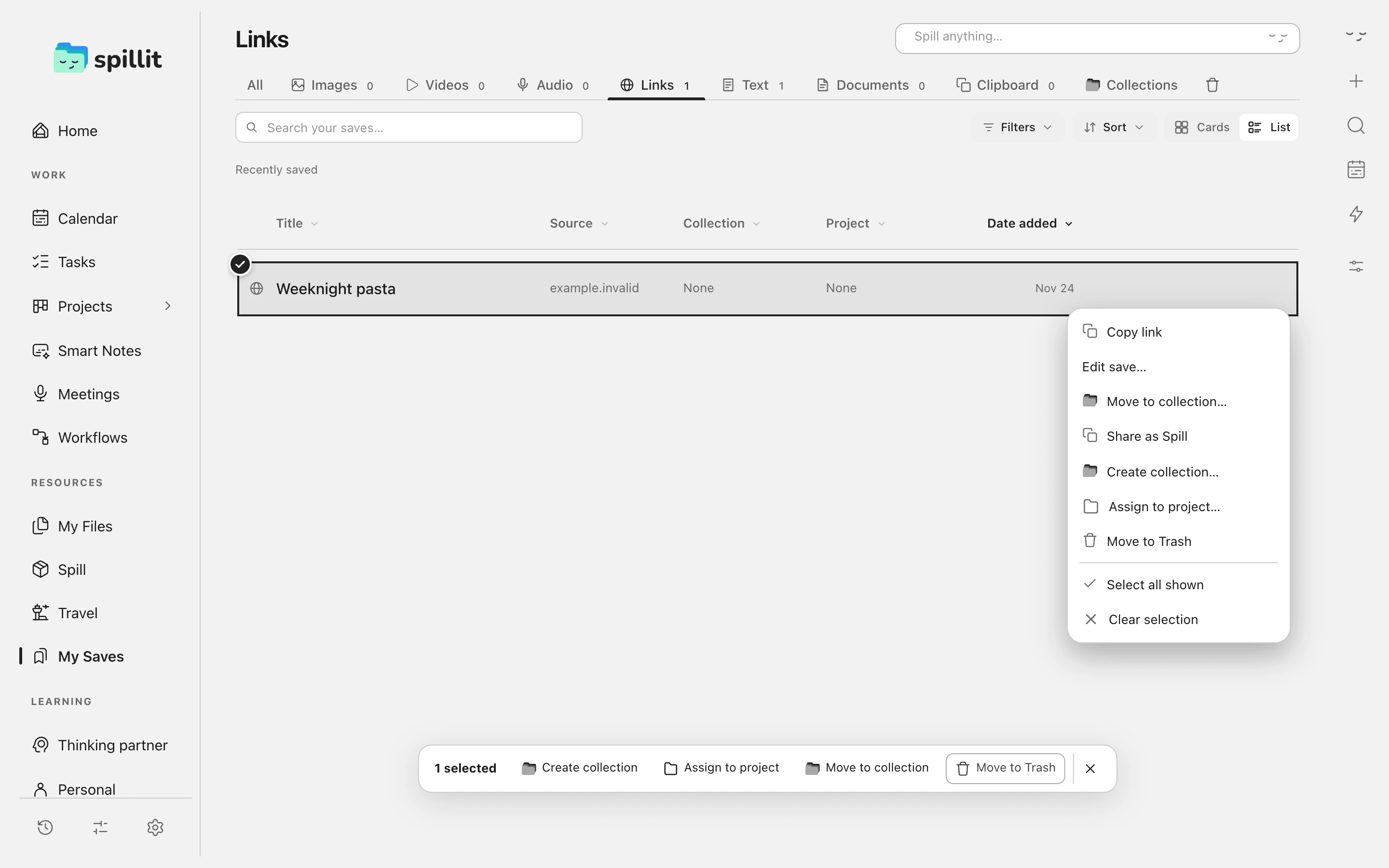
Open the saved item’s actions. Choose Move to collection, or Create collection to start one such as “Recipes”.
Step 3 of 5
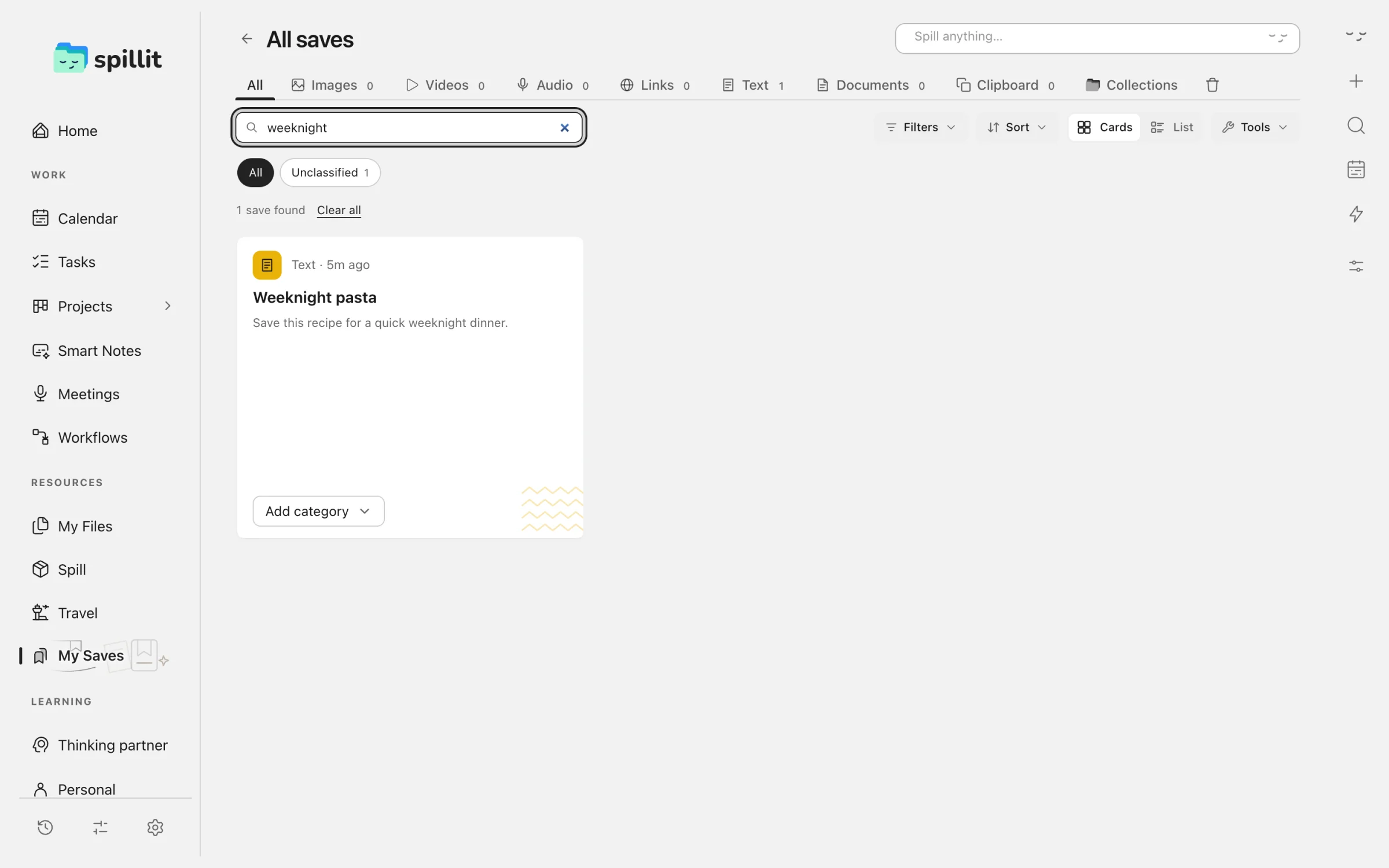
Search the word you remember
Type weeknight in Search. My Saves shows the Weeknight pasta link. Use Filters if you need to narrow a longer list.
Step 4 of 5
Reuse it
Open the saved item’s actions and choose Copy link. Paste the address where you need it.
Step 5 of 5
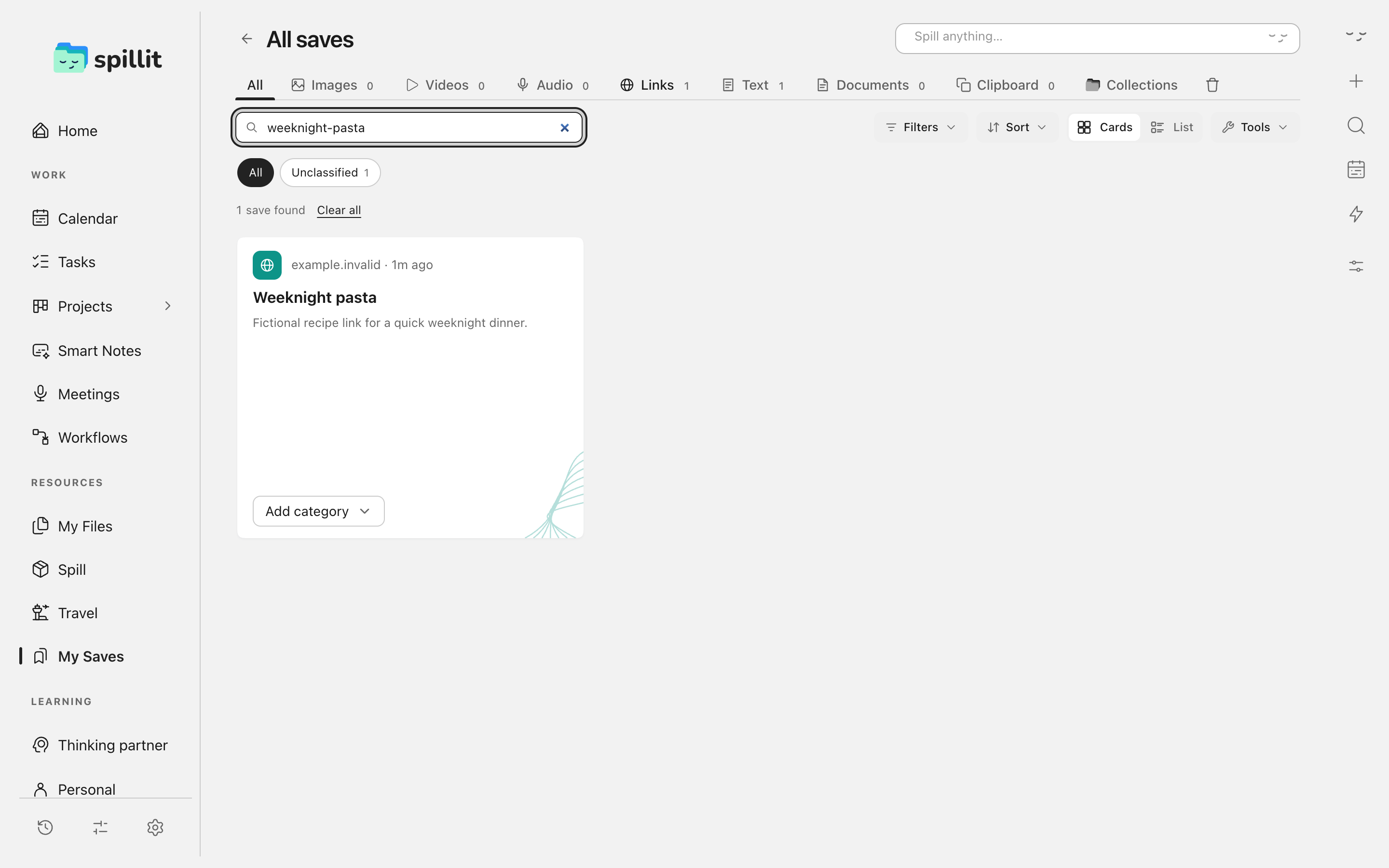
Confirm the exact saved link
If you know part of the address, search for it directly. In this example, weeknight-pasta finds just the saved recipe.