

Make a wish list
You want a new desk lamp, but not at today’s price. You also want to be sure you still want it in two weeks.
Before and after
Before
- Checking prices by hand is easy to forget.
- Bookmarks do not tell you when a price changes.
- Buying on impulse adds up over a year.
After You buy when it makes sense
- Every item keeps its price, reason and waiting time.
- You see when a price drops under your alert.
- Not spent shows what you chose not to buy.
Step by step
How Spillit solves it
Keep scrolling. The screen and the guide follow you.Swipe or tap the screen, or keep scrolling.
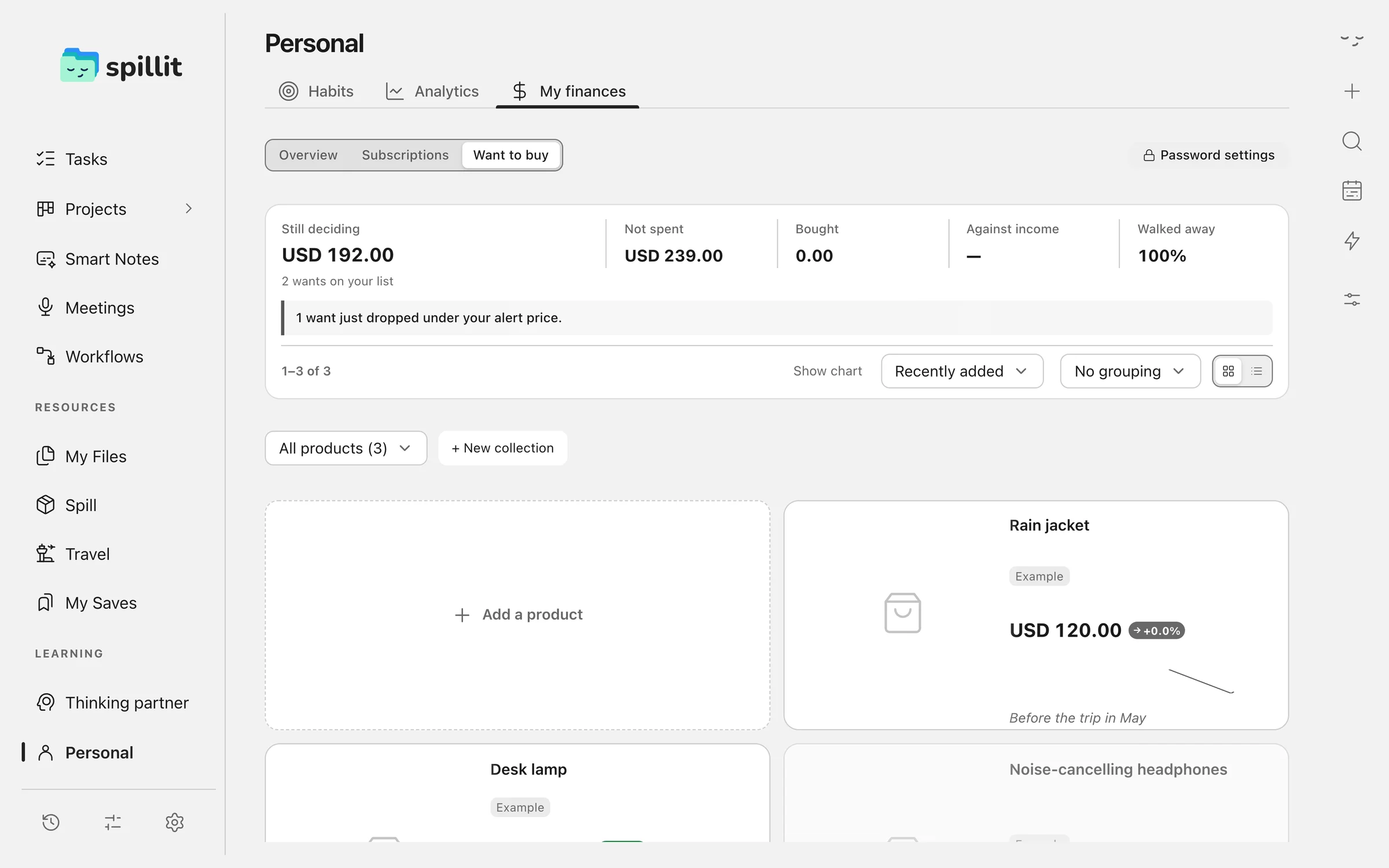



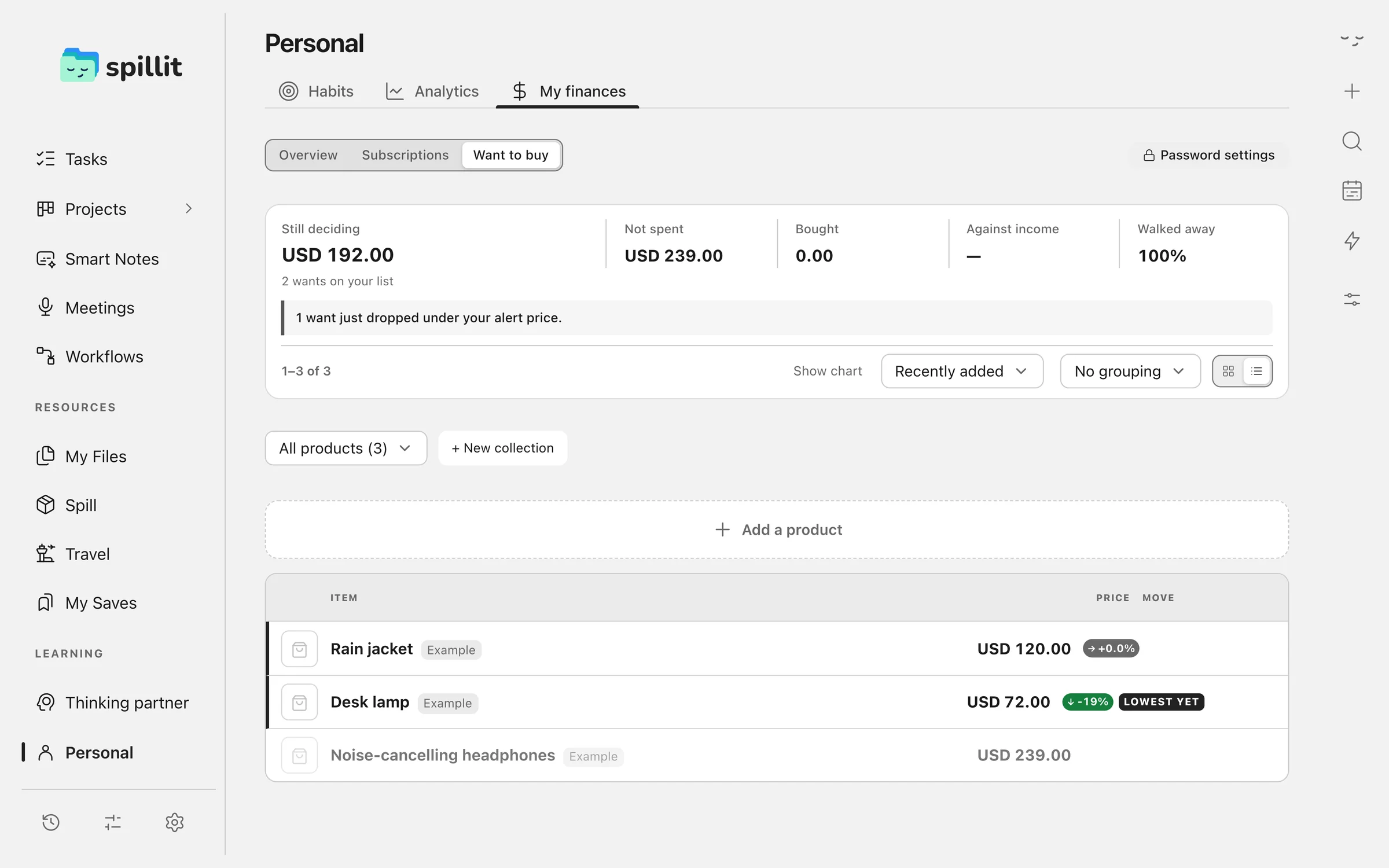
Step 1 of 6
Open Want to buy
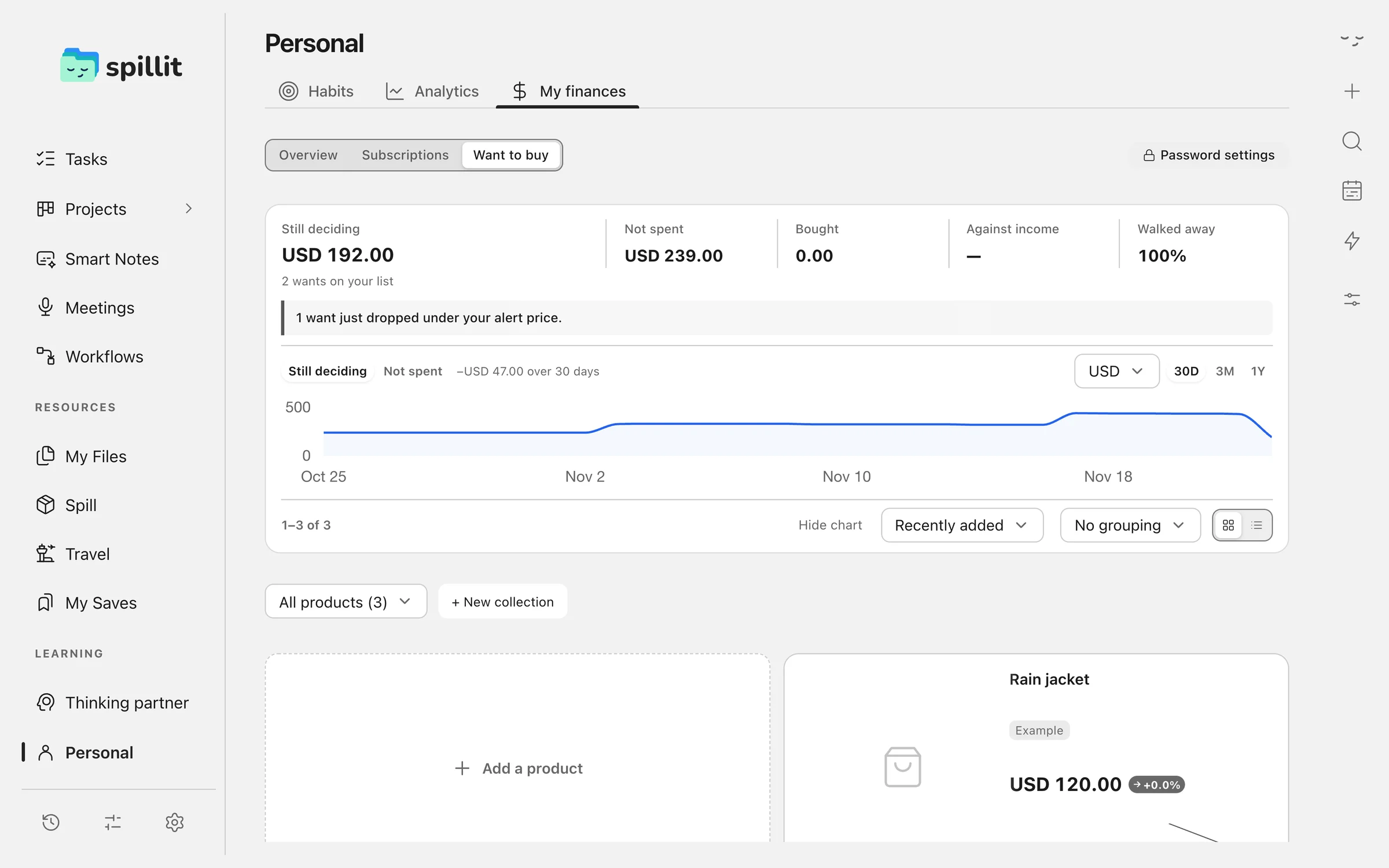
Go to Personal → My finances and choose Want to buy. The top shows what you are still deciding on, what you did not spend and what you bought.
Step 2 of 6
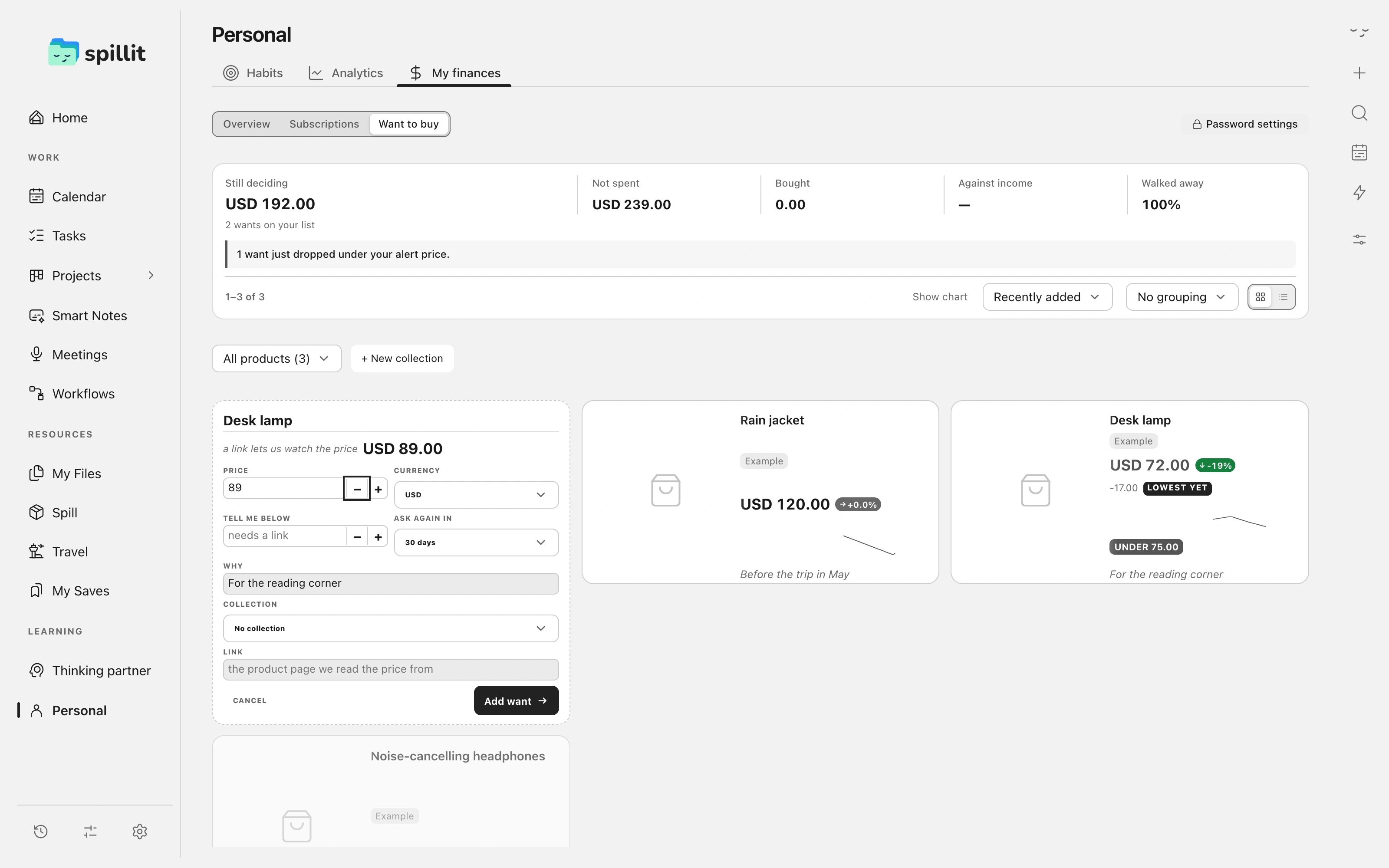
Add the product
Choose Add a product. Type a name or paste the product link, then add the price and currency. Write why you want it, so you can read it back later.
Step 3 of 6
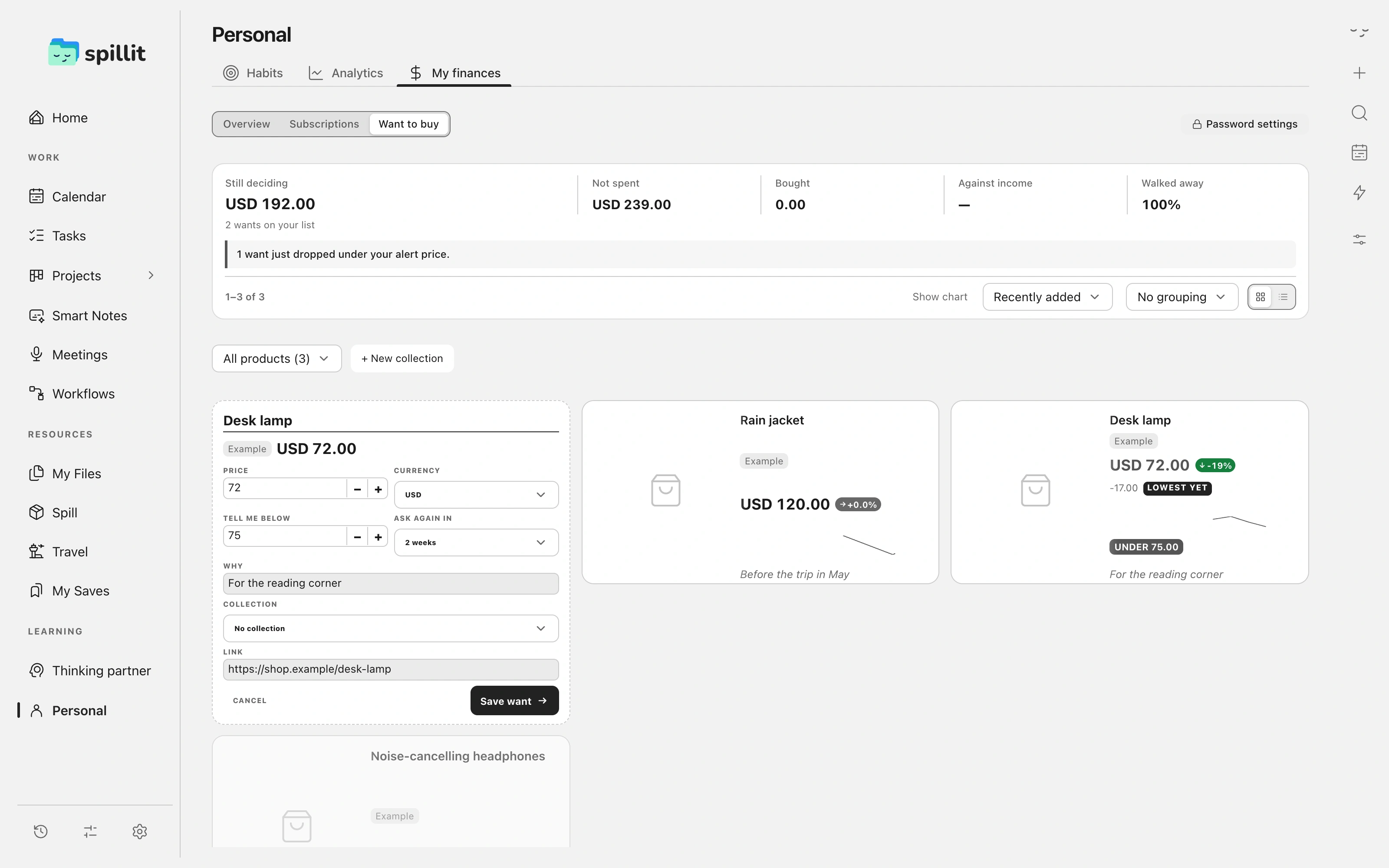
Set an alert and a waiting time
For the lamp, enter $75 in Tell me below and choose 2 weeks in Ask again in. Use the price you would actually pay for your own item.
Step 4 of 6
Watch the price move
Spillit keeps each price it reads from the product page. Choose Show chart to see your list over 30 days, 3 months or a year.
Step 5 of 6
Spot the drop
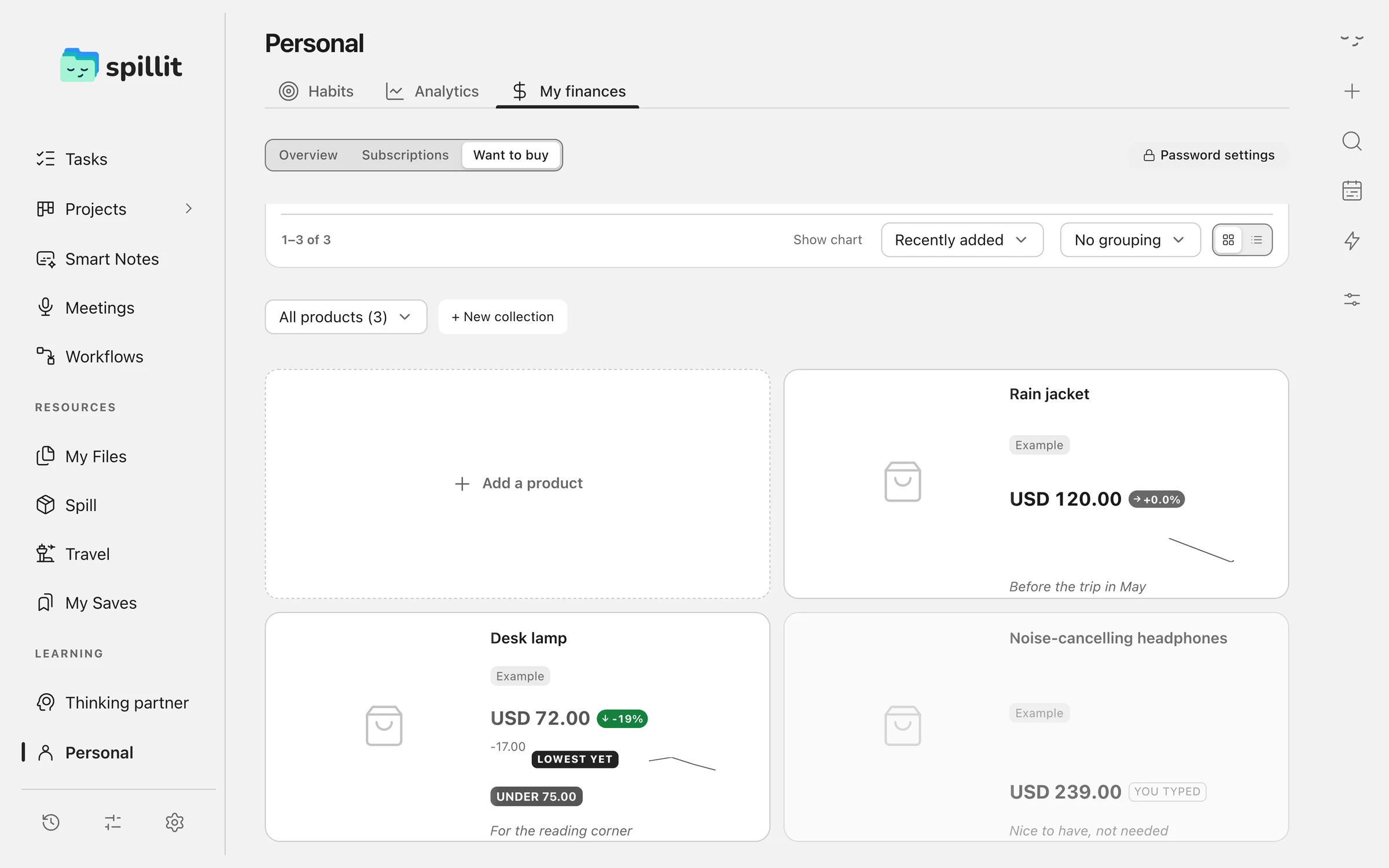
When the price falls, the card shows by how much, marks the lowest price yet and says when it is under your alert.
Step 6 of 6
Compare your whole list
Switch to the list view to see every item with its price and its move. Items you walked away from stay grey and count toward Not spent.