

Everyday life
Write beside your sources
You’re preparing for Friday’s budget review for a community workshop. Check whether the quote covers what the proposal asks for, then record the estimate in your review note.
Workshop estimate
$324- 12 materials kits
- $144
- Preparation
- $180
Before and after
Before
- The quote and your note live in separate places.
- Switching back and forth loses your place.
- Copying numbers by memory invites mistakes.
After The workshop estimate with its sources
- The note records the $324 estimate, matched line for line to the quote.
- Its source cards preview or reopen the original files.
- On Friday, one click shows the date is still to confirm.
Step by step
How Spillit solves it
- Write beside the quote
- Link the files to the note
- Reopen them from the note on Friday
Keep scrolling. The screen and the guide follow you.Swipe or tap the screen, or keep scrolling.



Step 1 of 7
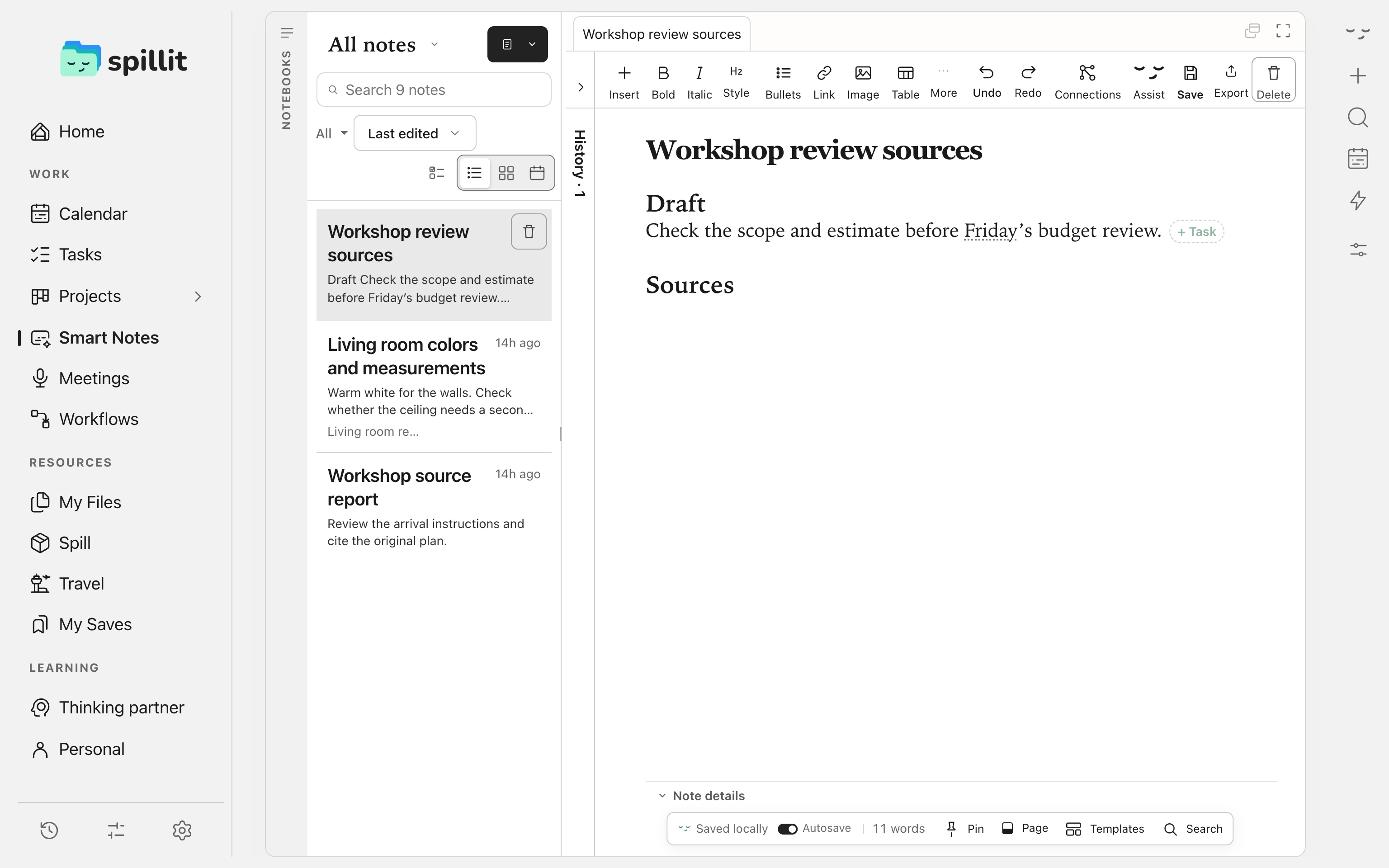
Start the review note
- Type: Create Workshop review sources in Smart Notes
- Look: Draft holds the check, Sources holds the files
Step 2 of 7
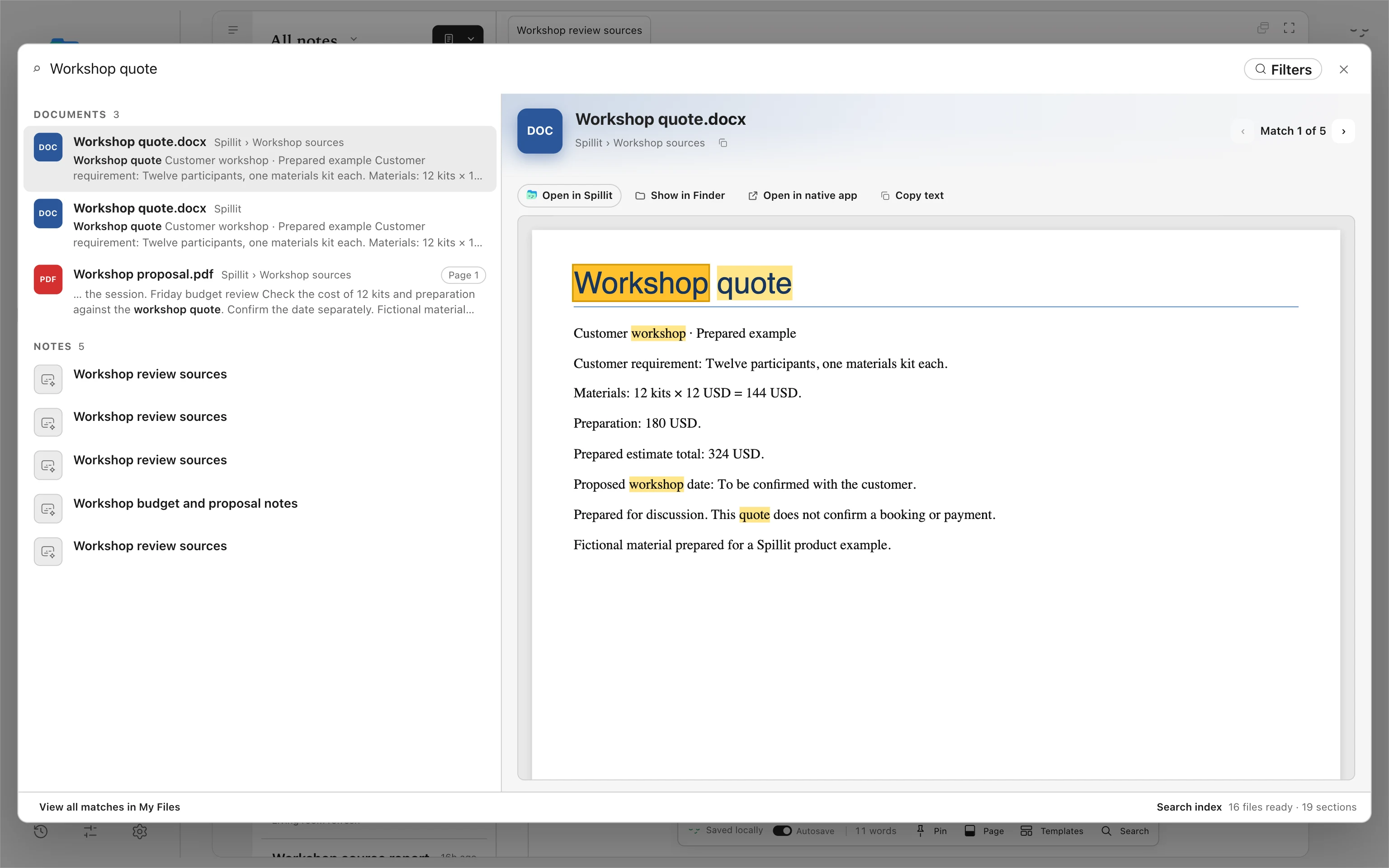
Find the quote without leaving the note
- Press: Press ⌘K and type Workshop quote
- Click: Choose Open in Spillit
Step 3 of 7
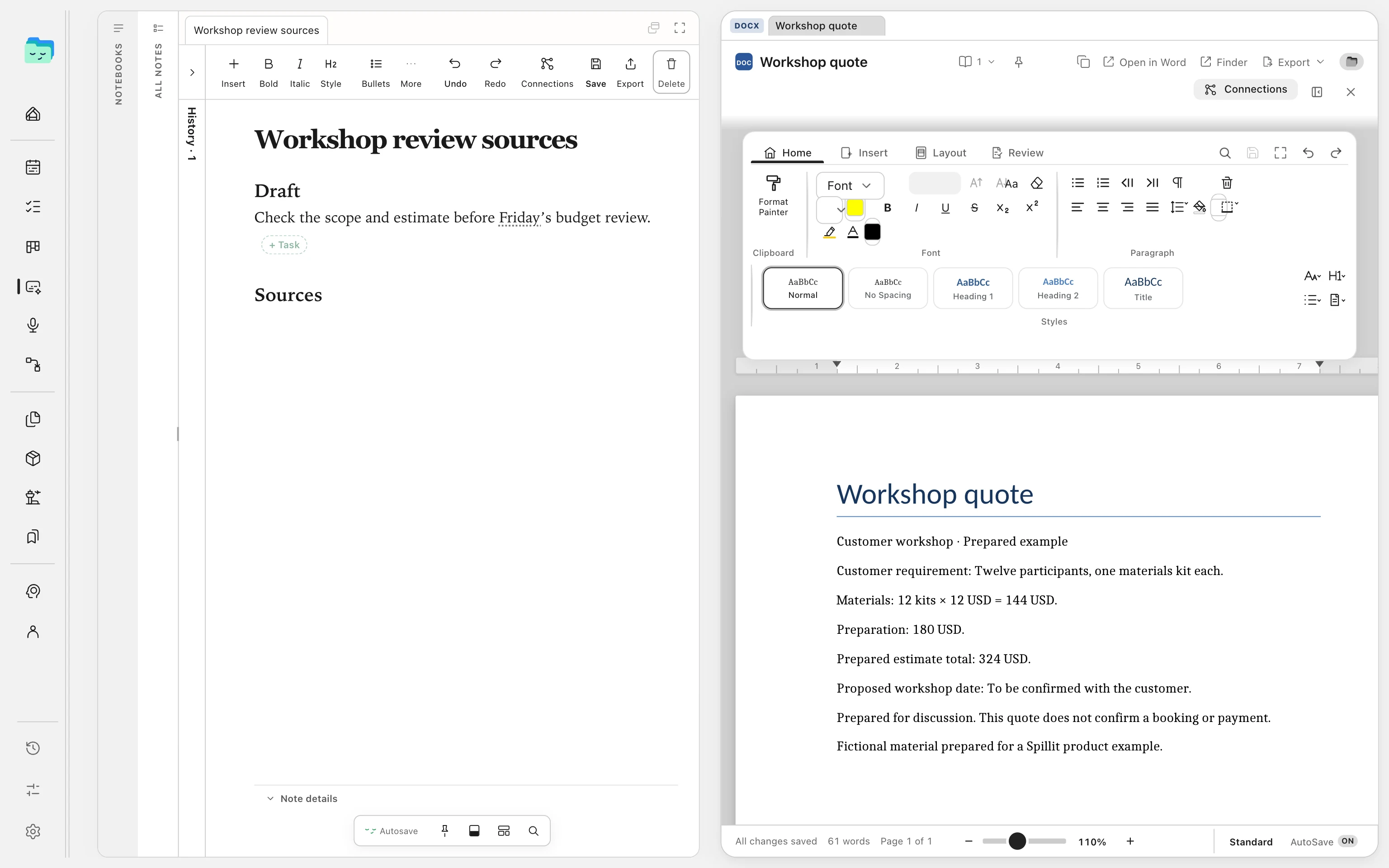
Read the quote beside your note
- Look: The quote opens to the right of your note
- Check: Find $144 kits, $180 preparation, $324 total
Step 4 of 7
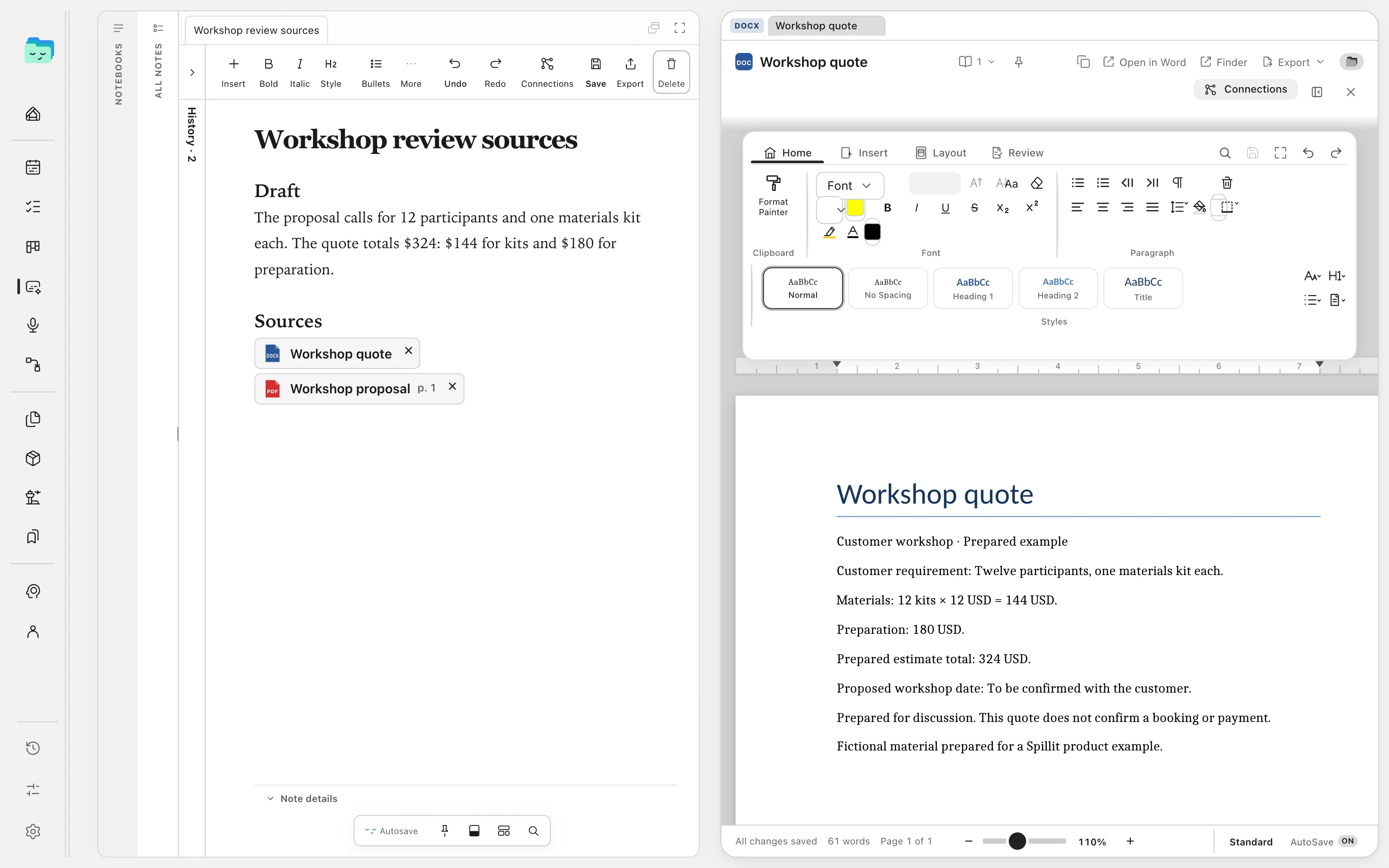
Write what you read into Draft
- Look: Read the numbers in the quote on the right
- Type: Under Draft on the left, write $324 = $144 + $180
Step 5 of 7
Link both files to the note
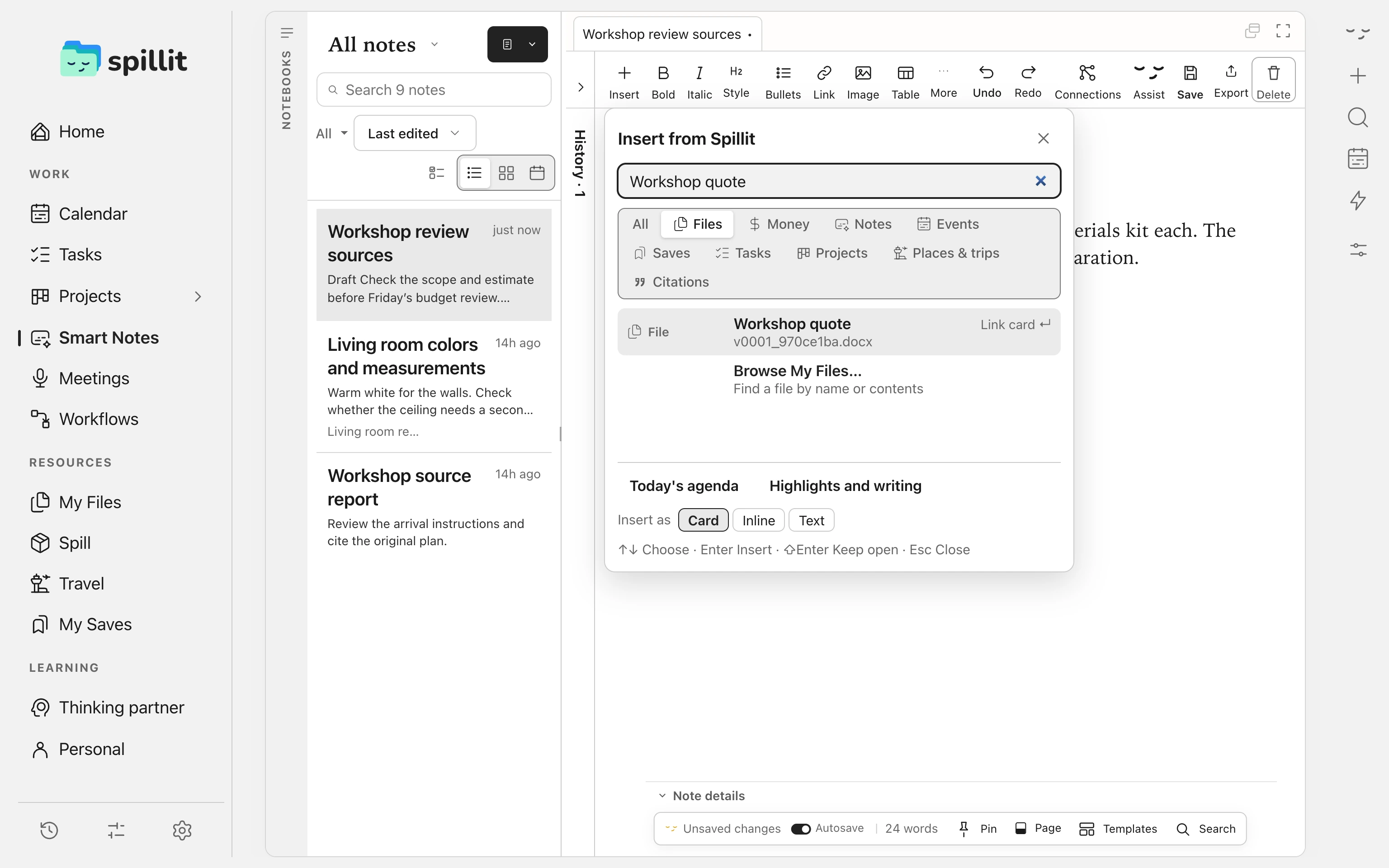
- Click: Under Sources, choose Insert from Spillit
- Press: Pick Card and press Enter for each file
Step 6 of 7
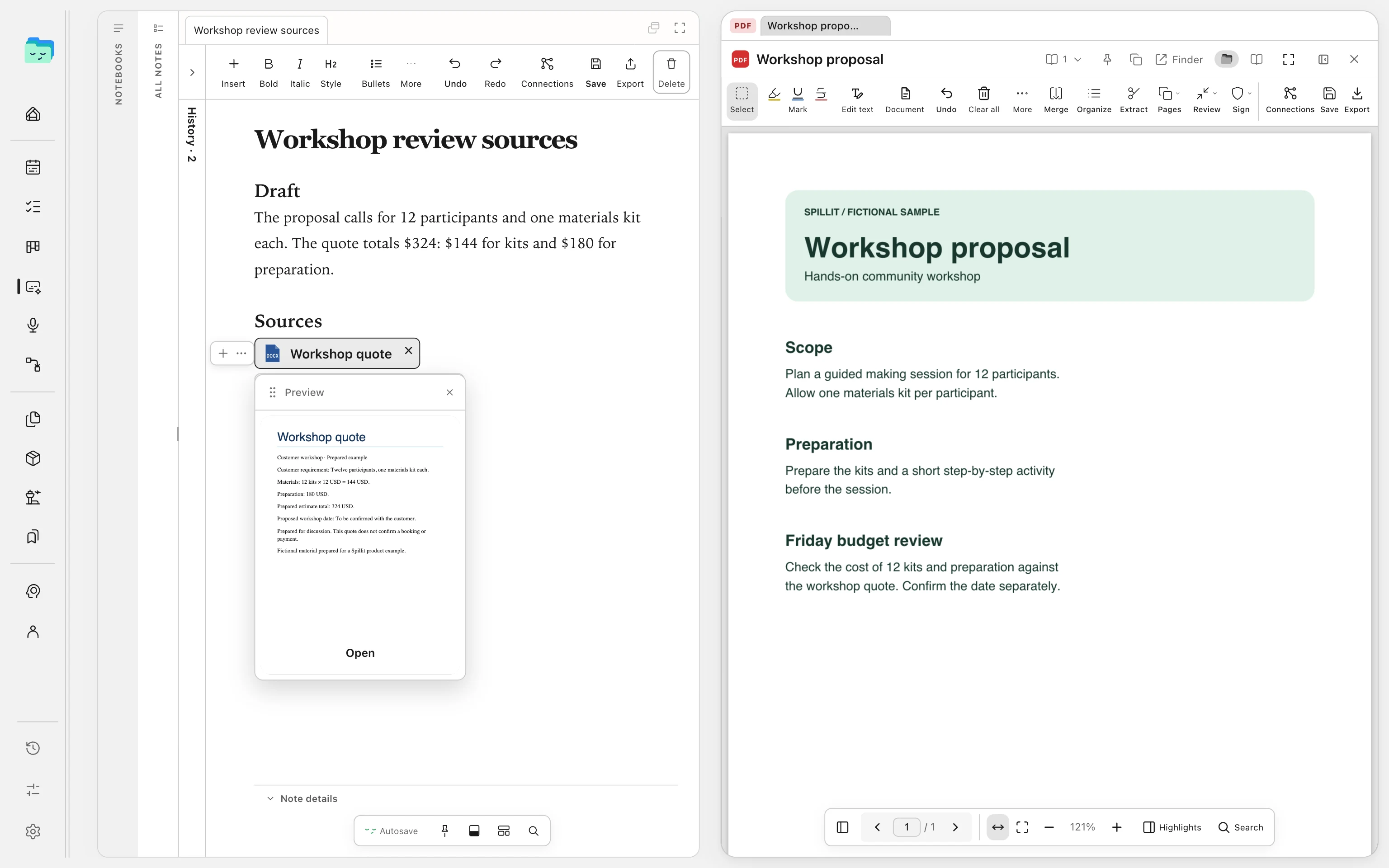
Peek at a source without opening it
- Look: Hover the Workshop quote card
- Check: A preview shows the quote inside the note
Step 7 of 7
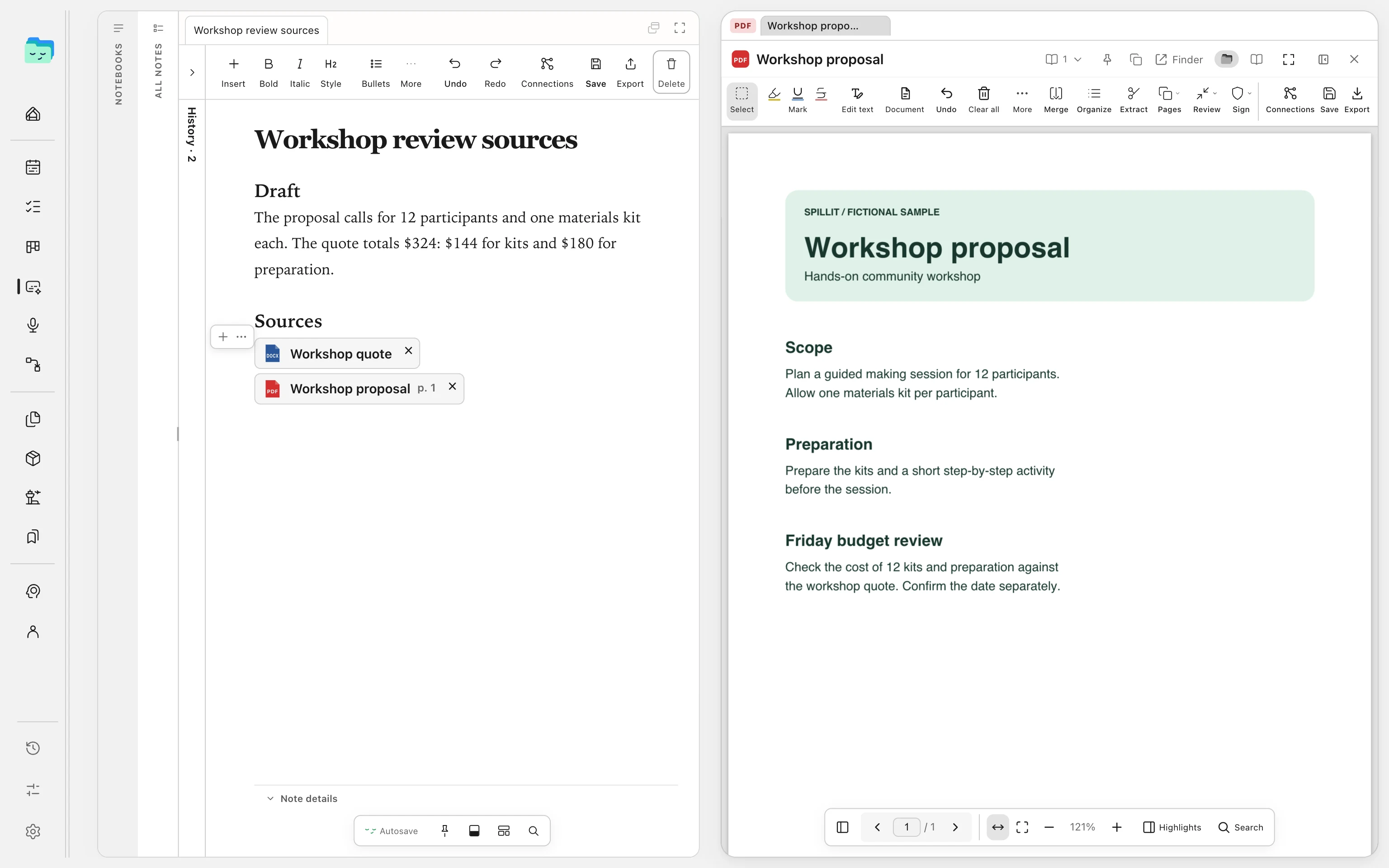
On Friday, reopen the proposal from the note
- Click: Click the Workshop proposal card
- Look: The original opens beside your note
- Check: It says Confirm the date separately