

Revise and check a Word invitation
The invitation asks people to reply by Friday. The organiser needs replies by Thursday and wants to keep an editable copy of the invitation.
The revised deadline in the saved draft
Thursday replaces Friday in the editable Word file.
See the resultBefore and after
Before
- Changing the deadline should leave the rest of the invitation intact.
- The saved copy needs to show the new date before anyone sends it.
After The revised deadline in the saved draft
- Thursday replaces Friday in the editable Word file.
- The saved one-page invitation still includes the twelve-seat note.
Step by step
How Spillit solves it
Keep scrolling. The screen and the guide follow you.Swipe or tap the screen, or keep scrolling.



Step 1 of 4
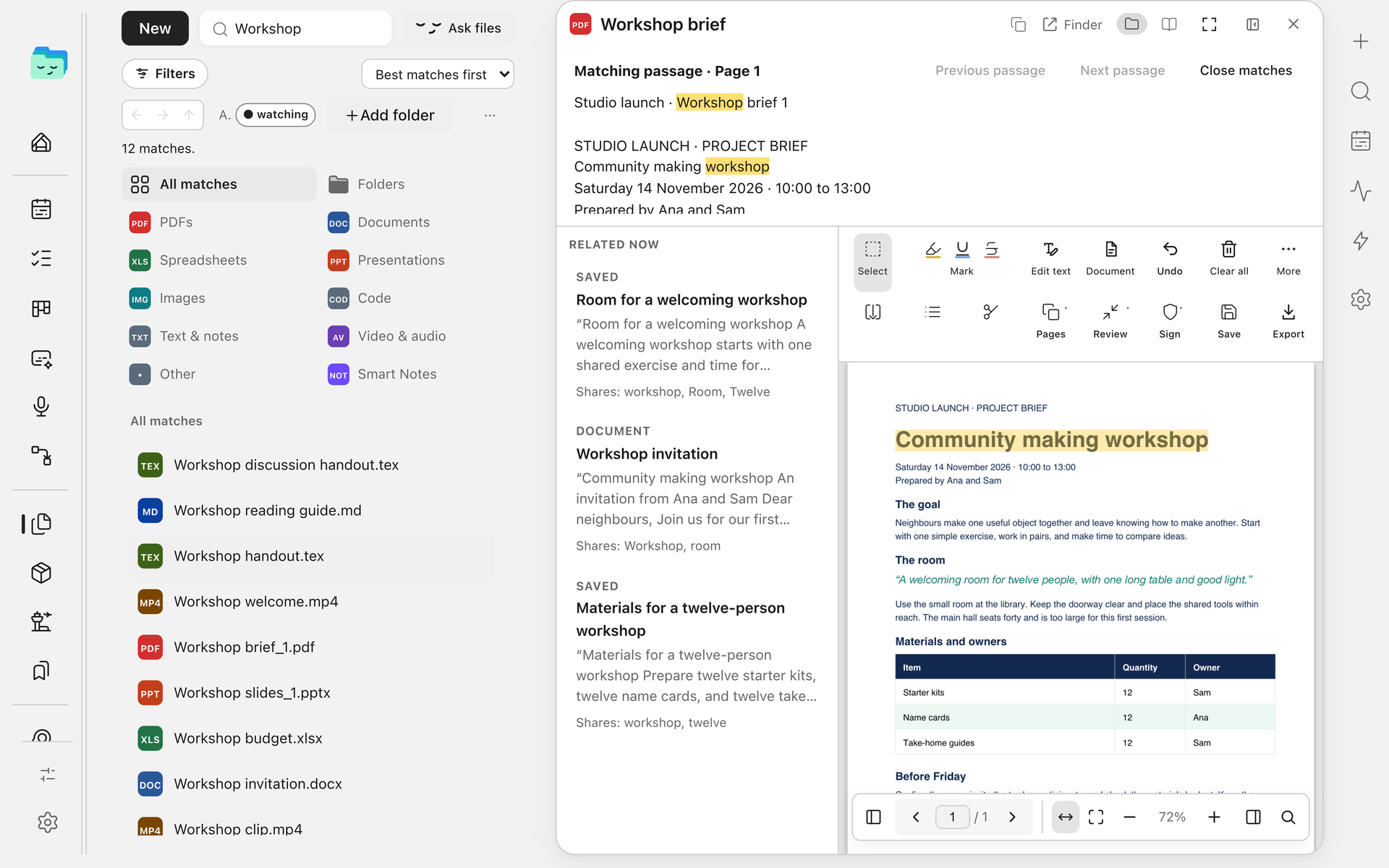
Find the invitation in My Files
Search for Workshop in My Files. Find Workshop invitation.docx in the results and open it to edit the original invitation.
Step 2 of 4
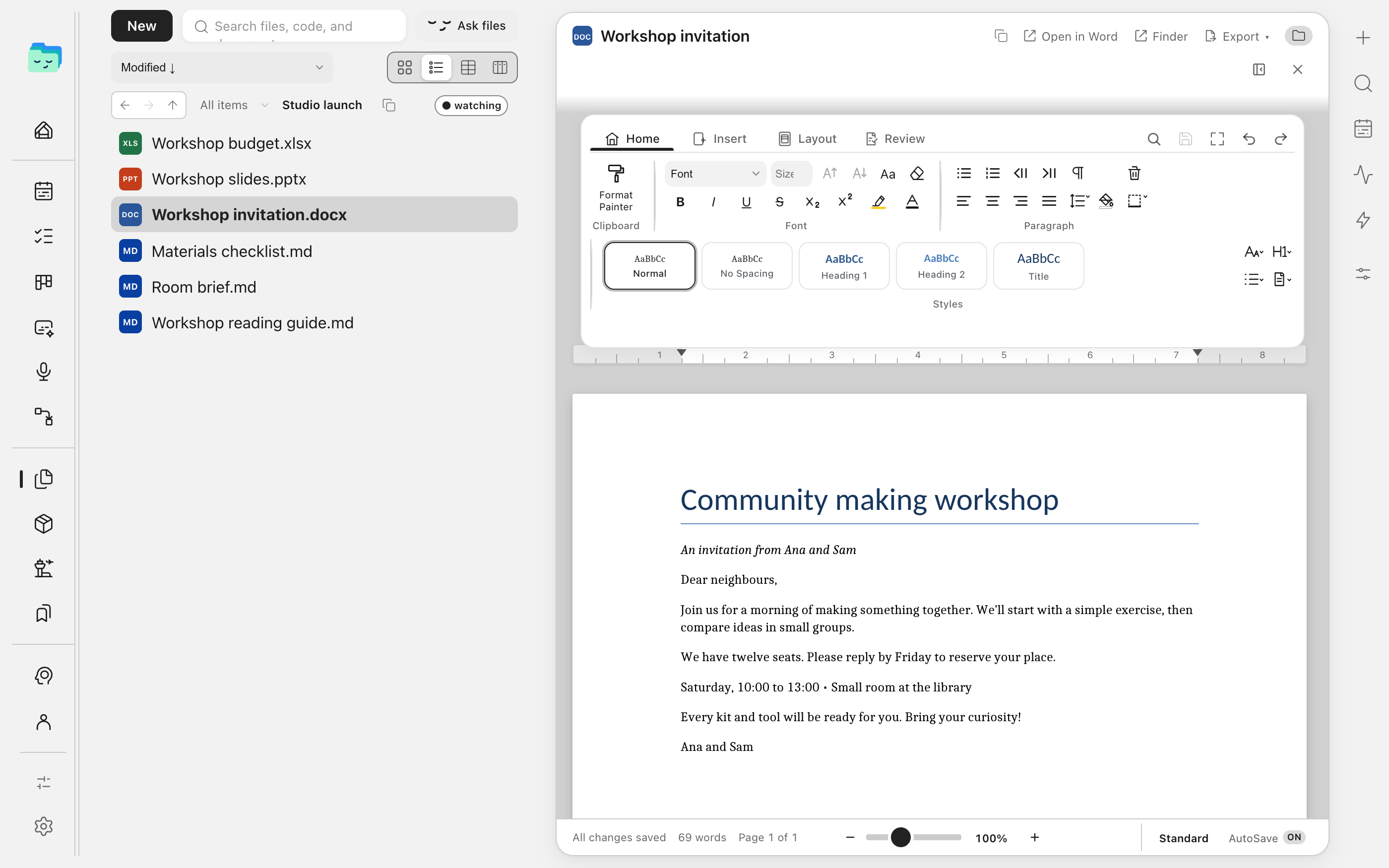
Open the invitation beside its folder
The Word editor opens beside the Studio launch files. Read the invitation and find the paragraph about replying by Friday.
Step 3 of 4
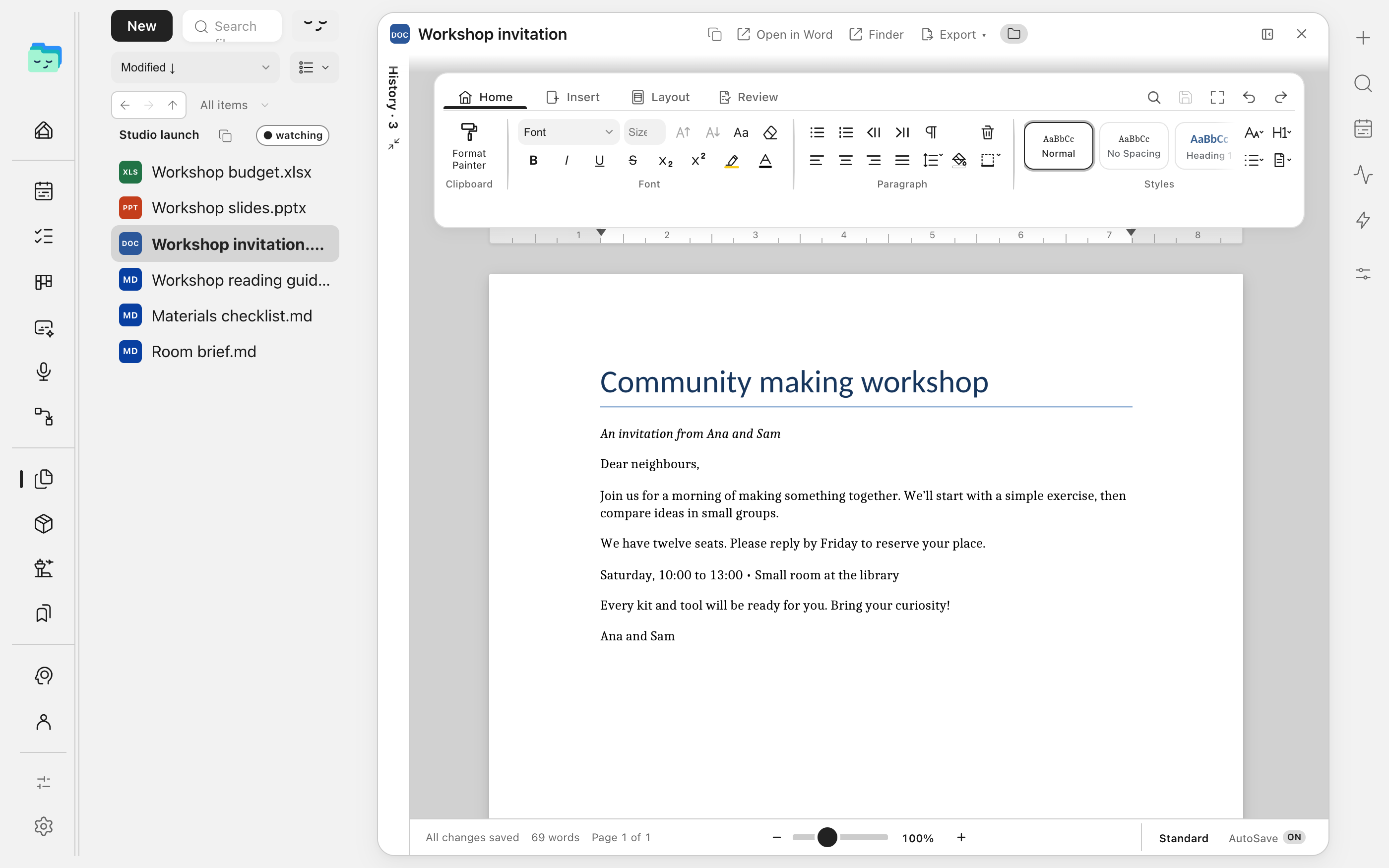
Find the RSVP deadline
Click the paragraph that asks people to reply by Friday. Change Friday to Thursday and keep the sentence about the twelve seats.
Step 4 of 4
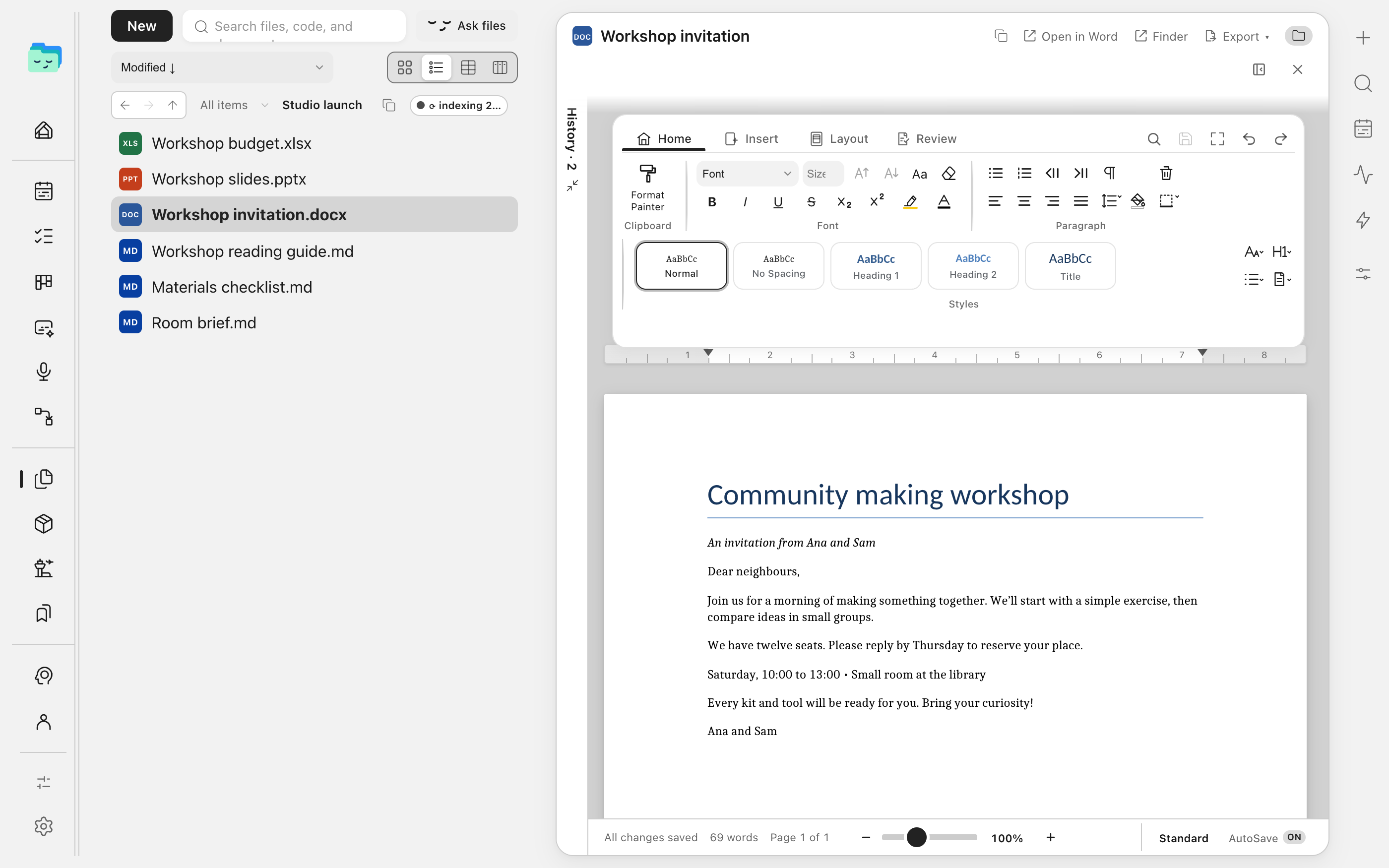
Save and check Thursday
Choose Save if the reader still shows unsaved changes. Reopen the file and confirm that the body says Thursday and the invitation still fits on one page.
Try the example
Move the RSVP deadline to Thursday and leave the twelve-seat limit in place.
- Open the invitation. Find the RSVP sentence and select only the weekday.
- Replace Friday with Thursday and save. Reopen the file to review the same paragraph.
- Check that the heading, RSVP sentence, and twelve-seat limit still fit on one page.
Check your result
The saved invitation asks for replies by Thursday, still mentions twelve seats, and shows one page.