

Prepare the opening slide for a workshop
Your three-slide workshop deck opens with a general title. You want the first slide to tell participants what they will make.
A clear instruction on the opening slide
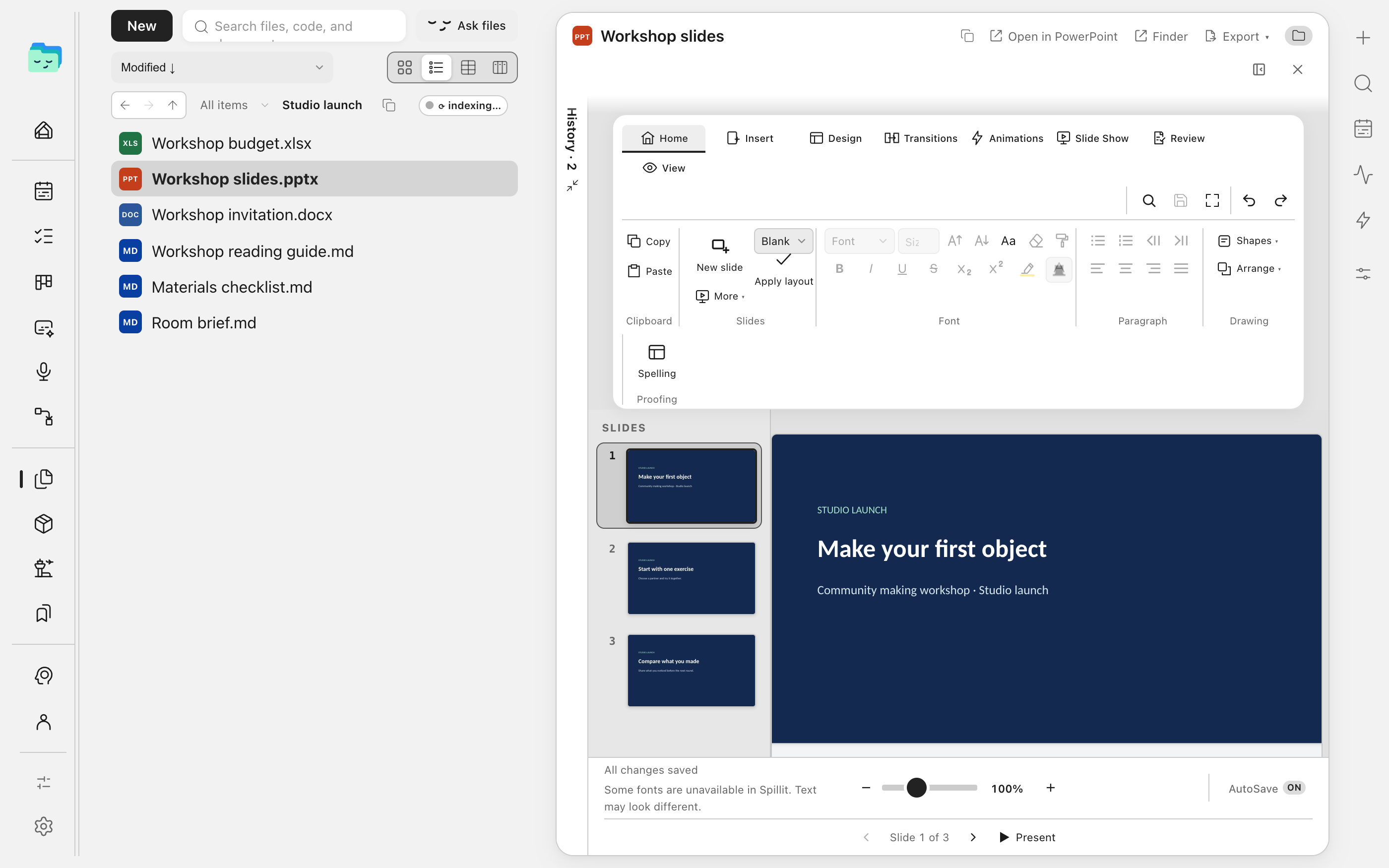
The first slide of the saved deck says Make your first object.
See the resultBefore and after
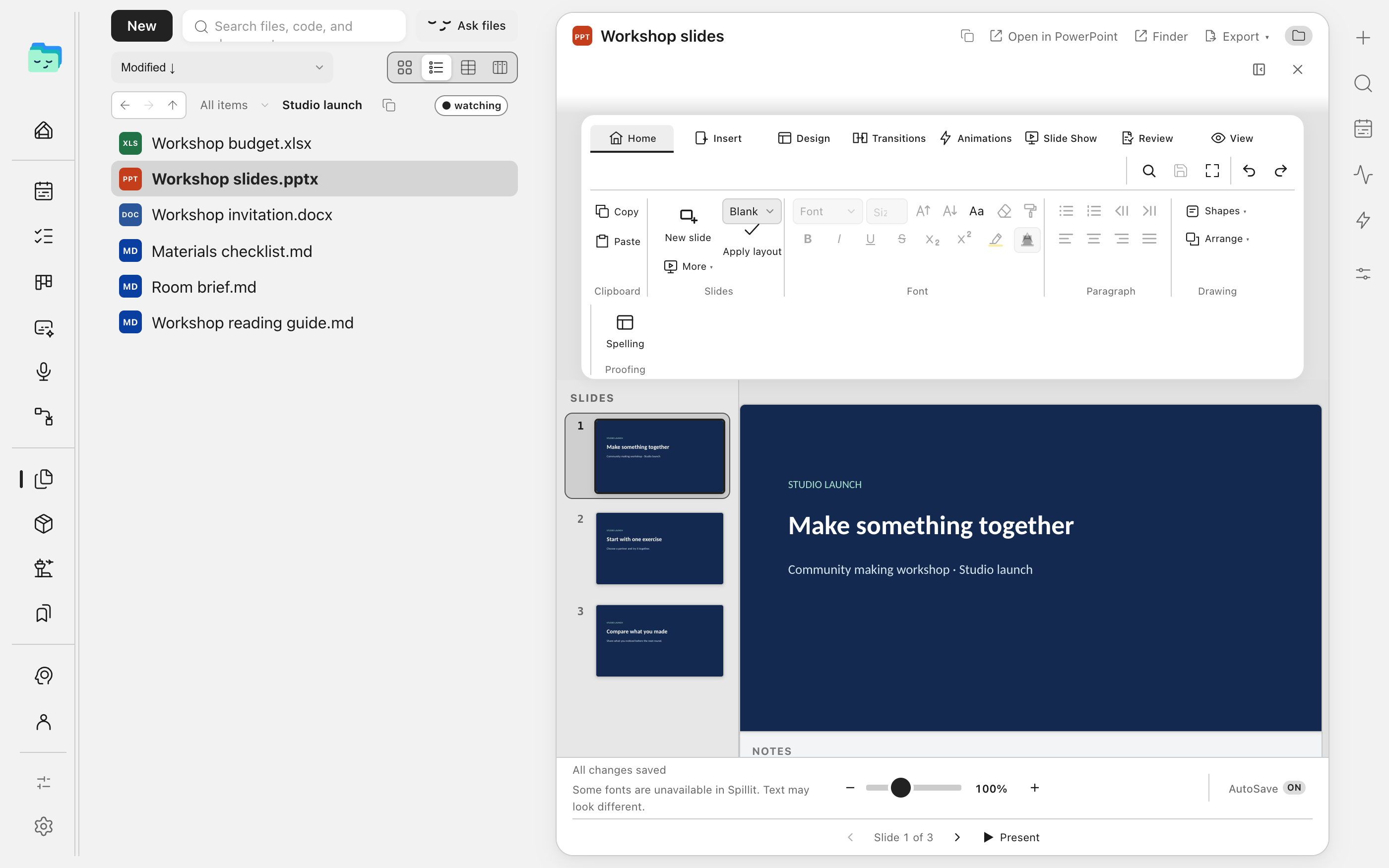
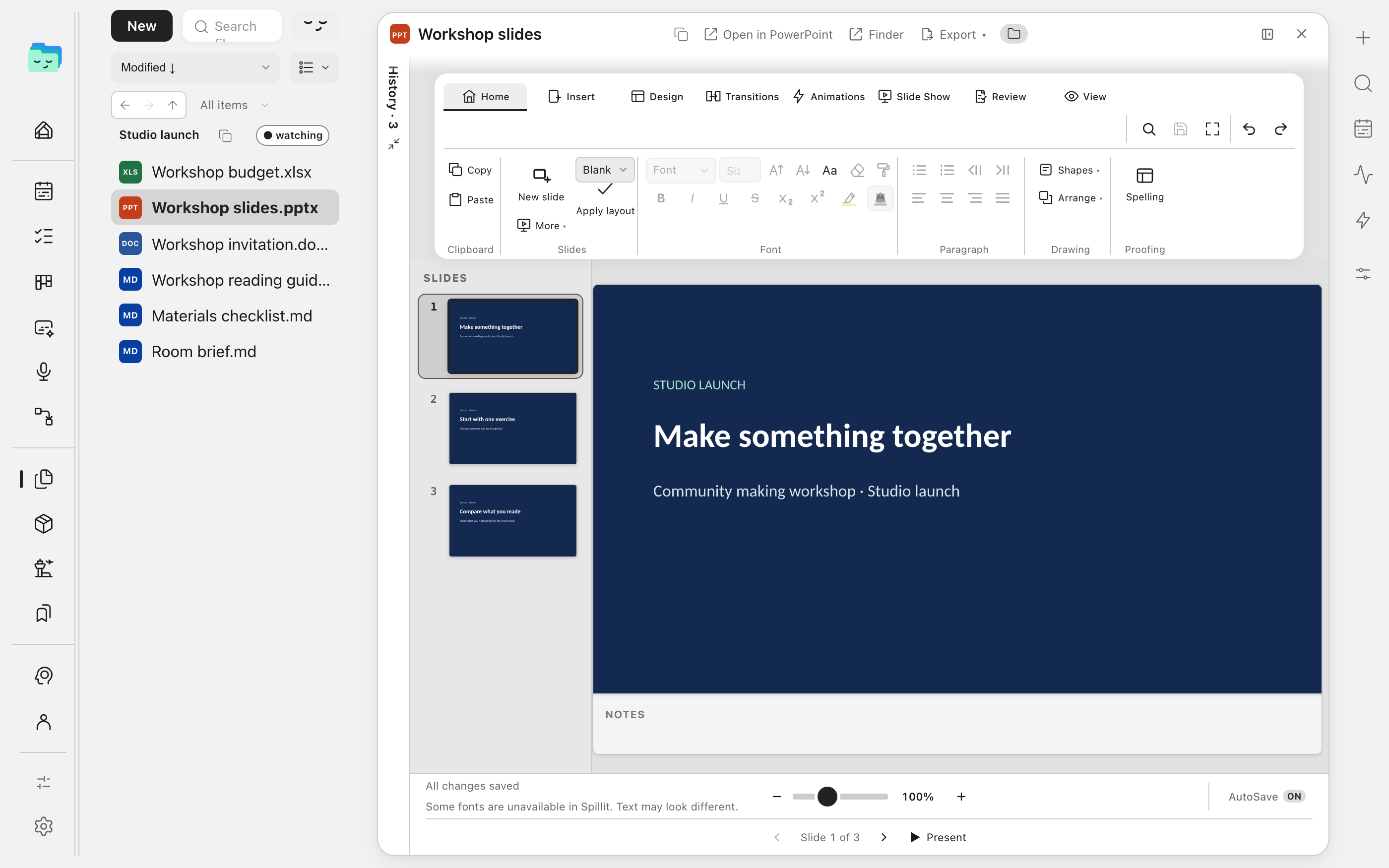
Before
- A vague opening title leaves people guessing about the first activity.
- A longer title can wrap differently at presentation size.
After A clear instruction on the opening slide
- The first slide of the saved deck says Make your first object.
- The slide editor keeps the Notes and Present controls with the deck.
Step by step
How Spillit solves it
Keep scrolling. The screen and the guide follow you.Swipe or tap the screen, or keep scrolling.



Step 1 of 3
Find Workshop slides in My Files
In My Files, open the Studio launch folder and select Workshop slides.pptx. The presentation opens beside the file list with all three slide thumbnails visible.
Step 2 of 3
Revise the opening title
Select the existing title and change it to Make your first object. Check the line break on the slide and keep detailed speaking cues in Notes below it.
Step 3 of 3
Check the saved slide
Save the deck and look at the opening slide again. Use Present when you are ready to check its line breaks at presentation size.
Try the example
Give participants a clear first instruction and keep the speaking cues out of the slide title.
- Select slide 1 and replace its title with Make your first object.
- Put the cue to hand out materials in Notes below the slide. Use Present to check the title at presentation size.
- Save the deck and reopen it at slide 1. Check the title and confirm the other two slides are still present.
Check your result
The opening title names the first activity and fits its title area. The deck still has three slides.