Write LaTeX directly in Spillit
Keep your LaTeX document, images, and bibliography in one My Files folder. Open the editable .tex file in Spillit and check the formatted handout beside it.
Group discussion time
12 → 18 minInstructions, equation, and schedule updated.
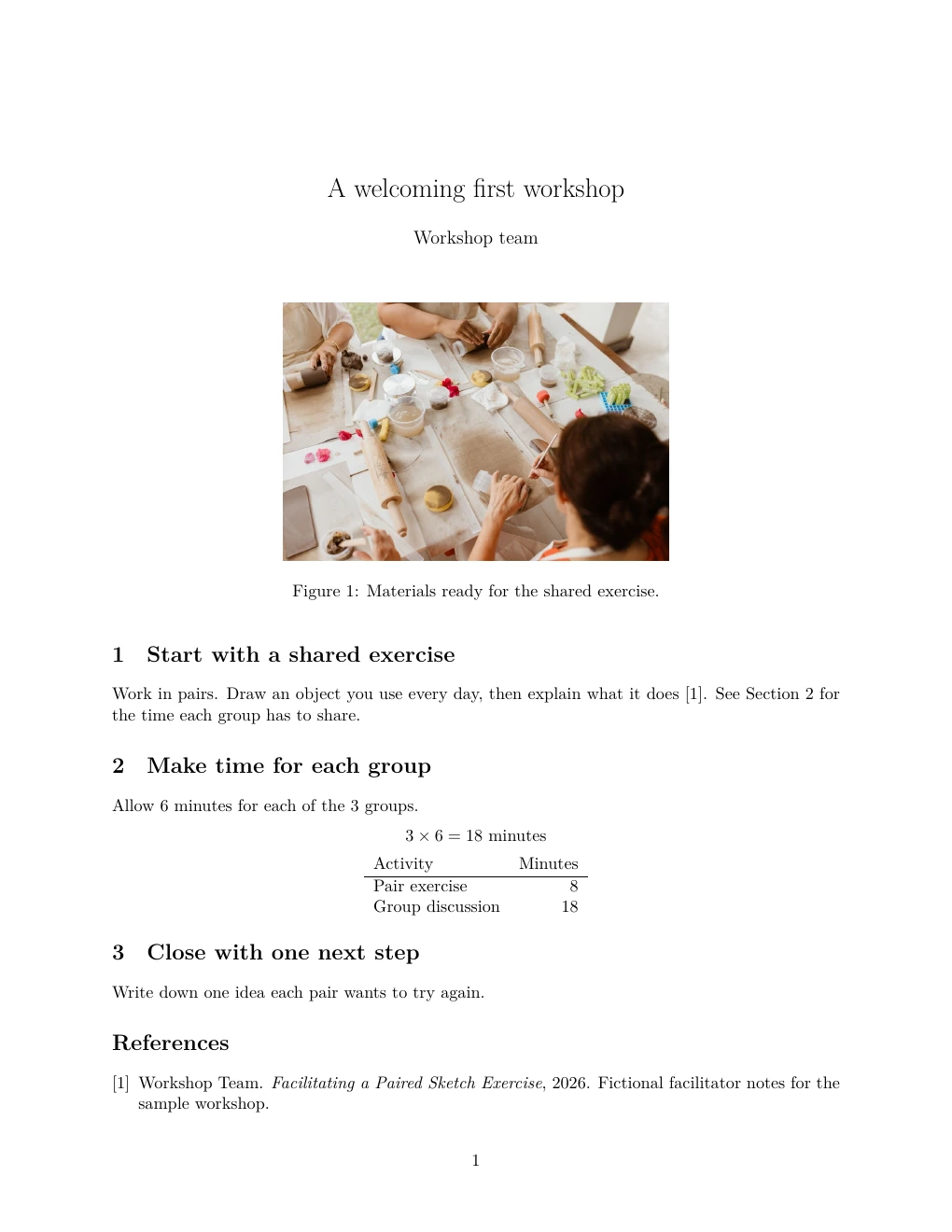
See the revised PDFBefore and after
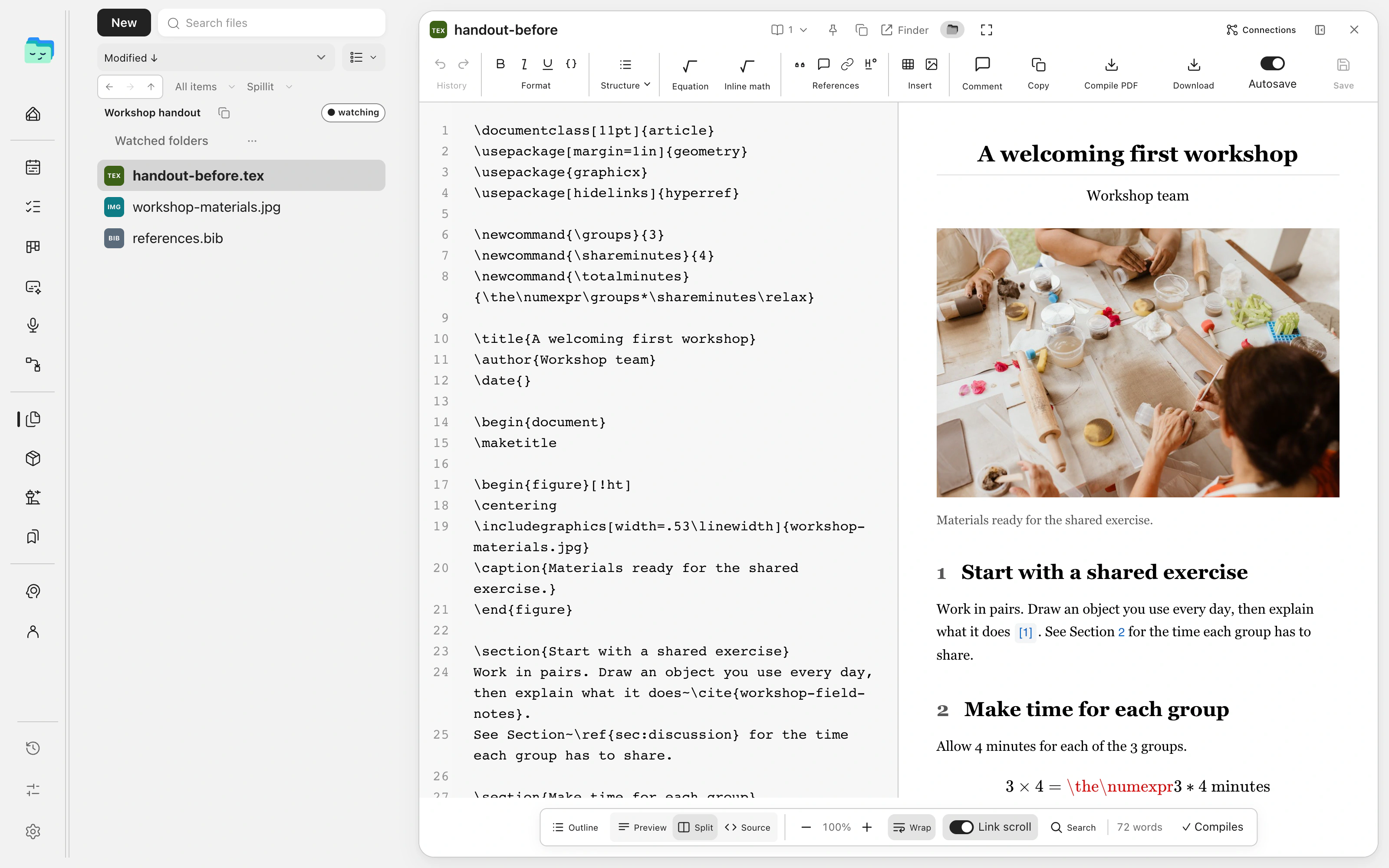
Before
- The discussion time appears in the instructions, an equation, and a schedule table.
- The link in the opening exercise needs to reach the discussion section after the edit.
After One edit, three places checked
- The instructions, equation, and schedule use the revised discussion time.
- Both builds are available to compare. The revised PDF keeps its link to Section 2.
Step by step
How Spillit solves it
Keep scrolling. The screen and the guide follow you.Swipe or tap the screen, or keep scrolling.



Step 1 of 5
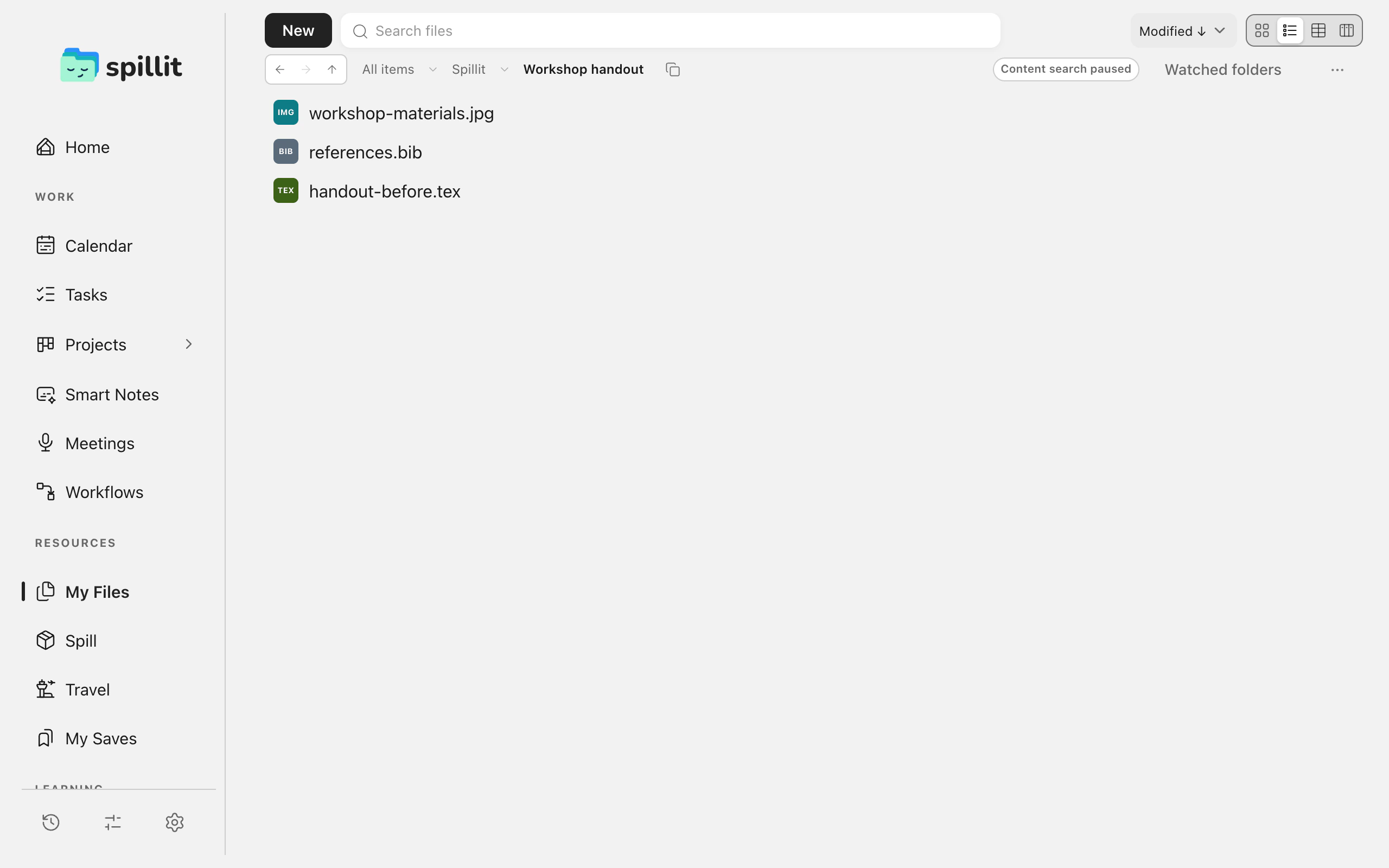
Open the .tex file from My Files
Open Workshop handout and select handout-before.tex. The photo and references.bib, the file that stores the bibliography entries, stay alongside the document.
Step 2 of 5
Change the time in one place
Widen the editor beside My Files and choose Split. Turn on Wrap to keep long lines visible. Change shareminutes from 4 to 6 on the left.
Step 3 of 5
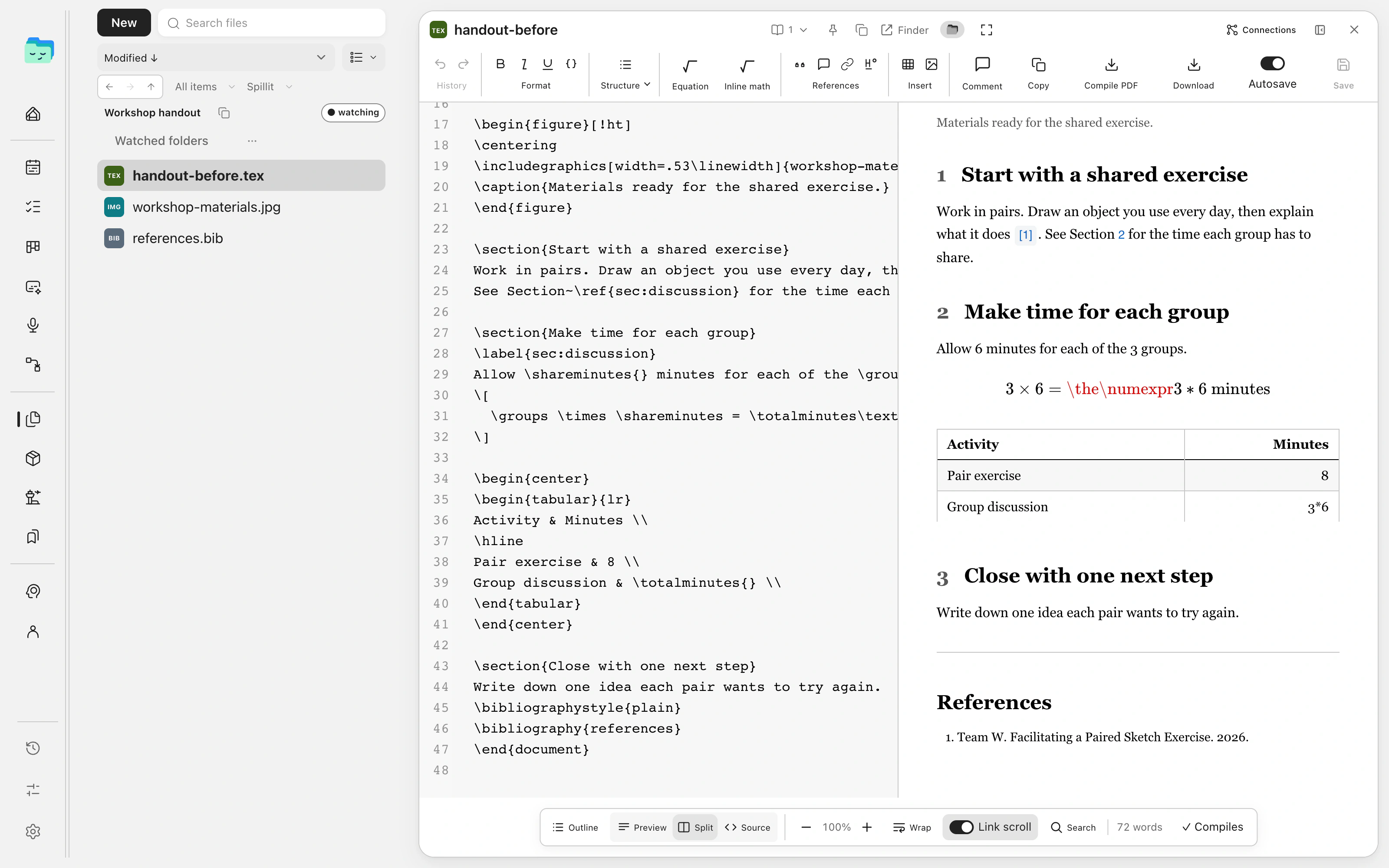
Scroll the source and preview together
Turn on Link scroll and scroll down in the source. The preview follows through the document, while My Files stays visible beside both panes.
Step 4 of 5
Build the PDF in Spillit
Choose Compile PDF in Spillit. If the document needs a missing package, a LaTeX add-on, Spillit offers to download it when you’re online.
Step 5 of 5
Verify the revised PDF
Check that the revised PDF shows eighteen minutes, the photo, and the reference from references.bib. The opening exercise still links to Section 2.
Try the example
Give each of the three groups two extra minutes without losing track of the total.
Coming from Overleaf? Try the same edit and PDF build on your computer in Spillit.
Download the Workshop handout folder- Unzip the Workshop handout folder in My Files. Keep references.bib and workshop-materials.jpg beside handout-before.tex, then open the .tex file and choose Split.
- Change the shareminutes value from 4 to 6. Choose Compile PDF and look for Compiles in the toolbar.
- Check the photo, schedule, and References section in the PDF. Follow the link to Section 2 from the opening exercise.
Check your result
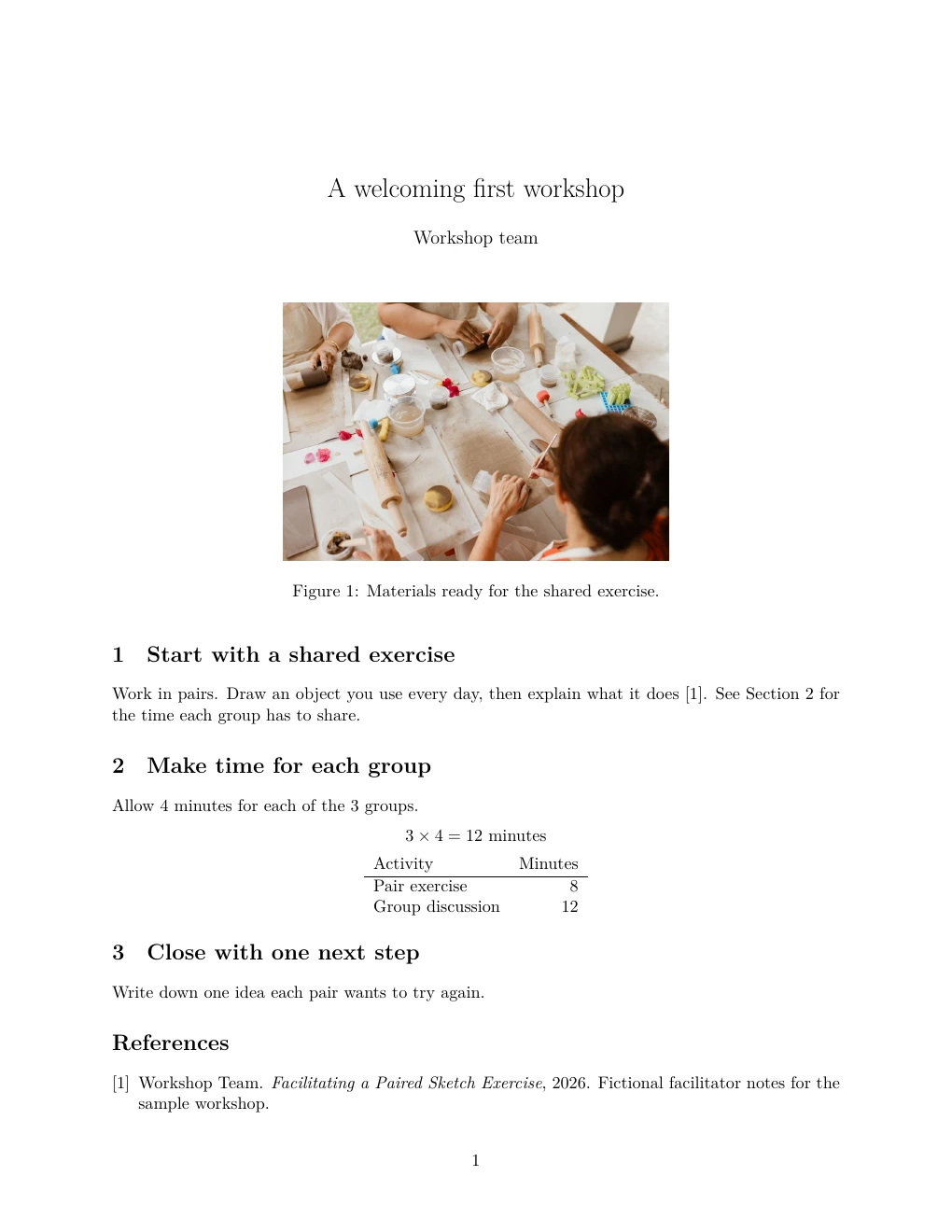
The photo appears above the opening exercise, and citation [1] has a matching entry under References. The equation and table both give 18 minutes.
Starting handout
4 minutes per group · 12 minutes total
Revised handout
6 minutes per group · 18 minutes total