
LaTeX and Typst are text formats for producing formatted documents. You edit the source text and check the rendered pages beside it.
Open the source and preview
- Open a supported
.texor.typfile in My Files. To start a Typst file, choose New → Typst. - Use Split to see the source and formatted result together. Use Source to give the editor more room while fixing a line.
- Edit a heading or equation and check how the preview changes. Choose Save for the editable source file.
Check a LaTeX build
Choose Compile PDF to build the document in Spillit. If a LaTeX package, an add-on used by your document, is missing, Spillit can download it with your approval. Package downloads require an internet connection.
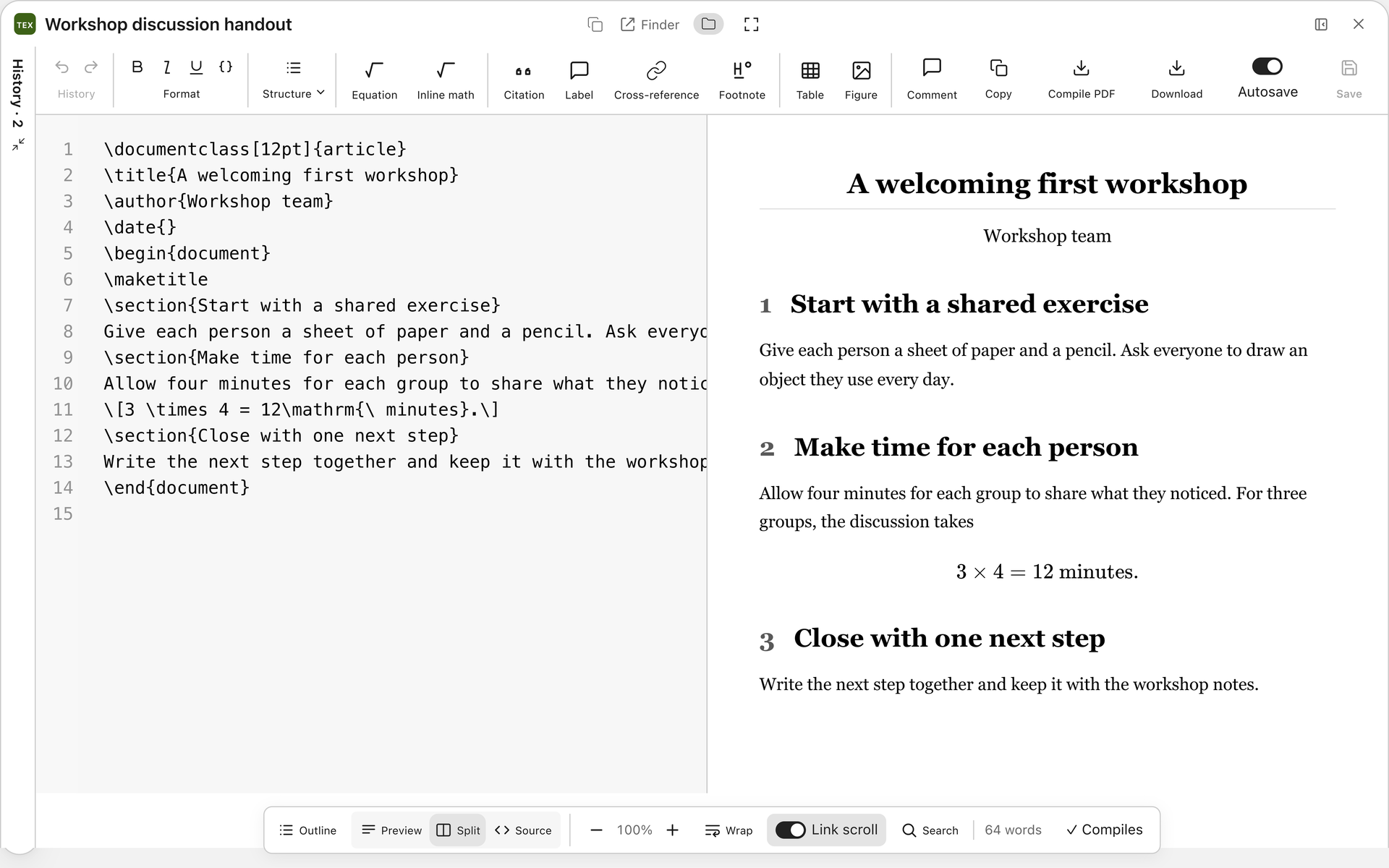
Review the status after an edit. When a problem points to a source line, select the problem and check that line. Start with the first reported error before changing several parts of the document.
Export the Typst PDF
Use Compile PDF to build and save the PDF. Spillit builds Typst PDFs on your computer, and the preview shows up to 12 pages.
The PDF export includes every page. Open the export to verify page count, references, and any figures beyond the preview.
Was this article helpful?
Thanks. Glad it helped.
Thanks for telling us.Try the search, or the related topic in the sidebar.