
Ask about what you are reading
Open a supported document and select a relevant passage. Use the question tool to ask something specific about the selected material.
Open any source reference the answer provides and check that it supports the claim. Reviews are especially important for names, dates, or instructions.
Use writing help in Smart Notes
Select text and open Assist to shorten, expand, or rewrite it. Whole-note options can help with an outline, summary, or next steps.
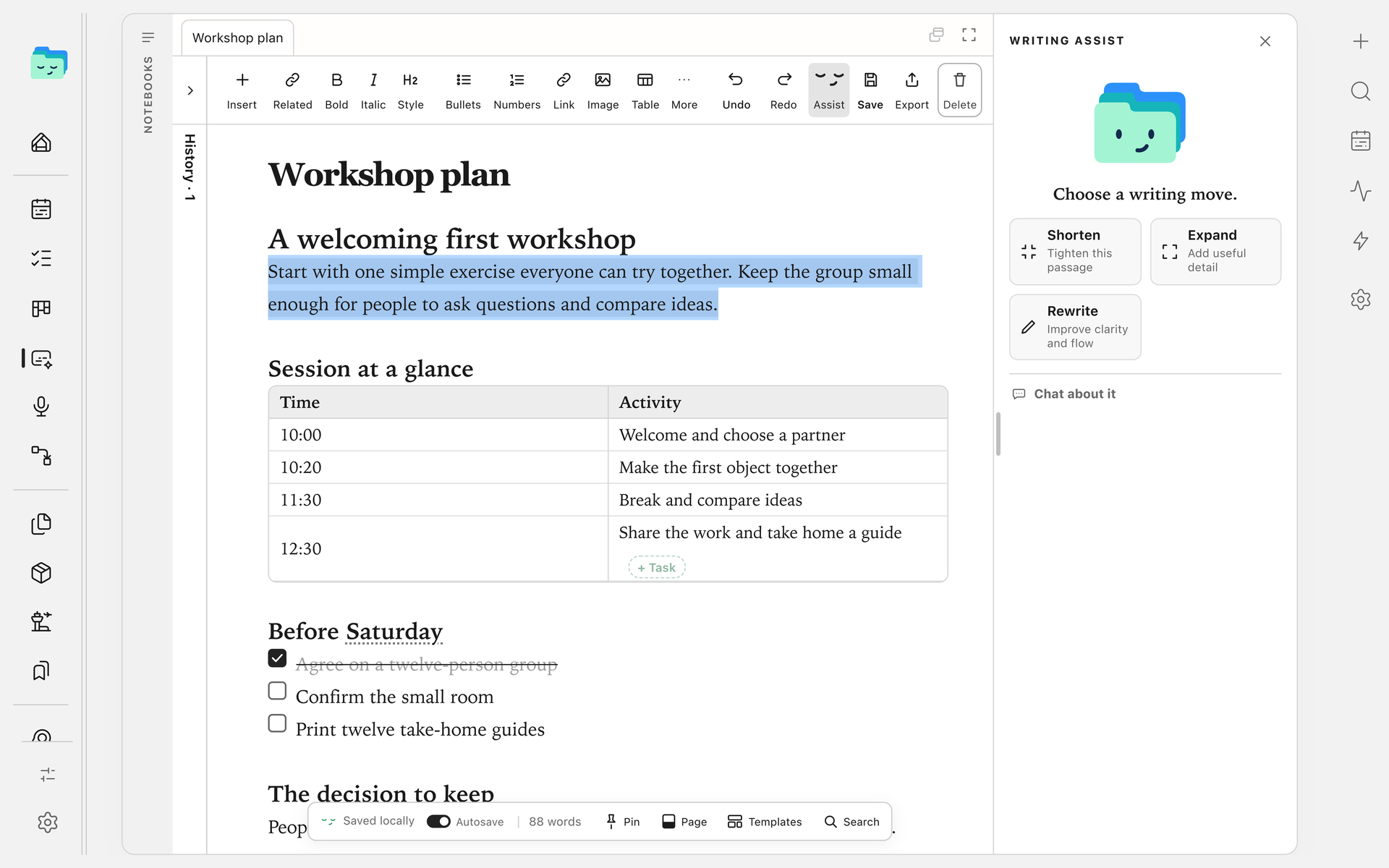
Read the suggestion before replacing a passage or adding it to the note.
Choose what to do with the response
- To revise a passage, select only the words you want to change. Compare the suggestion with your original before choosing Replace selection.
- To keep a whole-note suggestion alongside your writing, use Add it when it appears. Read it in context after inserting.
- To check a cited answer, open the reference and read the sentences around the cited passage.
Try asking about a concrete detail first. For a workshop brief, ask which date the document gives for submitting the agenda.
Was this article helpful?
Thanks. Glad it helped.
Thanks for telling us.Try the search, or the related topic in the sidebar.