
Add a site you return to
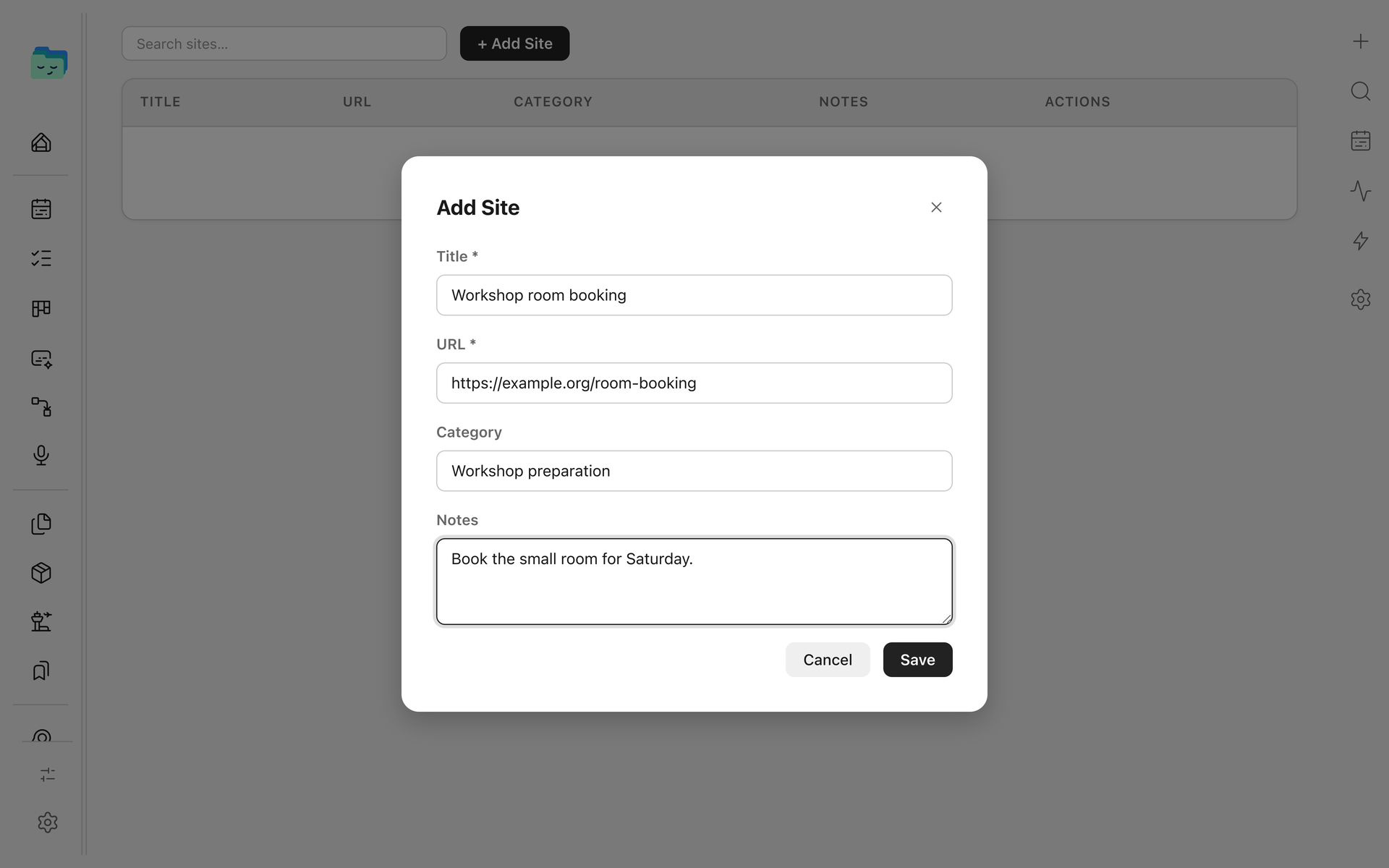
- Open Sites and choose + Add Site.
- Enter the Title and URL, the address of the page.
- Add a Category or Notes if it helps you remember what you use the site for.
- Choose Save and open the entry to check it.
Some sites prevent other apps from displaying them. Choose Open in Browser Instead if the site is blocked in Spillit.
Keep a link, passage, or page
| If you need | Choose |
|---|---|
| The original address in My Saves | Paste the address into Spill anything and press Enter. |
| A passage from a supported page | In the Spillit browser, choose Highlight Text, select the passage, then review the confirmation before saving it to Smart Notes. |
| A readable PDF copy | On supported builds with Pro, choose Export → PDF in the Spillit browser when available. |
For example, keep the address of a venue’s website in My Saves. Highlight a paragraph about room capacity if you need the wording in your planning note.
Open the saved note or file and verify the text against the source. For a page you already saved as an HTML file, open it in My Files to read it again.
Was this article helpful?
Thanks. Glad it helped.
Thanks for telling us.Try the search, or the related topic in the sidebar.