
Choose a reading view
Open the file in My Files. Spillit has readers for supported EPUB books, Markdown, saved web pages, and code files.
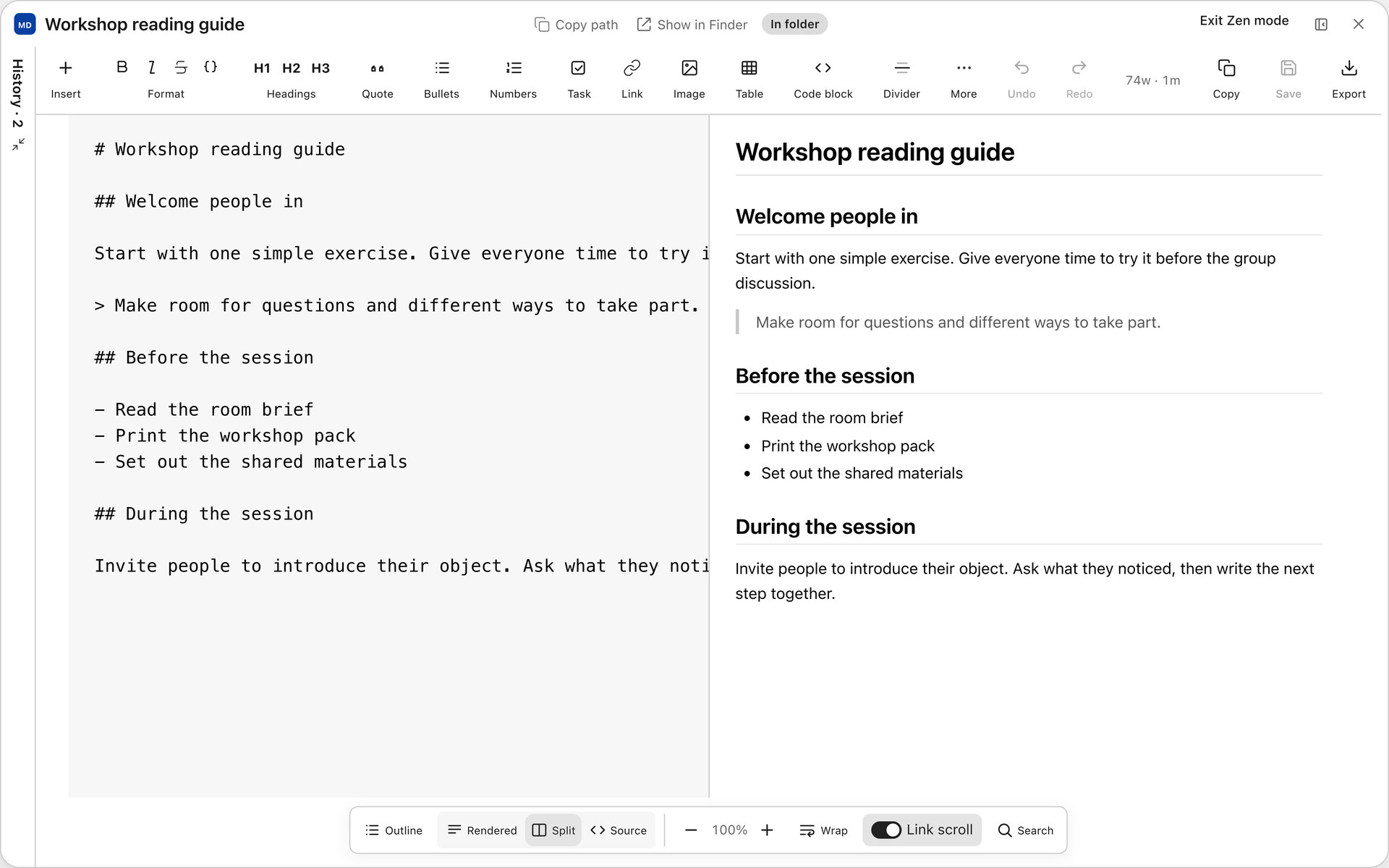
For Markdown, a plain-text format with markers for headings and lists, choose the view that suits the task.
| View | Use it to |
|---|---|
| Rendered | Read the headings, lists, and links as they appear on the page. |
| Split | Check the rendered page and its source side by side. |
| Source | Work directly in the text. |
For example, use Split to edit a checklist and check how it reads without switching away from the file.
Find a passage
Use the reader’s search to find text in the document you already opened. To look in more than one file, return to My Files and use Search files.
Keep related files nearby
Open a source and your working document, such as a reference PDF and a Smart Note. Choose a side-by-side layout when the reader supports both files.
To organize separate tabs on desktop, open a tab’s menu. Use Move to own reader for a separate window or Move to window when a second reader is open.
See Write and organize a Smart Note to keep a linked reference inside the note.
Was this article helpful?
Thanks. Glad it helped.
Thanks for telling us.Try the search, or the related topic in the sidebar.