
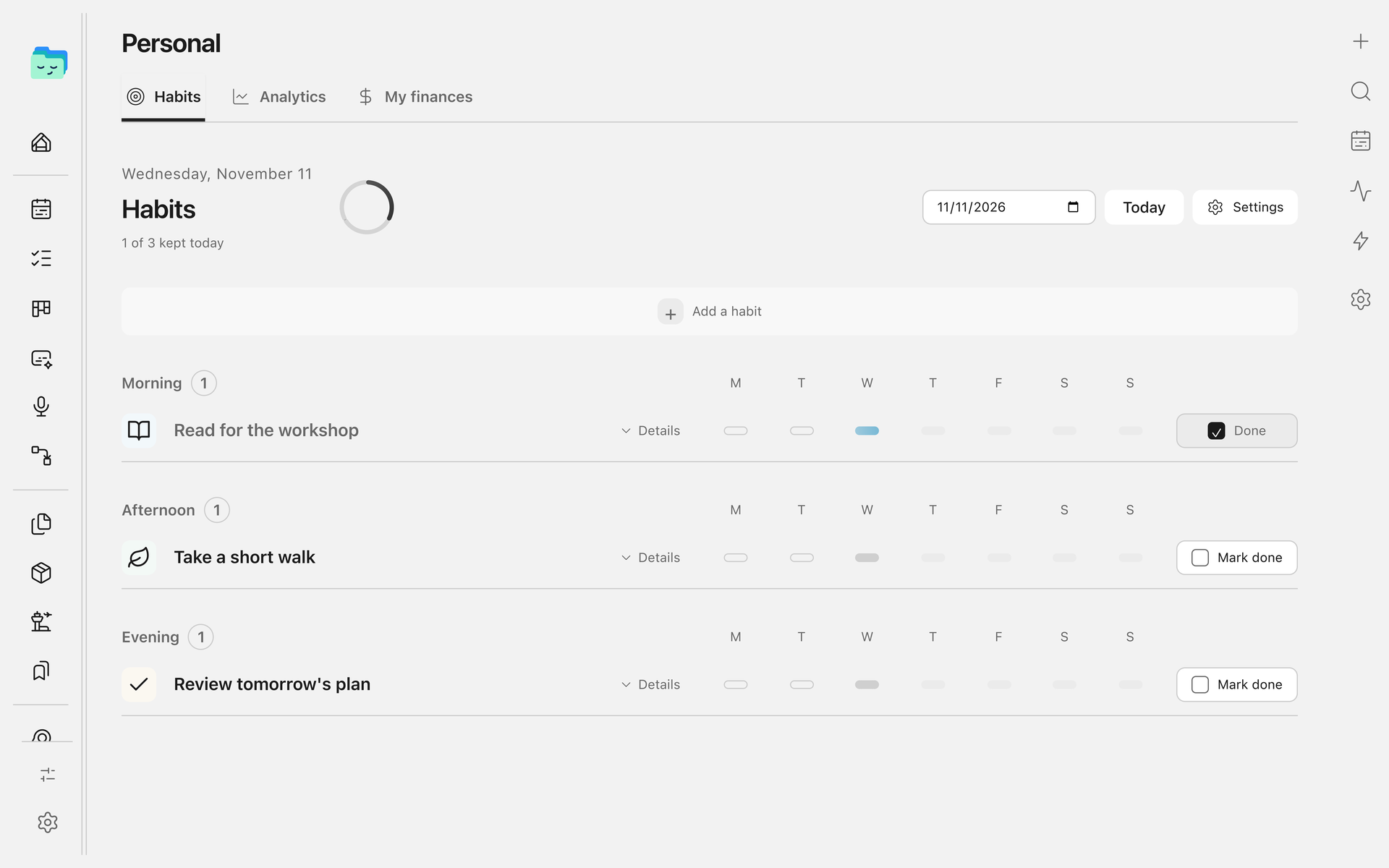
Use Tracking → Habits for an action you want to keep doing each day. For example, track “Read for 20 minutes” separately from the tasks in a class project.
Record a habit
- Open Tracking → Habits and choose Add a habit.
- Enter a Habit name and choose a Time of day. An exact time and note are optional.
- Select Save. When you do the habit, check it off for today.
Use the Habits section on Home when you only need to check off the current day. Select the same checkmark again to undo it.
Correct an earlier day
- In Tracking → Habits, choose the date you meant to log.
- Check or uncheck the habit for that day.
- Choose Today to return to the current date.
For example, if you finished reading yesterday but missed the check-in, select yesterday before you mark it done.
Review patterns
- Open a habit’s Details to see its streak, best run, and logged days. Use Week, Month, or Year to change the history view.
- Open Tracking → Analytics to review work and project time separately. The time charts use minutes recorded against completed tasks.
If today’s badge looks wrong, check which date is selected in Habits. For a missing project time total, check the task’s time log.
Was this article helpful?
Thanks. Glad it helped.
Thanks for telling us.Try the search, or the related topic in the sidebar.