
Read and write access
In Settings → Connections → AI apps, find Agent access under Permissions. Set the default for connected apps or choose a setting beside an app.
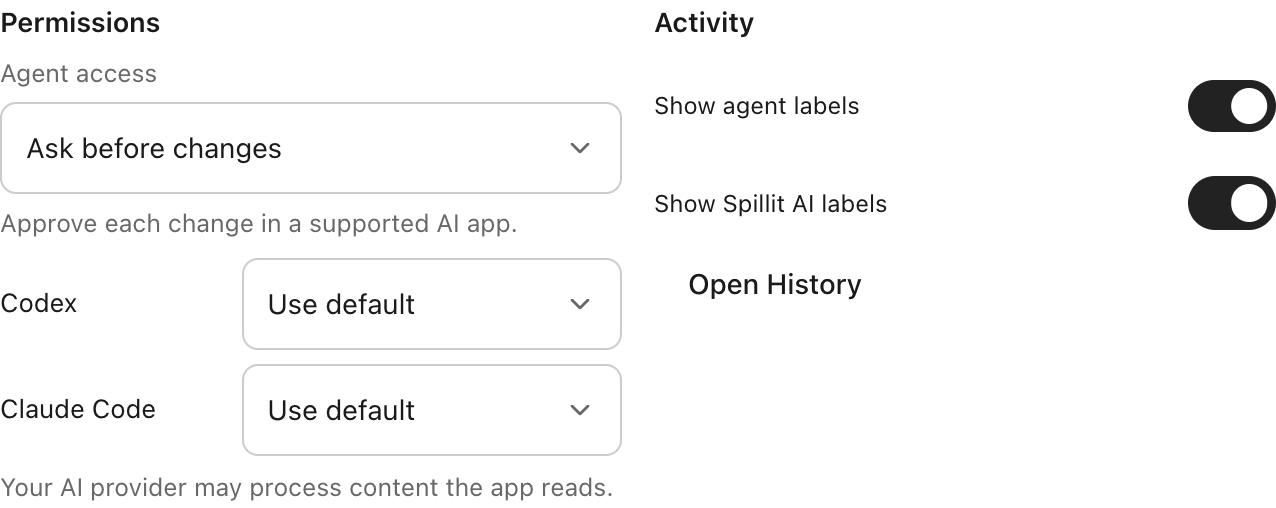
- Look things upChoose Read only for searches and questions. This blocks changes.
- Allow changesChoose Full access if the app can make changes without asking.
- Review a proposed changeChoose Ask before changes to review each proposed change in a supported app.
Limit and review changes
Use Limit changes by project to restrict writes to selected projects. The limit applies to changes. Connected apps can still read outside those projects.
Under Activity, choose Open History to review changes. Spillit offers Undo for supported actions when the record still matches the agent’s result.
Remove access
Choose Read only under Agent access to refuse new write requests. Choose Disconnect to remove Spillit from the selected client.
Was this article helpful?
Thanks. Glad it helped.
Thanks for telling us.Try the search, or the related topic in the sidebar.